

Introduction to the AI Presentation Landscape
The way professionals build slide decks has changed fundamentally over the last few years. The shift from manual layout design to AI-assisted generation has created two distinct types of tools. On one side, we have standalone platforms that reinvent the presentation canvas. On the other, we have add-ins that live directly within the tools you already use, such as Google Slides and Microsoft PowerPoint.
Plus AI and MagicSlides both fall into the second category. They are designed for users who want the power of artificial intelligence without leaving their familiar workspace. While both tools aim to solve the same problem, which is the "blank slide" syndrome, they approach the solution with different philosophies. Plus AI focuses on professional workflows and template preservation. MagicSlides prioritizes speed and content repurposing, such as turning a YouTube video into a deck.
Choosing between them requires an understanding of your specific needs. Do you need a polished, enterprise-ready deck that matches your company branding? Or do you need a quick draft based on a web article or video? This guide provides an objective, deep dive into how these two popular add-ins stack up against each other in 2026. For a broader look at the market beyond add-ins, check out our best AI presentation builders 2026 roundup.
Overview of Plus AI
Plus AI is widely regarded as one of the most professional AI extensions for Google Slides and PowerPoint. Its primary value proposition is native integration. It does not feel like an external tool bolted onto your software. Instead, it feels like a natural feature of the presentation environment.
The tool is built specifically for users who already have established workflows. It allows you to generate entire presentations from a single prompt, but its real power lies in its ability to edit and remix existing slides. If you have a slide that looks messy, you can use the Remix feature to transform the layout while keeping your content intact. This makes it a top choice for those looking for the best 2026 enterprise AI slide makers that fit into existing corporate standards.
One of the standout features of Plus AI is its respect for templates. Many AI tools ignore your master slides and generate layouts that look completely different from your brand. Plus AI tries to work within your existing theme, ensuring that the new slides it generates do not require hours of manual reformatting.

Overview of MagicSlides
MagicSlides is an add-in for Google Slides that has gained popularity for its simplicity and unique content-sourcing capabilities. While many tools focus on text-to-presentation, MagicSlides excels at repurposing content from various sources. You can paste a link to a YouTube video, a PDF, or a URL, and the tool will summarize the information and generate a corresponding slide deck.
This makes MagicSlides particularly useful for educators, trainers, and content creators who need to turn existing material into a visual format quickly. The interface is straightforward. It is essentially a sidebar within Google Slides where you input your source material and select the number of slides you want.
However, MagicSlides is generally seen as a drafting tool rather than a final-polish tool. The design output is often basic, frequently requiring the user to go back and manually adjust images, text alignment, and colors. If you find the output quality lacking for high-stakes meetings, you might want to look into MagicSlides alternatives that offer more design control.
Key Differences Between Plus AI and MagicSlides
The primary difference between these two tools lies in their target audience and the complexity of the output.
Plus AI is built for the business professional. It handles complex instructions better and offers more sophisticated editing tools. For example, if you want to change only a specific section of a slide or rewrite a paragraph to be more professional, Plus AI provides specific tools for those tasks. Users seeking more robust features often research Plus AI alternatives 2026 before committing to a long-term subscription.
MagicSlides is built for speed and ease of use. It is a "one-click" style tool. You give it a source, and it gives you a deck. It does not offer the same level of granular control over the design or the narrative flow as Plus AI. It is excellent for creating a baseline that you intend to heavily edit, but it is rarely a "one and done" solution for a professional presentation.
Another major difference is platform availability. Plus AI supports both Google Slides and Microsoft PowerPoint. MagicSlides is primarily focused on the Google Workspace ecosystem. For those who live in PowerPoint, Plus AI is the clear winner by default.
Feature Comparison Table
| Feature | Plus AI | MagicSlides |
|---|---|---|
| Primary Platform | Google Slides & PowerPoint | Google Slides |
| Input Types | Text prompts, existing slides | Text, URL, PDF, YouTube |
| Template Preservation | High (uses your master slides) | Low (basic themes) |
| Editing Tools | Remix, Rewrite, Insert Slides | Basic text and image generation |
| Export Formats | PPTX, Google Slides | Google Slides |
| Brand Kit Support | Advanced | Basic |
| Target User | Enterprise, Consultants | Educators, Quick drafters |
| Free Tier | No (Paid only) | Yes (Limited) |
Pricing Comparison
Pricing is a significant factor when choosing an AI add-in. The two tools follow different models, especially regarding the availability of a free tier.
Plus AI does not offer a permanent free version. It focuses on a premium experience starting at approximately $10 per month. This plan usually includes a set number of AI credits and access to the basic generation features. Higher tiers, designed for teams, offer brand kit integration and shared templates. Because it is a paid-only tool, it is often grouped with other affordable PowerPoint AI add-ins that provide a high return on investment through time savings.
MagicSlides offers a free tier, which is one of its biggest draws. This allows users to generate a limited number of presentations per month with a capped number of slides. Their paid plans start at around $8 per month, making it slightly more affordable for individual users. However, the lower price point reflects the more basic nature of the output.
The NextDocs Alternative: Why Multi-Variant Generation Matters
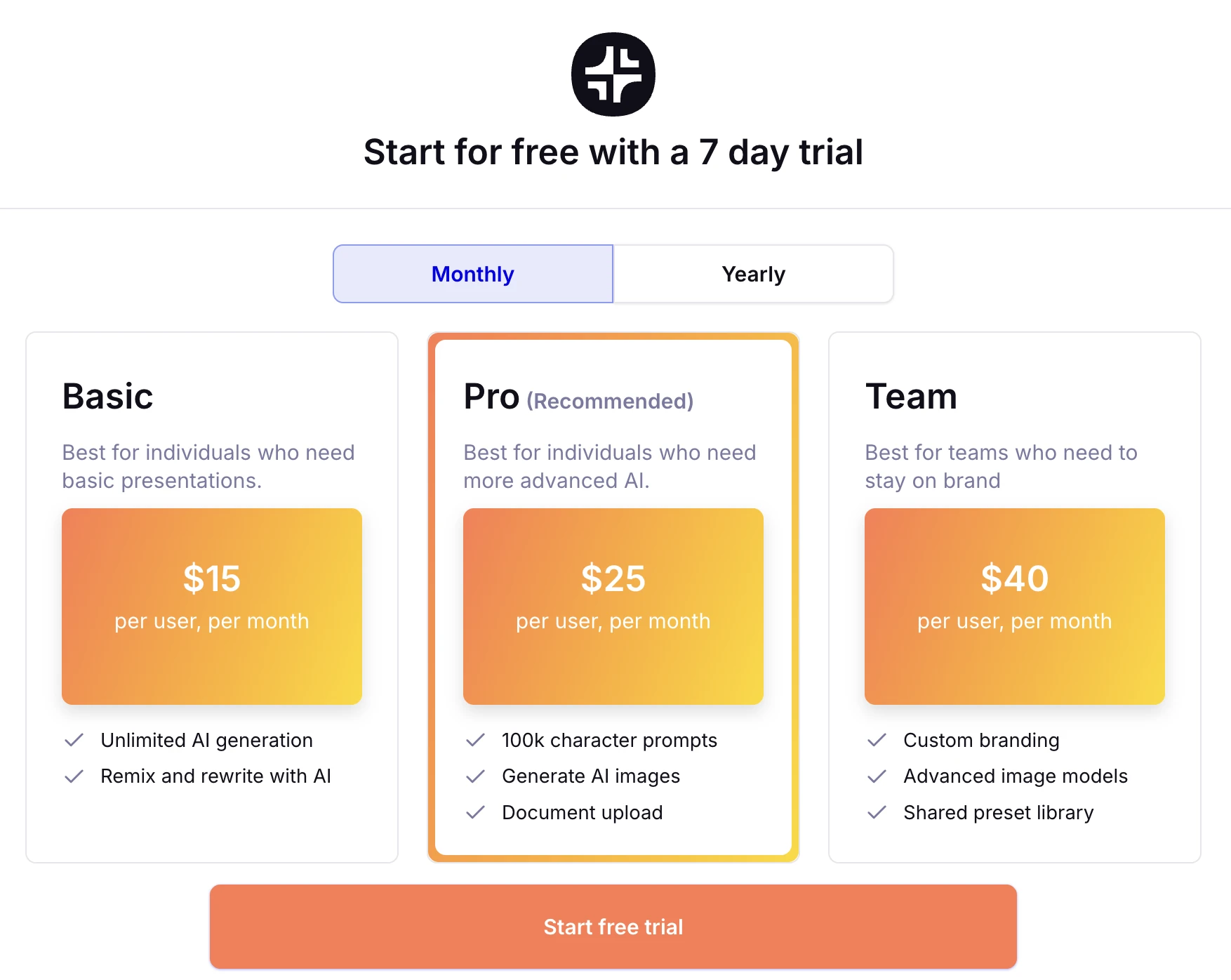
While add-ins like Plus AI and MagicSlides are convenient, they often struggle with a fundamental limitation of AI. They give you one result and expect you to fix it. This is where NextDocs differs. NextDocs is an AI-native platform that generates multiple variants for every prompt.
Instead of getting one slide for your "Problem Statement," NextDocs provides three or four different versions. One might use icons, another might use a heavy text layout, and another might focus on a single powerful image. This choice allows you to select the best starting point, which significantly reduces the time spent on manual editing.
Furthermore, NextDocs solves the "hallucination" problem common in AI tools. While Plus AI and MagicSlides generate text based on general knowledge, NextDocs includes deep research integration. It can pull real-time data and provide citations, ensuring your presentation is factually accurate. For those prioritizing visual identity, our guide on best AI presentation builders with brand kits highlights how NextDocs maintains consistency across different formats.
Pros and Cons of Plus AI
Pros
- Excellent integration with Google Slides and PowerPoint.
- The Remix feature is one of the best ways to fix existing, ugly slides.
- Strong focus on maintaining company branding and professional templates.
- Useful rewriting tools that help adjust the tone of the text.
- Reliable output that rarely requires a complete overhaul.
Cons
- No free tier makes it difficult for casual users to test.
- The subscription can be expensive for small teams.
- Highly dependent on the quality of the initial prompt.
- Design variety is professional but can sometimes feel repetitive.
Pros and Cons of MagicSlides
Pros
- Very easy to use with a minimal learning curve.
- The YouTube-to-slides feature is a unique and powerful time-saver.
- Offers a functional free tier for casual users.
- Good for summarizing long documents or articles into a visual format.
- Support for multiple languages.
Cons
- Design quality is often very basic and lacks professional polish.
- Limited to Google Slides for the most part.
- Does not handle complex business instructions as well as Plus AI.
- Frequently requires significant manual cleanup after generation.
- The AI can sometimes choose irrelevant images for the content.
Which Tool Should You Choose?
The choice between Plus AI and MagicSlides comes down to your priorities.
Choose Plus AI if: You are a business professional who spends a lot of time in PowerPoint or Google Slides. You need your decks to look corporate and polished. You have existing company templates that you must use. You are willing to pay a monthly fee for a tool that significantly reduces your editing time and provides higher-quality content.
Choose MagicSlides if: You are looking for a quick, low-cost way to get a draft on paper. You frequently need to turn external content, like videos or web articles, into presentations. You are a student, teacher, or internal trainer who needs a functional deck rather than a design masterpiece. You prefer a tool with a free tier to handle occasional tasks.
Verdict and Recommendation
If we look at the broader market of presentation tools, add-ins serve a specific purpose. They bridge the gap between old-school manual work and new-school AI automation.
Between these two, Plus AI is the superior tool for professional use. Its ability to work with your existing templates and its sophisticated "Remix" and "Rewrite" features make it a genuine productivity booster. MagicSlides is a fun, useful utility for quick summaries, but it lacks the depth required for high-stakes business environments.
However, if you find yourself constantly fighting with the layouts that these add-ins produce, it might be time to move to an AI-native platform. Tools like NextDocs provide a more powerful alternative by offering universal exports to PDF, PPTX, and Google Slides from a single source. The multi-variant approach ensures you never get stuck with a single bad design, and the research capabilities ensure your content is backed by real data.
Ready to Create Better Presentations?
Try NextDocs Free and experience multi-variant generation, universal exports, and deep research integration. No credit card required.