

De evolutie van AI-presentaties in 2026
Het landschap van professionele documentcreatie heeft de afgelopen jaren een enorme verschuiving ondergaan. Professionals besteden niet langer uren aan het worstelen met uitlijningshulpmiddelen of het zoeken naar iconen. In plaats daarvan gebruiken ze kunstmatige intelligentie om hun ideeën te schetsen, ontwerpen en verfijnen. Bij het verkennen van de best AI presentation builders 2026 verschijnen twee namen vaak bovenaan de lijst: NextDocs en Microsoft Copilot voor PowerPoint.
Hoewel beide tools hetzelfde probleem willen oplossen, benaderen ze dit vanuit volledig verschillende richtingen. NextDocs is een zelfstandige, AI-native platform ontworpen om gebruikers maximale keuze en onderzoeksdiepte te bieden. Microsoft Copilot is een add‑in die diep geïntegreerd is in het bestaande Office 365‑ecosysteem. Een keuze tussen beide vereist inzicht of je de voorkeur geeft aan een flexibele, onderzoek‑intensieve workflow of een traditionele, ecosysteem‑gebonden omgeving.
Deze gedetailleerde vergelijking zet de functies, prijzen en prestaties van beide tools uiteen om je te helpen bepalen welke een plaats verdient in jouw professionele gereedschapskist.
Overzicht van NextDocs
NextDocs vertegenwoordigt een nieuwe generatie presentatietools die niet afhankelijk zijn van verouderde software‑frameworks. Het is van de grond af opgebouwd met een focus op intelligentie en flexibiliteit. In tegenstelling tot tools die simpelweg een chat‑interface toevoegen aan een slide‑editor, gebruikt NextDocs een AI-native architectuur om het volledige creatieproces te beheren.
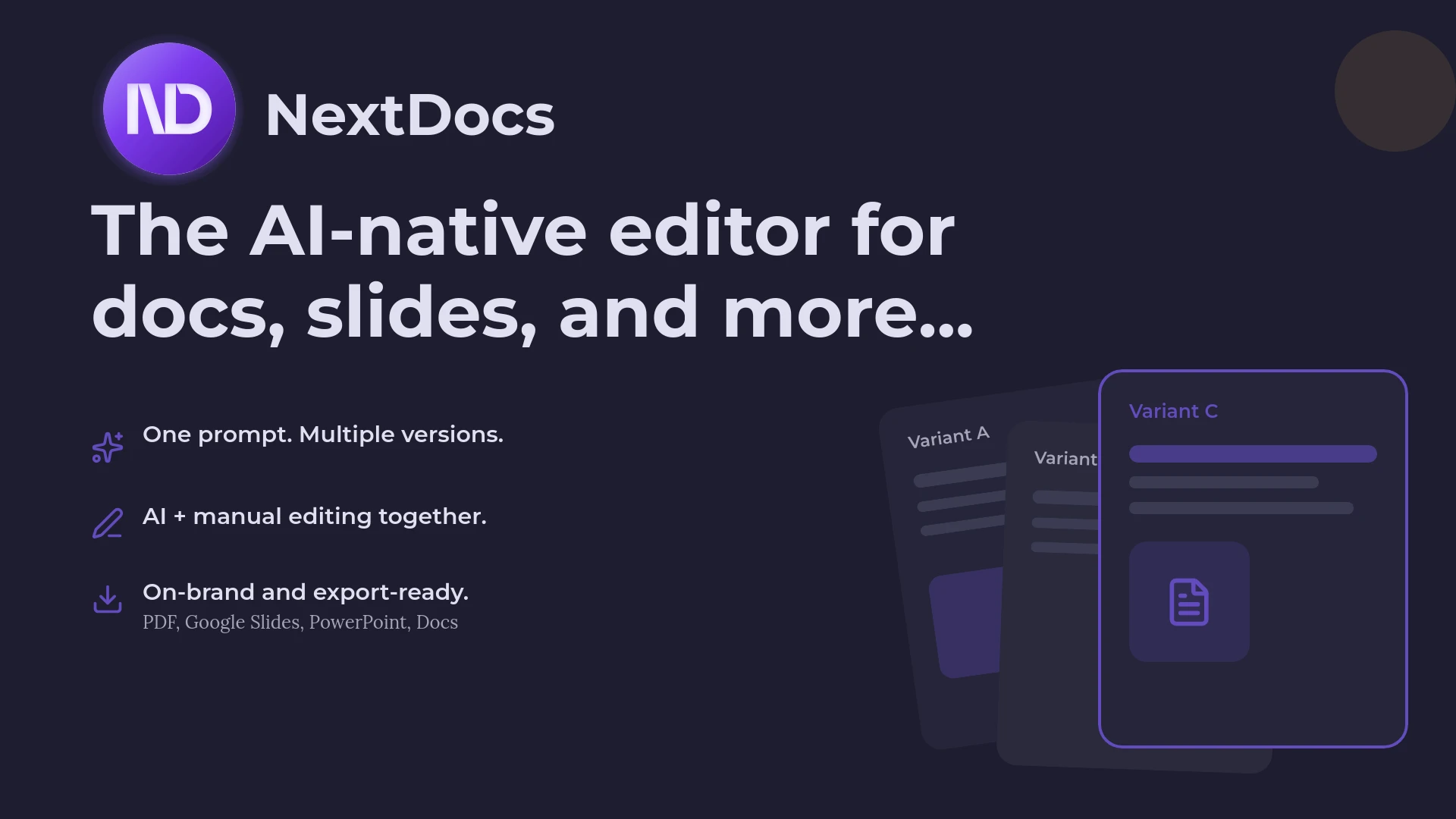
De opvallende functie van NextDocs is de multi‑variant generatie. Wanneer je een prompt invoert, geeft het systeem niet slechts één resultaat. Het genereert verschillende distinctieve versies van je presentatie. Dit stelt je in staat om verschillende verhaallijnen, ontwerpstijlen en inhoudsdieptes te vergelijken voordat je een definitieve versie kiest. Voor oprichters die op zoek zijn naar de best 2026 free AI pitch deck builders is deze variëteit een aanzienlijk voordeel.
NextDocs geeft ook prioriteit aan feitelijke nauwkeurigheid via zijn diepe onderzoeksintegratie. Het voorspelt niet alleen het volgende waarschijnlijke woord. Het zoekt actief naar real‑world data, marktstatistieken en citaten om in je slides op te nemen. Dit maakt het een voorkeurskeuze voor consultants en analisten die zich geen hallucinaties in de data kunnen veroorloven tegenover klanten.

Overzicht van Copilot voor PowerPoint
Microsoft Copilot voor PowerPoint is het antwoord van de tech‑gigant op de AI‑revolutie. Het functioneert als een zijpaneel‑assistent binnen de desktop‑ en webversies van PowerPoint. Zijn primaire kracht ligt in de verbinding met de Microsoft Graph. Hierdoor kan de AI context halen uit je e‑mails, Teams‑chats en Word‑documenten om de inhoud van je slides te informeren.
Copilot is ontworpen voor de zakelijke gebruiker die al diep verankerd is in de Microsoft 365‑omgeving. Het blinkt uit in het nemen van een lang Word‑document en dit samenvatten tot een professionele presentatie. Het is echter fundamenteel een add‑on. Het werkt binnen de beperkingen van traditionele PowerPoint‑sjablonen en -lay-outs.
Hoewel het een krachtig hulpmiddel is voor interne bedrijfsupdates, mist het vaak de creatieve flair en onderzoeksdiepte die te vinden zijn in zelfstandige alternatieven. Voor veel gebruikers is het de standaardkeuze omdat het al aanwezig is, maar degenen die meer geavanceerde functies zoeken, vinden zichzelf vaak op zoek naar Copilot PowerPoint alternatives om meer controle over het eindresultaat te krijgen.

Belangrijkste verschillen tussen NextDocs en Copilot
De keuze tussen deze twee tools komt meestal neer op drie hoofd factoren: workflow‑flexibiliteit, onderzoeksdiepte en output‑variëteit.
1. Workflow en integratie
Copilot voor PowerPoint is een add‑in. Dit betekent dat je een Microsoft 365‑abonnement moet hebben en je bent beperkt tot de PowerPoint‑interface. Dit is handig voor gebruikers die hun bestaande apps nooit willen verlaten.
NextDocs is een zelfstandige platform. Hoewel het universele export naar verschillende formaten mogelijk maakt, vindt het creatieproces plaats in een omgeving die specifiek is geoptimaliseerd voor AI‑samenwerking. Dit maakt functies mogelijk die simpelweg niet haalbaar zijn binnen de rigide structuur van een verouderde app zoals PowerPoint.
2. Multi‑variant generatie versus enkelvoudige output
Wanneer je Copilot vraagt een deck te maken, genereert het één versie. Als je die niet bevalt, moet je opnieuw een prompt geven of handmatig bewerken. NextDocs biedt meerdere varianten voor elke prompt. Je kunt meteen zien hoe je inhoud eruitziet in een minimalistische stijl versus een data‑zware professionele stijl. Deze aanpak vermindert de tijd die aan trial‑and‑error wordt besteed aanzienlijk.
3. Onderzoek en gegevensnauwkeurigheid
Een van de grootste risico's bij AI is hallucinatie. Copilot is uitstekend in het samenvatten van je eigen interne data, maar zijn vermogen om extern onderzoek te doen wordt vaak beperkt door bedrijfs‑veiligheidsfilters. NextDocs bevat een diep onderzoeks‑engine die live data met citaten ophaalt. Dit zorgt ervoor dat je traction‑slides en marktgrootte‑grafieken onderbouwd zijn met echte cijfers.
Feature Comparison Table
| Feature | NextDocs | Copilot for PowerPoint |
|---|---|---|
| Categorie | Zelfstandig AI-platform | Microsoft 365‑add‑in |
| Generatietype | Multi‑variant (Meerdere opties) | Enkele output |
| Onderzoeksdiepte | Diep onderzoek met citaten | Interne context (Microsoft Graph) |
| Exportformaten | PDF, PPTX, Google Slides, Docs | Alleen PPTX |
| Merkcontrole | Volledige merk‑kits en styling | Op sjablonen gebaseerd |
| Gratis niveau | Ja, betekenisvolle gratis toegang | Geen gratis niveau beschikbaar |
| Prijs | Begint bij $15/maand | $30/gebruikers/maand (plus M365) |
| Beste voor | Oprichters, consultants, sales | Enterprise, interne updates |
Gedetailleerde prijsvergelijking
Prijsstelling is een belangrijk onderscheidend kenmerk, vooral voor kleine teams en individuele professionals.
NextDocs biedt een gelaagd model dat een gratis versie omvat. Dit maakt het een van de top free AI presentation tools 2026. De betaalde plannen beginnen bij $15 per maand. Dit geeft toegang tot geavanceerde functies zoals merk‑kits, multi‑modelondersteuning en export met hoge resolutie. Het is een voorspelbare kost die niet vereist dat je je volledige softwaresuite wijzigt.
Microsoft Copilot voor PowerPoint is aanzienlijk duurder. Het kost momenteel $30 per gebruiker per maand. Cruciaal is dat dit een add‑on‑kost is. Je moet al een kwalificerende Microsoft 365 Business‑ of Enterprise‑abonnement hebben om Copilot te kunnen aanschaffen. Voor een klein bedrijf kan de totale kost per gebruiker meer dan $50 per maand bedragen wanneer de basislicentie is inbegrepen. Er is geen gratis niveau, waardoor het voor gebruikers moeilijk is de waarde te testen voordat ze zich verbinden aan een grote jaarlijkse uitgave.
Voor‑ en nadelen
Voordelen van NextDocs
- Multi‑variant generatie biedt directe keuzes en creatieve inspiratie.
- Universele export maakt het mogelijk om in NextDocs te werken maar te leveren in Google Slides of PowerPoint.
- Diepe onderzoeksfunctionaliteiten elimineren de noodzaak om elke statistiek handmatig te fact‑checken.
- De interface is intuïtief en gebouwd voor moderne AI‑workflows.
- Toegankelijke prijsstelling met een echt gratis niveau.
Nadelen van NextDocs
- Als zelfstandige tool vereist het het verplaatsen van content tussen platformen als je het naast Office gebruikt.
- Geavanceerde functies zoals multi‑modelselectie hebben een lichte leercurve voor nieuwe gebruikers.
Voordelen van Copilot voor PowerPoint
- Naadloze integratie voor gebruikers die al voor 100 % toegewijd zijn aan het Microsoft‑ecosysteem.
- Uitstekend in het gebruiken van interne bedrijfsdata uit Outlook en Teams.
- Beveiligings‑ en compliance‑functies op enterprise‑niveau.
- Genereert spreker‑notities die vaak zeer nuttig zijn voor interne presentaties.
Nadelen van Copilot voor PowerPoint
- Zeer duur in vergelijking met zelfstandige alternatieven.
- Geen gratis niveau maakt de toetredingsdrempel hoog.
- Ontwerpoutput is vaak conservatief en mist de visuele impact van moderne AI‑builders.
- Beperkt tot het PPTX‑formaat, wat beperkend kan zijn voor modern web‑gebaseerd delen.
Welke tool moet je kiezen?
De beslissing tussen NextDocs en Copilot voor PowerPoint hangt af van jouw specifieke professionele behoeften.
Je moet NextDocs kiezen als je een oprichter, consultant of salesprofessional bent die high‑impact, op onderzoek gebaseerde presentaties moet maken. Het vermogen om meerdere versies van een deck te genereren en ze naar elk formaat te exporteren biedt een flexibiliteit die legacy‑tools niet kunnen evenaren. Het is bijzonder effectief voor degenen die powerpoint AI add-ins willen verkennen maar deze te beperkend vinden voor creatief werk.
Je moet Copilot voor PowerPoint kiezen als je werkt in een groot bedrijf waar Microsoft 365 de verplichte standaard is. Als je primaire taak het omzetten van interne Word‑rapporten naar snelle slide‑decks voor wekelijkse vergaderingen is, kan het gemak van de integratie de hogere kosten en beperkte ontwerp‑flexibiliteit meer dan compenseren.
Conclusie
In 2026 is de beste tool degene die de meeste wrijving uit je creatieve proces verwijdert. Terwijl Microsoft Copilot een solide keuze is voor basis‑corporate taken, biedt NextDocs een robuustere en veelzijdigere oplossing voor professionals die hun presentaties willen laten opvallen. De combinatie van multi‑variant generatie, diep onderzoek en universele export maakt NextDocs de superieure keuze voor de meeste high‑stakes presentatiebehoeften.
Of je nu een pitch‑deck voor investeerders bouwt of een complexe marktanalyse voor een klant, een tool die opties en geverifieerde data biedt, is van onschatbare waarde. NextDocs levert de belofte van AI door te fungeren als een creatieve partner in plaats van alleen een opmaak‑assistent.
Klaar om betere presentaties te maken?
Probeer NextDocs gratis en ervaar multi‑variant generatie, universele export en diepe onderzoeksintegratie. Geen creditcard vereist.