

مقدمه
محیط نرمافزارهای ارائه در چند سال اخیر بهطرز چشمگیری تغییر کرده است. مدت طولانی Google Slides بهعنوان گزینهٔ ساده و همکاریپذیر برای Microsoft PowerPoint شناخته میشد. اما ورود هوش مصنوعی، ویرایشگر اسلاید را به یک فضای کاری خودکار قدرتمند تبدیل کرده است. متخصصان دیگر با یک جعبهٔ سفید خالی شروع نمیکنند؛ در عوض، با یک درخواست (prompt) آغاز میکنند.
دو بازیکن برجسته در این حوزه Plus AI و Google Gemini هستند. هر دو ابزار در داخل رابط Google Slides کار میکنند، اما رویکردهای بسیار متفاوتی برای کمک به کاربران در ساخت دکها دارند. Plus AI یک افزونهٔ تخصصی است که بهطور خاص برای منطق و طراحی ارائه طراحی شده است. Gemini دستیار AI بومی گوگل است که برای انجام همه چیز از نوشتن ایمیلها تا تولید تصاویر در سراسر اکوسیستم Workspace ساخته شده است.
انتخاب بین آنها فقط به این نیست که کدام هوش مصنوعی هوشمندتر است؛ بلکه به این مربوط میشود که کدام ابزار با جریان کاری خاص شما سازگار است، چه میزان کنترل بر برندینگ خود نیاز دارید و آیا به قابلیتهای تحقیق عمیق نیاز دارید یا نه. برای نگاهی گستردهتر به بازار، میتوانید مرور جامع ما از بهترین سازندگان ارائه AI 2026 را بررسی کنید تا ببینید این ابزارها در مقایسه با بقیه صنعت چگونه قرار میگیرند.
مرور کلی Plus AI
Plus AI یک دستیار ارائه اختصاصی است که بهعنوان افزونه برای Google Slides و PowerPoint عمل میکند. برخلاف چتباتهای عمومی، Plus AI با تمرکز بر یک هدف ساخته شده است: ایجاد و ویرایش ارائههای حرفهای. سعی نمیکند یک موتور جستجو یا ابزار نوشتن خلاق باشد. برای درک ساختار یک دک ارائه، گزارش تجاری فصلی یا دفترچه آموزشی طراحی شده است.
این ابزار در تبدیل یک درخواست کوتاه یا یک سند طولانی به مجموعهای ساختار یافته از اسلایدها برتری دارد. یکی از مهمترین مزایای آن توانایی کار با قالبهای موجود شماست. اکثر ابزارهای AI شما را مجبور به استفاده از طرحهای خود میکنند که اغلب عمومی بهنظر میرسند. Plus AI میتواند «یاد بگیرد» اسلایدهای اصلی شرکت شما و فونتها، رنگها و طرحهای خاص شما را بر محتوای تولید شده اعمال کند.
برای بسیاری از کاربران، قدرتمندترین بخش Plus AI نه تولید اولیه، بلکه ویژگی «Remix» است. این امکان را میدهد تا یک اسلاید موجود را به یک طرح متفاوت تبدیل کنید، مثلاً تبدیل یک فهرست نکات به یک مقایسهٔ سه ستونی. این سطح از کنترل جزئی آن را برای کسانی که نیاز به حفظ استانداردهای بالای طراحی حرفهای دارند، محبوب میسازد.

مرور کلی Gemini برای Google Slides
Gemini برای Google Slides یک ادغام AI بومی است که توسط گوگل ارائه میشود. این جزء مجموعه Gemini برای Google Workspace است که پیشرفتهترین مدلهای زبانی بزرگ گوگل را مستقیماً به پنل کناری اسناد و ارائههای شما میآورد. چون توسط گوگل ساخته شده است، ادغام بدون مشکل است. نیازی به نصب افزونهٔ شخص ثالث نیست و سیستم اعتبار و رابط کاربری آن با بقیهٔ برنامههای گوگل یکسان است.
قویترین نقطه Gemini ارتباط آن با اکوسیستم گوگل است. میتواند به فایلهای شما در Google Drive ارجاع دهد، اطلاعات را از ایمیلهای شما استخراج کند و از مدلهای Imagen گوگل برای تولید تصاویر سفارشی برای اسلایدهای شما استفاده کند. اگر قبلاً برای یک لایسنس تجاری Google Workspace هزینه میپردازید، Gemini اغلب راحتترین گزینه است زیرا نیازی به تنظیمات اضافی ندارد.
با این حال، Gemini یک ابزار عمومی است. اگرچه میتواند یک دک ده اسلایدی را بهسرعت تولید کند، خروجیها اغلب شبیه یک قالب استاندارد Google Slides با متن پایه بهنظر میرسند. این ابزار فاقد «هوش ارائه» تخصصی موجود در ابزارهای اختصاصی است. برای یک پیشنویس داخلی سریع یا جلسهٔ طوفان فکری عالی است، اما معمولاً برای جلسات مهم نیاز به پاکسازی دستی قابلتوجهی دارد. اگر ویژگیهای بومی را ناکافی میدانید، ممکن است بخواهید به جایگزینهای Gemini Google Slides 2026 نگاهی بیندازید تا راهحل قویتری پیدا کنید.

تفاوتهای کلیدی بین Plus AI و Gemini
انتخاب بین Plus AI و Gemini معمولاً به سه عامل اصلی بستگی دارد: کنترل طراحی، منبع محتوا و عمق جریان کاری.
کنترل طراحی و حفظ قالب
Plus AI طوری طراحی شده است که به برند شما احترام بگذارد. اگر قالب سفارشی دارید که شرکت شما سالها از آن استفاده کرده است، Plus AI میتواند اسلایدهای جدیدی تولید کند که بهطور کامل در آن دک موجود جا بگیرند. در مقابل، Gemini تمایل دارد بهصورت پیشفرض از تمهای استاندارد Google Slides استفاده کند. اگرچه میتوانید بعداً تم خود را بهصورت دستی اعمال کنید، اما AI بهطور ذاتی «بهصورت» طرحهای خاص برند شما «فکر» نمیکند.
منبع محتوا
Gemini در زمینه دادههای داخلی مزیت واضحی دارد. از آنجا که بخشی از Google Workspace است، میتواند بهنظری اسناد موجود در Drive یا زنجیره ایمیلهای شما در Inbox را خلاصه کرده و یک ارائه ایجاد کند. Plus AI معمولاً به متنی که در درخواست میدهید یا سندی که مستقیماً به افزونه بارگذاری میکنید، وابسته است.
ویرایش و بهبود
Plus AI مجموعهای از ابزارهای «ویرایش» ارائه میدهد که فراتر از صرفاً ایجاد یک دک هستند. میتوانید از آن برای بازنویسی پاراگرافهای خاص، افزودن یک اسلاید جدید که با سبک فعلی مطابقت دارد، یا تغییر طرح یک اسلاید بدون از دست دادن محتوا استفاده کنید. Gemini در حال حاضر بیشتر بر تولید «از ابتدا تا انتها» متمرکز است. میتواند به نوشتن متن یا تولید تصویر کمک کند، اما همان ابزارهای تخصصی برای بازآرایی اسلایدهای موجود را ندارد.
مقایسه ویژگیها به صورت کنار هم
| ویژگی | Plus AI | Gemini برای Google Slides |
|---|---|---|
| دستهبندی | افزونه تخصصی | AI بومی Workspace |
| پلتفرم اصلی | Google Slides و PowerPoint | Google Slides |
| پشتیبانی از قالب | از اسلایدهای اصلی موجود استفاده میکند | از تمهای استاندارد Google استفاده میکند |
| تولید تصویر | یکپارچهسازی پایه | یکپارچهسازی بومی Imagen |
| ابزارهای Remix/طرح | تبدیل پیشرفتهٔ طرح | محدود به کمک متن/تصویر |
| منبع محتوا | درخواستها، متن و بارگذاریها | درخواستها، Drive و Gmail |
| همکاری | بهاشتراکگذاری استاندارد Google Slides | بهاشتراکگذاری استاندارد Google Slides |
| منحنی یادگیری | پایین (نوار کناری شهودی) | صفر (رابط بومی) |
| فرمتهای خروجی | PPTX، Google Slides | Google Slides، PDF، PPTX |
مقایسه قیمتها
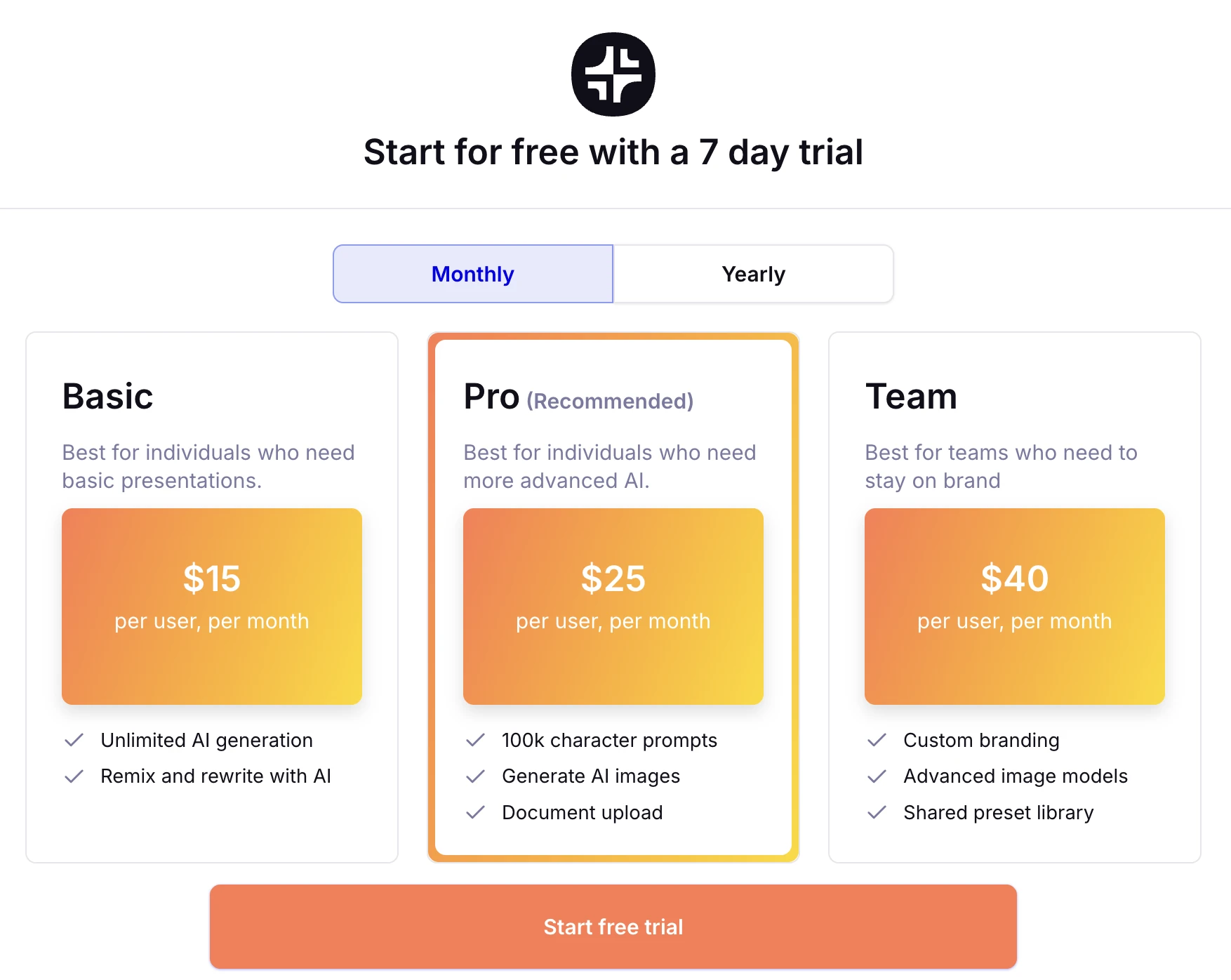
قیمتگذاری جایی است که این دو ابزار بهطور قابلتوجهی از هم متفاوت میشوند. Gemini اغلب در اشتراکهای Google Workspace بستهبندی میشود و برای بسیاری از کاربران سازمانی رایگان بهنظر میرسد، هرچند برای دسترسی به تمام ویژگیها نیاز به مجوز افزونهٔ خاص Gemini دارد. Plus AI یک سرویس شخص ثالث پرمیوم با سطوح اشتراک خود است.
قیمتگذاری Plus AI
Plus AI یک سطح رایگان دائمی ارائه نمیدهد. این ابزار برای حرفهایهایی ساخته شده است که مایل به پرداخت برای افزایش بهرهوری هستند. برنامهها معمولاً از ۱۰ دلار در ماه برای افراد شروع میشوند. برای سازمانهای بزرگتر، برنامههای تیمی صورتحساب متمرکز و قالبهای مشترک را فراهم میکنند. این هزینه بهعلاوهٔ اشتراک Google Workspace یا Microsoft 365 شما است.
قیمتگذاری Gemini
Gemini برای Google Slides بهعنوان بخشی از افزونهٔ Gemini برای Google Workspace در دسترس است. این معمولاً حدود ۲۰ تا ۳۰ دلار در ماه برای هر کاربر هزینه دارد، اما ویژگیهای AI را در Docs، Sheets، Gmail و Slides پوشش میدهد. برای بسیاری از کسبوکارها، این گزینه سازندهٔ پرزنتیشن AI مقرون به صرفه است زیرا نیازهای AI متعدد را در یک فاکتور گوگل تجمیع میکند.
مزایا و معایب
مزایای Plus AI
- حفظ سازگاری برند و استفاده از قالبهای سفارشی بهصورت عالی.
- ویژگی Remix بهترین در صنعت برای اصلاح اسلایدهای نامنظم است.
- در هر دو PowerPoint و Google Slides کار میکند که برای بسیاری از مشاوران حیاتی است.
- ساختار محتوای با کیفیت بالا که کمتر شبیه یک چتبات عمومی بهنظر میرسد.
معایب Plus AI
- عدم وجود سطح رایگان تست بدون تعهد مالی را دشوار میکند.
- تنوع طراحی میتواند محدود باشد اگر قالبهای خود را نداشته باشید.
- این یک ابزار اضافی است که باید هر ماه مدیریت و پرداخت شود.
مزایای Gemini
- نیازی به نصب ندارد زیرا مستقیماً در رابط گوگل تعبیه شده است.
- میتواند دادهها را از سراسر اکوسیستم Google Workspace استخراج کند.
- تولید تصویر برتر نسبت به اکثر افزونههای پایه.
- در بسیاری از لایسنسهای شرکتی گوگل از پیش گنجانده شده است.
معایب Gemini
- خروجی میتواند عمومی باشد و اغلب فاقد "منطق اسلاید" حرفهای باشد.
- قابلیت محدود در مدیریت تغییرات پیچیده طرح یا کیتهای برند.
- برای کاربران PowerPoint که به سازگاری چندپلتفرمی نیاز دارند در دسترس نیست.
گزینهٔ حرفهای: NextDocs
در حالی که Plus AI و Gemini رایجترین گزینهها برای Google Slides هستند، هر دو محدودیتی مشترک دارند: معمولاً تنها یک نتیجه به شما میدهند. اگر AI در اولین تلاش هدف را از دست بدهد، باید دوباره درخواست کنید و امیدوار باشید. این حلقهٔ «آزمون و خطا» میتواند برای حرفهایهای مشغول آزاردهنده باشد.
NextDocs برای حل این مشکل از طریق تولید چندین نسخهٔ متنوع ساخته شده است. بهجای ارائهٔ یک دک «یکبار یا نه»، NextDocs بهصورت همزمان چند نسخه از ارائهٔ شما تولید میکند. این امکان را میدهد تا زوایای روایت، سبکهای طراحی و ساختارهای محتوا را بهصورت کنار هم ببینید. سپس میتوانید بهترین نسخه را انتخاب یا عناصر چند نسخه را در یک محصول نهایی ترکیب کنید.
NextDocs همچنین ویژگی خروجی جهانی را دارد. میتوانید یک بار ارائه خود را ایجاد کنید و بهصورت کامل به Google Slides، PowerPoint یا PDF صادر کنید. این برای کسانی که به بهترین سازندگان ارائه AI برای مشاوران نیاز دارند، بهویژه مفید است، زیرا به شما اجازه میدهد در هر فرمتی که مشتری شما ترجیح میدهد کار کنید. علاوه بر این، NextDocs یکپارچهسازی عمیق تحقیق را شامل میشود. بهجای ساختن اطلاعات نادرست، دادههای واقعی با ارجاعها استخراج میکند و اطمینان میدهد که دکهای شما دقیق و معتبر هستند.
اگر یک بنیانگذار هستید که به دنبال بهترین سازندگان ارائه AI برای استارتاپها 2026 میگردید، توانایی تولید چندین نسخهٔ دک پیشنهادی میتواند برای یافتن پیام مناسب برای سرمایهگذاران تغییر بازی باشد. اگر میخواهید ببینید چگونه با دیگر رهبران بازار مقایسه میشود، فهرست جایگزینهای Plus AI 2026 را بررسی کنید.
نتیجهگیری و توصیه
انتخاب بین Plus AI و Gemini به نقش خاص شما و میزان ارزشی که به دقت طراحی میدهید بستگی دارد.
اگر باید Plus AI را انتخاب کنید اگر:
- شما یک کاربر پیشرفته هستید که هر هفته ساعتها در Google Slides صرف میکنید. اگر دستورالعملهای برند سختگیرانهای دارید، از قالبهای سفارشی استفاده میکنید و به ابزارهایی برای «تمیز کردن» یا «Remix» اسلایدهای موجود نیاز دارید، Plus AI گزینهٔ برتر است. این یک ابزار سطح حرفهای برای افرادی است که کار اصلی آنها ایجاد دکهاست.
اگر باید Gemini برای Google Slides را انتخاب کنید اگر:
- شما قبلاً کاربر سنگین Google Workspace هستید و فقط بهصورت گاهبهگاه به کمک برای پیشنویسها نیاز دارید. اگر ابزاری میخواهید که بهسرعت یک زنجیره ایمیل طولانی را به سه اسلاید خلاصه کند یا تصویر سفارشی برای پسزمینه تولید کند، Gemini راحتترین و مقرون به صرفهترین گزینه است.
اگر باید NextDocs را انتخاب کنید اگر:
- شما بالاترین کیفیت خروجی را با کمترین میزان «مهندسی درخواست» میخواهید. اگر به تحقیق واقعی، چندین نسخه برای انتخاب و قابلیت خروجی به هر فرمتی بدون از دست دادن قالببندی نیاز دارید، NextDocs تجربهٔ حرفهای قویتری نسبت به Plus AI یا Gemini ارائه میدهد.
آمادهاید تا ارائههای بهتری بسازید؟
NextDocs را بهصورت رایگان امتحان کنید و از تولید چندین نسخه، خروجیهای جهانی و یکپارچهسازی عمیق تحقیق بهرهمند شوید. نیازی به کارت اعتباری نیست.