

The Evolution of Presentation Design in 2026
The landscape of professional presentations has shifted dramatically over the last few years. We have moved past the era of manual formatting, where professionals spent hours aligning text boxes and searching for the perfect icon. Today, artificial intelligence has become the primary driver of efficiency in slide creation. For consultants, founders, and sales teams, the challenge is no longer about finding a tool that can generate slides, but rather finding one that generates high quality content that is actually useful in a professional setting.
A common frustration with early AI slide makers was the tendency to produce generic, surface level content. Many tools would generate "hallucinated" statistics or layouts that required more time to fix than they saved to create. In 2026, the best tools have solved these problems by integrating deep research capabilities, multi model support, and native export options that fit into existing workflows.
This roundup evaluates the top ten free AI slide makers based on their ability to produce professional grade results. We have tested these tools for their narrative structure, design quality, and the accuracy of the data they provide. Whether you need a research heavy pitch deck for investors or a quick internal update for your team, this guide will help you identify the right solution for your specific needs.
Summary Comparison Table
| Rank | Tool | Best For | Starting Price |
|---|---|---|---|
| 1 | NextDocs | Overall, Research, and Multi Format Exports | Free tier available |
| 2 | Gemini for Google Slides | Native Google Workspace Integration | Free tier available |
| 3 | Gamma | Modern Web Native Presentations | Free tier available |
| 4 | Pitch.com | Collaborative Team Environments | Free tier available |
| 5 | Canva Magic Design | Visual Marketing and Asset Rich Decks | Free tier available |
| 6 | Claude | Narrative Planning and Detailed Outlines | Free tier available |
| 7 | ChatGPT | Rapid Brainstorming and Ideation | Free tier available |
| 8 | Genspark | Deep Web Research and Data Compilation | Free tier available |
| 9 | MagicSlides | Content Repurposing and Video to Slides | Free tier available |
| 10 | SlidesAI | Simple Internal Drafts and Quick Iterations | Free tier available |
1. NextDocs
NextDocs occupies the top spot on our list because it addresses the most significant pain points of the modern professional. Unlike many tools that provide a single output based on a prompt, NextDocs utilizes a multi variant generation approach. This means that for every request, the system produces several distinct versions of the presentation. This allows users to choose the narrative arc or design style that best fits their specific vision rather than being forced to accept a single AI interpretation.
One of the standout features of this platform is its deep research integration. For consultants and founders, the ability to pull real time data with proper citations is invaluable. It eliminates the need to cross reference every statistic generated by the AI. Furthermore, NextDocs offers universal exports. You can create a presentation and export it directly to PDF, PowerPoint, Google Slides, or even Google Docs without losing formatting. This versatility makes it the most robust choice for those who need to share their work across different platforms. For a more detailed look at how it stacks up against design focused competitors, you can read our Canva vs NextDocs comparison.
Key Features:
- Multi variant generation creates multiple versions per prompt.
- Deep research integration pulls real data with citations.
- Universal exports to PDF, PPTX, Google Slides, and Google Docs.
- Brand styling controls ensure consistent company identity.
- Multi model support allows for specialized content generation.
Pricing: Free tier available. Paid plans start at $15 per month.
Best for: Overall use, research heavy decks, consultants, founders, and sales teams.
Verdict: NextDocs is the most complete tool on the market in 2026. It balances AI power with user control, making it the premier choice for professional grade presentations.

2. Gemini for Google Slides
For those who live within the Google ecosystem, Gemini for Google Slides is a natural choice. It functions as a native add in, meaning there is no need to learn a new interface or export files between different applications. It has direct access to your Google Drive content, allowing it to reference existing documents and spreadsheets to build contextually relevant slides.
While the convenience of Gemini is hard to beat, it does have some limitations. The output can sometimes feel a bit generic compared to standalone tools, and the design templates are relatively conservative. However, for quick internal presentations or drafts that will be refined later, it is incredibly efficient. If you find yourself looking for more specialized features, you might want to explore these 2026 Gemini Google Slides alternatives to see what else is available. The integration with Google's image generation models also allows for the quick creation of custom visuals directly on the slide. You can also see how it compares to other add ins in our Gemini Google Slides vs SlidesAI breakdown.
Key Features:
- Native integration with Google Workspace and Google Drive.
- Direct access to your existing documents for content generation.
- Built in AI image generation for custom visuals.
- No extra cost for many Workspace subscribers.
Pricing: Free tier available. Advanced features start at $0 per month depending on your Workspace plan.
Best for: Google Workspace users, quick drafts, and internal presentations.
Verdict: It is the best option for speed and convenience within the Google ecosystem, though it lacks the sophisticated research and variant options found in NextDocs.

3. Gamma
Gamma has gained a significant following due to its modern approach to presentation design. Rather than sticking to the rigid dimensions of a traditional slide, Gamma uses a web native format. This allows for fluid layouts that look great on any screen size. It is particularly popular among startups and individuals who want a clean, contemporary look without spending hours on design.
The free tier offered by Gamma is quite generous, which makes it an attractive starting point for budget conscious users. However, it is worth noting that the free version includes a watermark and has some export limitations. The tool is excellent for web sharing, but if you need to present in a traditional offline setting, you may find the PowerPoint export requires some manual cleanup. For those considering other options in this category, we have compiled a list of Gamma alternatives for 2026 that offer similar web native features.
Key Features:
- Web native format that adapts to different screen sizes.
- Generous free tier for new users.
- Fast generation of modern, clean designs.
- Interactive elements like embeds and videos.
Pricing: Free tier available. Pro plans start at $8 per month.
Best for: Budget conscious users, startups, and web based sharing.
Verdict: Gamma is the best choice for those who want a modern, "not a slideshow" feel for their presentations, though it is less flexible for traditional corporate environments.

4. Pitch.com
Pitch.com has long been a favorite for teams that prioritize collaboration. Its AI features have evolved to assist with the initial heavy lifting of slide creation while maintaining a focus on the human element of design. The platform offers a highly polished interface that feels more like a professional design suite than a simple automated tool.
The strength of Pitch lies in its real time collaboration features, including version history and commenting. This makes it ideal for teams where multiple stakeholders need to review and edit a deck before it goes live. While the AI is slightly less advanced in terms of deep research compared to our top pick, the template library is among the best in the industry. For a broader look at the market, check out our best AI presentation builders 2026 article.
Key Features:
- Real time collaboration and team editing.
- Robust version history and commenting system.
- High quality professional template library.
- Flexible font and color customization.
Pricing: Free tier available. Starting price is $8 per month.
Best for: Teams, collaborative projects, and version control needs.
Verdict: Pitch is the gold standard for team based presentation work, offering a perfect balance between AI assistance and manual design control.
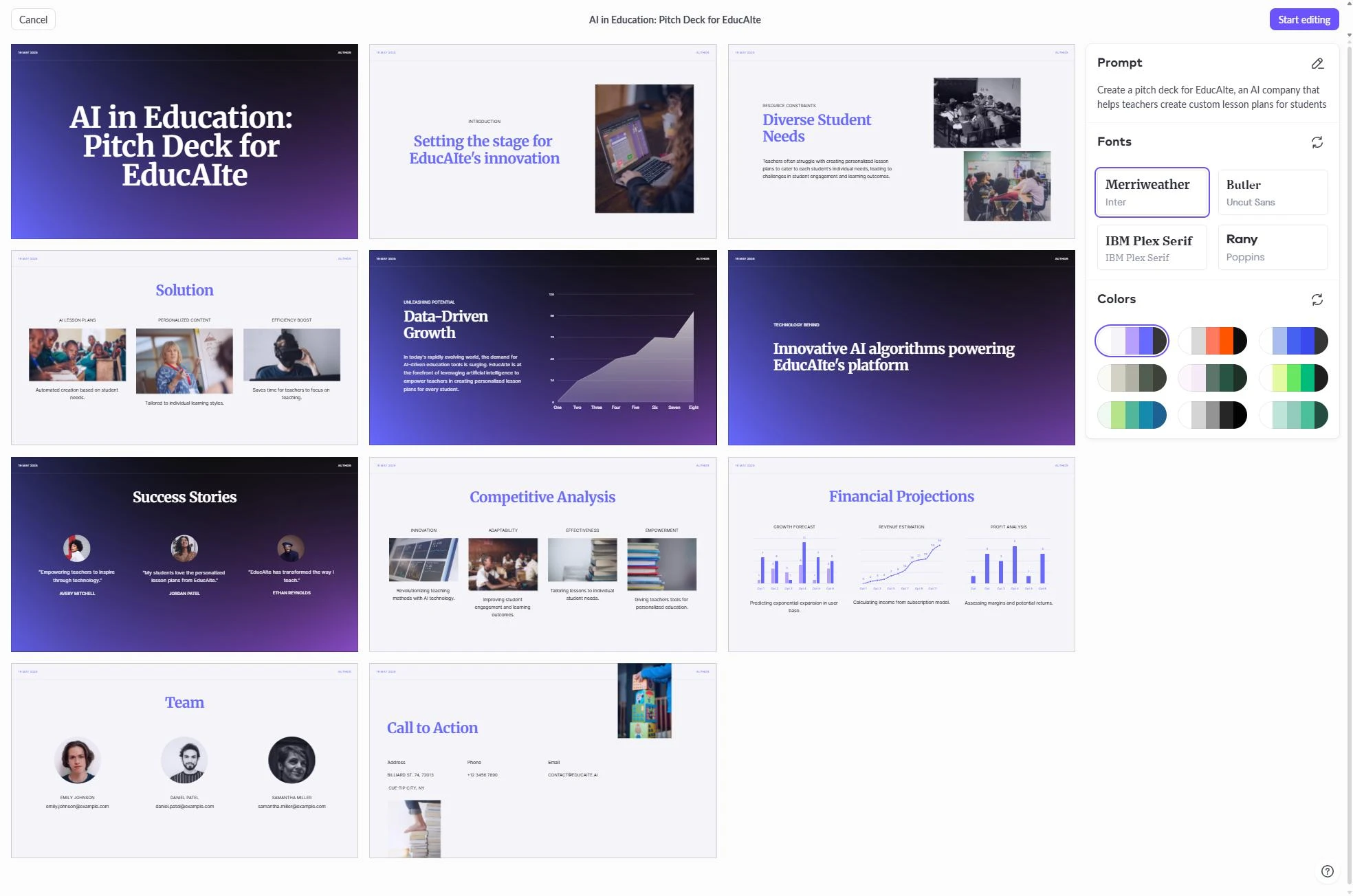
5. Canva Magic Design
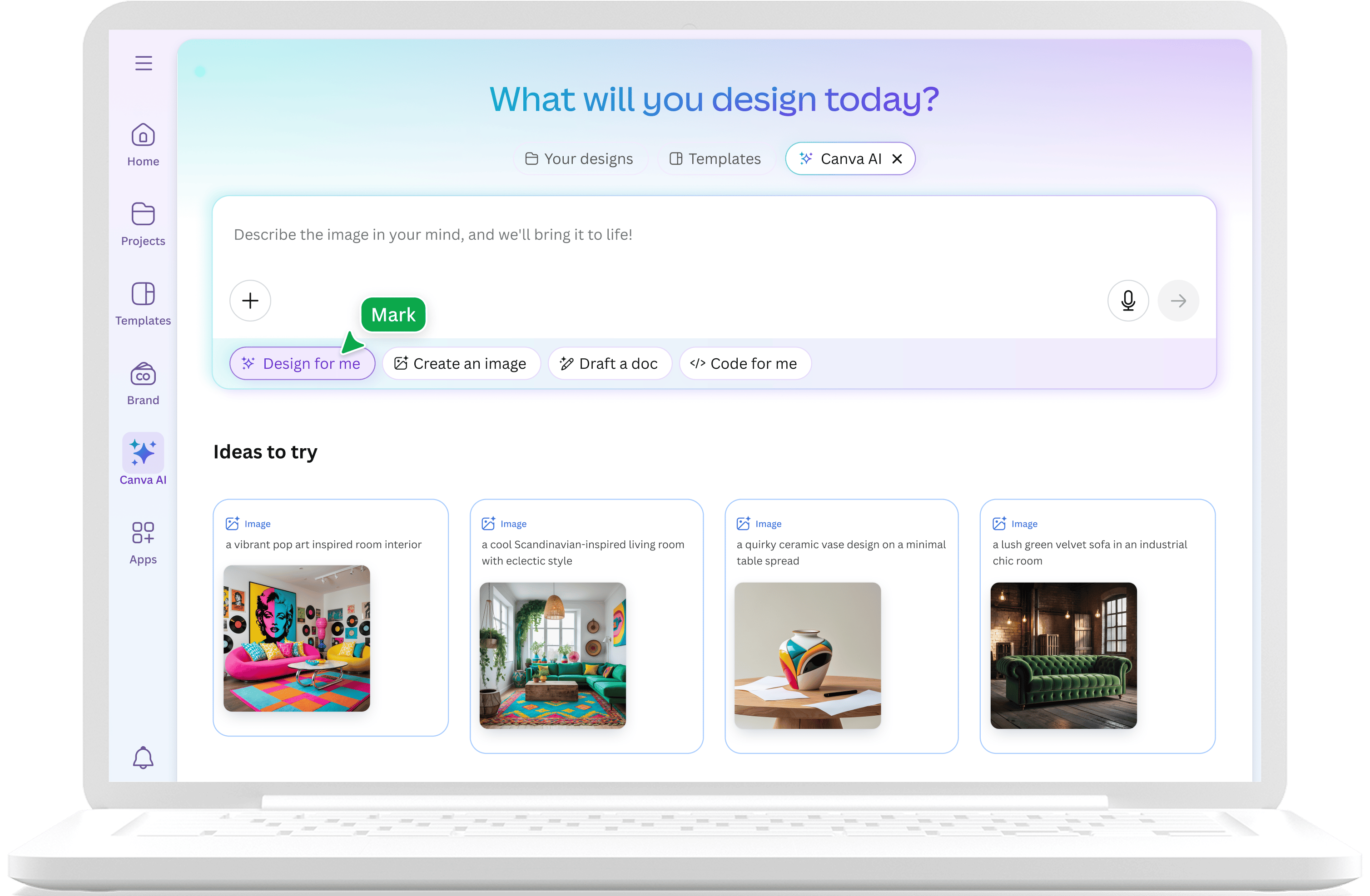
Canva is a household name in the design world, and its Magic Design feature brings AI power to its massive ecosystem. The primary advantage of using Canva is access to its enormous library of assets, including photos, icons, and illustrations. When you generate a presentation with Canva, it draws from these resources to create a visually rich experience.
Canva is particularly effective for marketers and social media managers who need to repurpose content across different formats. You can easily turn a presentation into a video or a series of social posts. However, the AI can sometimes lean too heavily into a "designed" look that might feel a bit too casual for some corporate settings. If you find Canva is not quite the right fit, you can look into various Canva alternatives that might offer a more professional aesthetic.
Key Features:
- Access to a massive library of templates and assets.
- Multi format export including video and social media graphics.
- Strong free tier with many available features.
- Intuitive drag and drop editor.
Pricing: Free tier available. Pro plans start at $13 per month.
Best for: Marketers, social media content, and visual presentations.
Verdict: Canva is the best tool for those who need high visual impact and the ability to repurpose their slides into other marketing materials.
6. Claude
While Claude is a chatbot rather than a dedicated slide maker, it is an essential tool for the planning phase of any presentation. Anthropic's model is widely regarded for its ability to create structured, logical narratives. For professionals who need to build a complex argument, using Claude to generate a detailed outline and speaker notes is often the best first step.
Claude excels at audience adaptation. You can provide it with a rough set of ideas and ask it to structure them for a specific group, such as Series A investors or a technical engineering team. The main drawback is the lack of visual output. You will need to manually transfer the text into a tool like NextDocs or PowerPoint to create the actual slides.
Key Features:
- Superior narrative planning and logical structuring.
- Detailed speaker notes and audience adaptation.
- Ability to handle long form documents as input for slides.
- Highly objective and professional tone.
Pricing: Free tier available. Pro plans start at $20 per month.
Best for: Narrative planning, outlining, and speaker notes.
Verdict: Claude is the best "thinking" partner for presentations, helping you get the story right before you worry about the visuals.
7. ChatGPT
ChatGPT remains a staple for many professionals due to its speed and versatility. It is an excellent tool for rapid brainstorming and exploring different angles for a presentation. If you are stuck on a problem statement or need five different ways to frame a competitive landscape slide, ChatGPT can provide those options in seconds.
While it now offers various plugins and GPTs that can generate basic slide files, the quality of the visual layout is often lacking. It is best used for the ideation phase or for drafting specific bullet points once the overall structure is defined. It is widely accessible and familiar to almost everyone in the professional world.
Key Features:
- Fast brainstorming and alternative framing options.
- Wide accessibility and extensive plugin ecosystem.
- Good for drafting concise bullet points from long text.
- Iterative feedback loops for content refinement.
Pricing: Free tier available. Plus plans start at $20 per month.
Best for: Brainstorming, ideation, and initial content drafting.
Verdict: ChatGPT is a powerful assistant for the creative phase of slide making, though it requires a secondary tool for professional design.
8. Genspark
Genspark is a newer entry into the space, functioning as an AI agent rather than a simple content generator. It is designed to perform autonomous research across the web. For presentations that require deep, systematic analysis of a market or a specific technical topic, Genspark can save hours of manual searching.
It can compile data from multiple sources and present it in a structured format that is easy to translate into slides. However, as an agent, it can sometimes be slower than a standard chatbot as it "thinks" through the research process. It is a specialized tool that is best used when accuracy and data depth are more important than speed.
Key Features:
- Autonomous web research and data gathering.
- Integration of information from multiple tools.
- Systematic analysis of complex topics.
- Source verification for research tasks.
Pricing: Free tier available.
Best for: Research projects and data heavy analysis.
Verdict: Genspark is a unique tool that excels at the heavy lifting of data compilation, making it a great companion for research heavy presentations.
9. MagicSlides
MagicSlides is a Google Slides add in that specializes in content repurposing. One of its most interesting features is the ability to turn a YouTube video URL into a presentation. This is incredibly useful for training teams or educators who need to create materials based on existing video content.
The interface is simple and easy to use, making it accessible for those who are not tech savvy. However, the design output is relatively basic and often requires significant manual editing to meet professional standards. For a comparison of how this tool performs against more advanced systems, see our MagicSlides vs NextDocs 2026 review.
Key Features:
- YouTube to slides conversion capability.
- Direct integration with Google Slides.
- Simple interface for quick content repurposing.
- Support for multiple languages.
Pricing: Free tier available. Pro plans start at $8 per month.
Best for: Content repurposing and quick training materials.
Verdict: MagicSlides is a handy utility for specific tasks like video conversion, but it lacks the design depth of full presentation platforms.
10. SlidesAI
Rounding out our list is SlidesAI, another popular add in for Google Slides. It is designed for speed and simplicity. You can paste a long block of text into the tool, and it will automatically summarize it and distribute it across a series of slides.
It is an affordable option for students or professionals who need to create internal presentations quickly. While the design customization is limited and the output can sometimes be inconsistent, it serves as a great "first draft" tool. You can find more details on how it compares to its main competitor in our MagicSlides vs SlidesAI guide.
Key Features:
- Text to slide generation with automatic summarization.
- Easy to use interface within Google Slides.
- Affordable pricing for individual users.
- Fast generation for quick iterations.
Pricing: Free tier available. Pro plans start at $10 per month.
Best for: Quick internal drafts and student presentations.
Verdict: SlidesAI is a solid, no frills tool for those who need to turn text into slides with minimal effort.
Decision Guide: Choosing the Right Tool
Selecting the best AI slide maker depends on your specific workflow and the high stakes nature of your presentation. If you are an individual working on a low stakes internal update, a simple add in like SlidesAI or Gemini might be sufficient. These tools allow you to stay within your existing environment and generate a draft in seconds.
However, for consultants, founders, and sales teams, the requirements are much higher. You need accuracy, professional design, and the ability to export to multiple formats. This is where NextDocs stands out. Its multi variant generation ensures that you are not stuck with a single, potentially flawed AI vision. Its deep research capabilities ensure that your data is grounded in reality, which is critical when presenting to investors or clients.
If your priority is collaboration and you work in a large team, Pitch.com is likely your best bet. If you are focused on visual marketing and need to create a wide variety of assets, Canva is the most logical choice. For those who want to break away from traditional slides entirely, Gamma offers a unique web native experience that is perfect for modern digital sharing.
Conclusion
The year 2026 has brought us a wealth of options for AI assisted presentation design. We have moved from simple text generators to sophisticated platforms that can research, design, and export across multiple formats. While there are many free tools available, the "best" one is the one that minimizes your editing time and maximizes the quality of your output.
After extensive testing, NextDocs remains our top recommendation for professional use. Its focus on multi variant generation and universal exports solves the most common frustrations with AI slide makers. By giving users more choices and better data, it empowers them to create presentations that are truly effective.
Ready to Create Better Presentations?
Try NextDocs Free and experience multi-variant generation, universal exports, and deep research integration. No credit card required.