
A useful Gamma alternative should solve a requirement your current workflow does not meet. That might be editing an existing company PowerPoint, working with coauthors in Google Slides, or developing a report and presentation from the same approved source. Start with that requirement before comparing product names.
Gamma itself has changed. An older description of a rigid, web-only card generator is an unsuitable basis for a migration decision. Keep Gamma in the evaluation if its current editor and handoff already meet the job.
We make NextDocs. This guide uses official product documentation and a review of NextDocs implementation. It is not a controlled nine-product test, a measured quality ranking or a record of a completed migration. The English teaching illustration and files below were authored to explain file structure; they are not outputs from any listed AI product.
Establish the reason to change
Gamma's current layout guide describes grids, freeform elements and fixed 16:9 slides, alongside a fluid setting. Older creations can use the Classic editor. Its Gamma 5 announcement also describes agent-led revision and connected context, with access conditions for particular integrations.
Before moving an established deck, write down the required editor, template, sources and recipient changes. If the real problem is a particular chart or exported object, evaluate that object rather than replacing a whole workspace because of an old feature comparison.
| Requirement | Useful candidates to evaluate | Acceptance check |
|---|---|---|
| Keep working in an approved PowerPoint deck | PowerPoint-native add-ins | The intended objects and company template remain usable |
| Review with collaborators inside Google Slides | Google-native creation or a supported Slides integration | Coauthors can access and make the required edits in that account |
| Reuse existing design and brand assets | A workspace that supports those actual assets | The dense slide and unusual layout pass the brand review |
| Prepare documents and slides from one source | A document/presentation workspace | Facts remain consistent across outputs and revisions |
| Send a final visual copy | A workspace with the required viewing export | Appearance and reading order work in the recipient's application |
These requirements can lead to different choices for different projects. A file download, an attractive preview and a successful recipient edit are separate checks.
Compare nine alternatives by working surface
The order groups related workflows. It is not an ordinal product score.
| Alternative | Working surface to consider | What to verify |
|---|---|---|
| Plus AI | PowerPoint or Google Slides integration | Actual template support, account tier and native-object edits |
| Microsoft Copilot | PowerPoint | Eligible access, organization settings and the supplied reference material |
| SlidesAI | PowerPoint, Google Slides or its other supported routes | The particular surface, credit allowance and required revision |
| Gemini in Google Slides | Google Slides | Current plan, language and feature eligibility, and the sources used |
| MagicSlides | Source-file conversion and supported slide workflows | Extraction of tables/captions and the actual destination file |
| Beautiful.ai | Smart Slides workspace, then export | Required layout freedom and editable versus image-based handoff |
| Pitch | Collaborative presentation workspace, then export | Review access, export entitlement and destination compatibility |
| Canva | Presentation design within a wider design workspace | Existing brand assets and the downloaded representation |
| NextDocs | Task workspace for documents and presentations, then export | Source review and current Tasks image-per-slide handoffs |
When PowerPoint or Google Slides is the required editor
Plus AI for PowerPoint describes creating and revising native slides from prompts or files. Its setup guide distinguishes the PowerPoint and Google Slides integrations. Start with your real company deck, and check the plan needed for its template workflow.
Microsoft's Copilot creation guide covers work inside PowerPoint with supplied context and templates. Subscription and organization settings matter; one historic enterprise price is not a current entitlement statement.
SlidesAI's PowerPoint page documents a PowerPoint add-in alongside its other routes. The usage guide explains that the allowance covers operations beyond the first generation. Evaluate creation and the correction you actually need.
For Google-native work, Gemini's Slides guide covers creation/revision and supported reference files. Full-presentation generation has its own eligibility conditions. MagicSlides' document converter is another source-to-deck route; inspect extraction before judging the slide design.
Claude and ChatGPT also have current presentation-file and editor workflows. They should not be dismissed as outline-only tools. Our assistant workflow guide separates those surfaces and their access conditions.
When a separate workspace fits the task
Beautiful.ai's export guide distinguishes editable PowerPoint from image-based output. A layout workflow that suits the author still needs the right export representation for a recipient.
Pitch's PowerPoint guide and plan comparison separate workspace access from file entitlement. Try the actual review and handoff sequence rather than assuming a free account includes every download.
Canva is relevant when approved designs and related campaign assets already live there. Its download guidance explains format-specific behavior. Our Canva–Gamma comparison covers their current editing and brand workflows without assuming either is a simple prompt-to-template tool.
NextDocs can develop a source-based document or presentation through a task conversation and specific revisions. Ask for another direction explicitly when needed; a request does not guarantee several complete alternatives. Review claims against the supplied sources rather than treating research assistance as proof of accuracy.
Current NextDocs Tasks presentations export to PowerPoint and Google Slides with one rendered image per slide. Their text, shapes and chart data are not independently editable in those destinations. Office-format access is paid; Free includes limited PDF/image exports. See current NextDocs plans. Classic and public API paths differ. The Gamma–NextDocs comparison explains the selected-workflow distinction.
Try a recipient edit before migrating
Download the English teaching-file explanation, native-object specimen and slide-image specimen. Both specimens use the same fictional figures and have identical first-party rendered previews. They demonstrate different underlying objects, not comparative AI output quality.
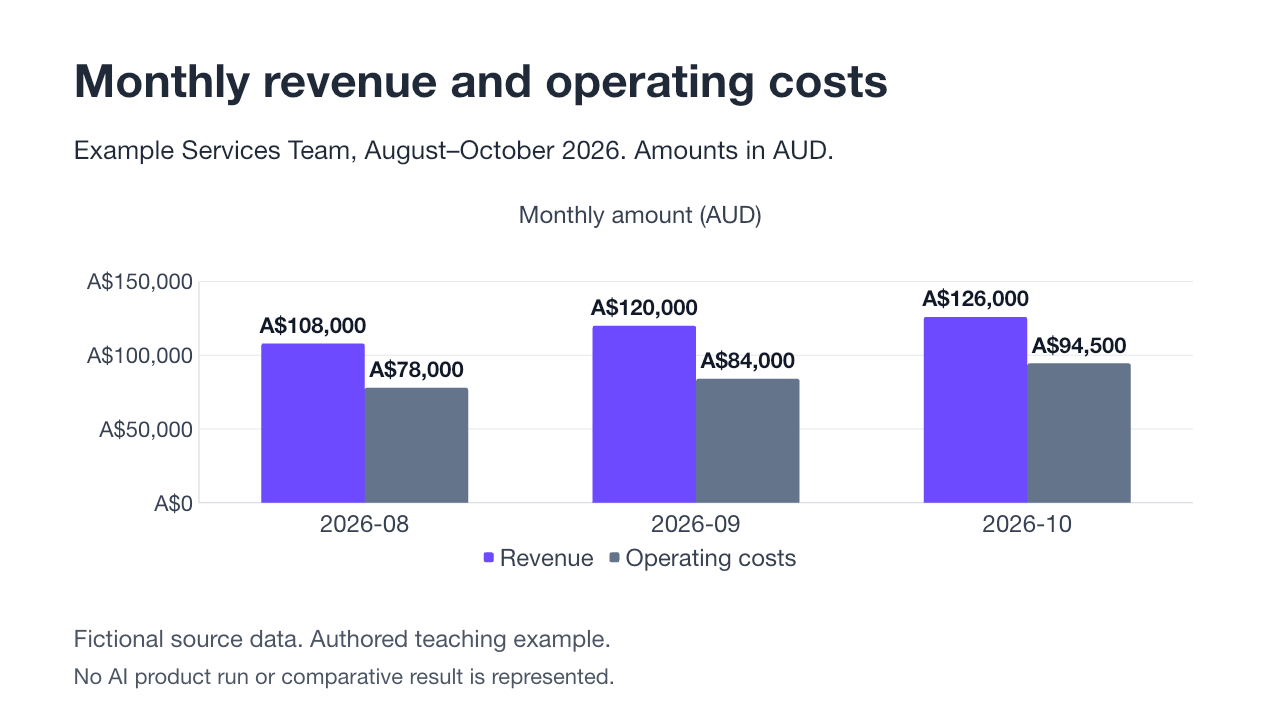
In copies, try selecting and changing the title, editing a chart value, and saving/reopening in the application your recipient uses. Inspect the chart data when that is a requirement. A native chart in PowerPoint does not establish that it remains native after Google Slides import. Actual destination-app behavior is not verified by our package/render checks.
Then evaluate your shortlisted products with the same approved source, template and required changes. Keep the original file, generated draft, final export and correction log. Record the tool, date, account tier, creation surface and destination application. Measure through an accepted handoff if you want to compare correction time; no timing result is claimed here.
Is Gamma free, and what does the full task cost?
Gamma's current plans include a Free option with PDF and PowerPoint export. This does not establish unlimited AI use or unbranded delivery. Its export guide explains free-workspace branding and handoff conditions.
Include the generation allowance, revisions, seats, template setup, export access and branding conditions. Compare those with the actual alternative's plan instead of reusing an old monthly starting-price table.
Choose the workflow that passes your required checks with acceptable review effort. If the NextDocs task workspace and its current handoff fit, start a presentation with a small approved source. If you are still deciding among categories, use the broader presentation selection guide.