

Introduction to the AI Presentation Era
The way professionals build slide decks has undergone a fundamental shift. In the past, creating a presentation meant hours spent on manual layout adjustments and icon hunting. Today, AI-powered tools promise to handle the heavy lifting. Among the most popular options in 2026 are Gamma and Canva Magic Design.
Both tools aim to simplify the creative process, yet they take very different approaches to presentation design. Gamma focuses on a web-native, fluid format that feels more like a modern website than a traditional PowerPoint. Canva Magic Design leverages its massive library of assets to provide a design-first experience.
For those who need a more robust solution, NextDocs offers a powerful middle ground with multi-variant generation and deep research capabilities. If you are looking for a detailed analysis of the current market, you might want to start by exploring our guide on the best AI slide makers.
This article provides an objective comparison of Gamma and Canva Magic Design. We will examine their features, pricing, and overall utility to help you decide which tool fits your workflow.
Overview of Gamma
Gamma has gained significant traction as a standalone AI presentation builder. It is designed for users who want to move away from the rigid constraints of traditional slides. Instead of fixed-size pages, Gamma uses a "card" system. These cards can expand to fit content, making the tool feel like a cross between a document and a presentation.
One of the standout features of Gamma is its generous free tier. It allows users to experiment with AI generation without an immediate financial commitment. This has made it a favorite for startups and individual creators. For a broader look at cost-effective options, see our list of the 2026 free AI pitch deck builders.
Gamma is particularly strong in its ability to generate a cohesive deck from a single prompt or a long-form document. The design aesthetic is modern, clean, and professional by default. However, it does have limitations, particularly regarding branding and export formats.

Overview of Canva Magic Design
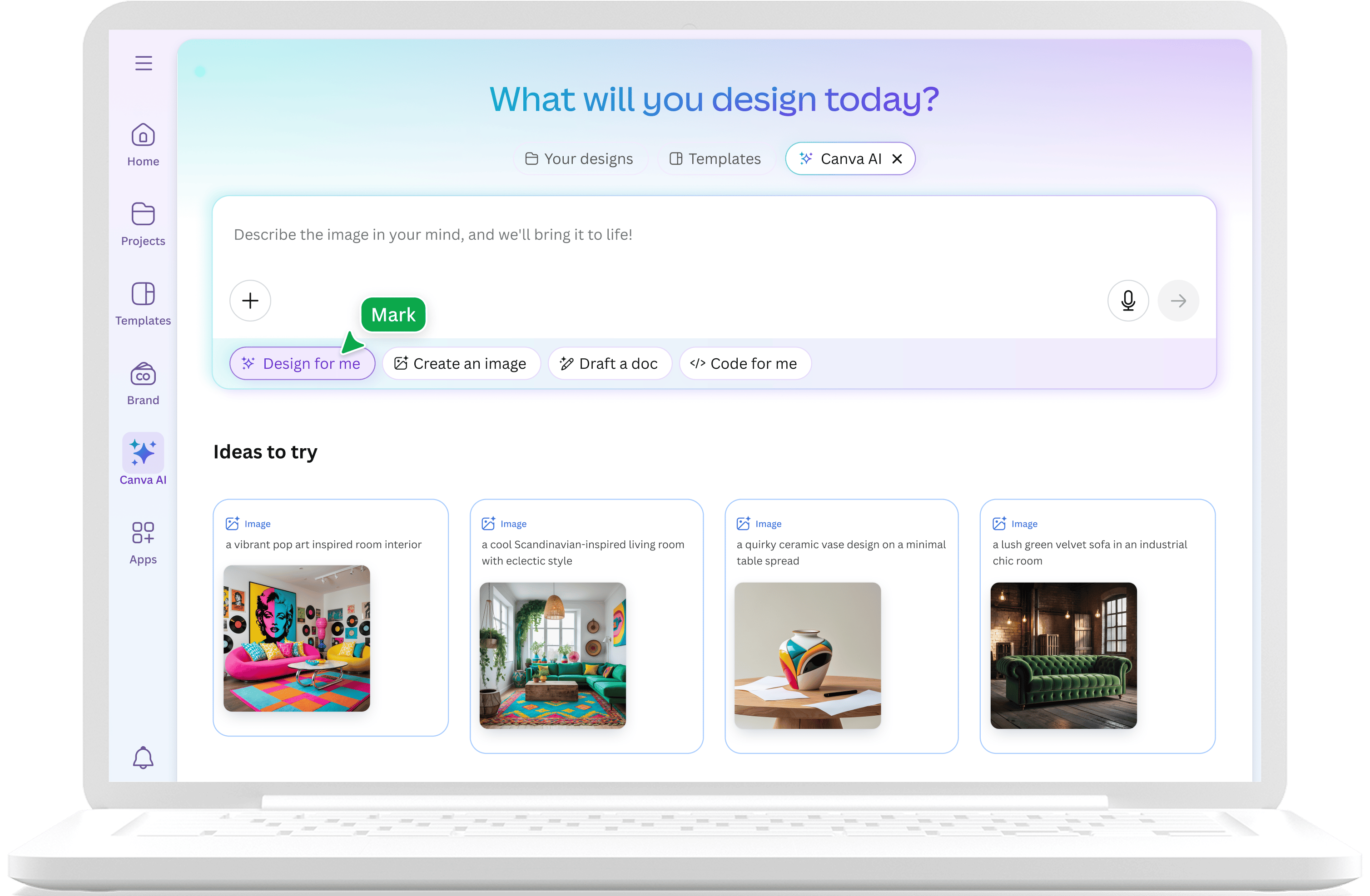
Canva Magic Design is an AI-powered extension of the classic Canva platform. Rather than being a separate tool, it is integrated into the existing Canva ecosystem. This gives users immediate access to millions of stock photos, illustrations, and pre-designed elements.
The Magic Design feature works by taking a text prompt and suggesting several completed presentation designs. It is highly visual and caters to users who need a "designed" look quickly. Because it is part of the larger Canva suite, it is an excellent choice for marketers who also need to create social media posts or videos.
While Canva is powerful, its AI generation can sometimes feel inconsistent. The output often requires significant manual cleanup to ensure the content matches the professional tone required for high-stakes meetings. If you find these limitations frustrating, you may want to check out some Canva alternatives that focus more strictly on slide structure.
Key Differences Between Gamma and Canva
The primary difference between these two tools lies in their presentation philosophy. Gamma treats the presentation as a web-native document. It is optimized for sharing via a link and viewing on a screen. Canva treats the presentation as a visual canvas, optimized for traditional slide-by-slide delivery.
Format and Delivery
Gamma presentations are fluid. They look excellent on mobile devices and browsers. Canva presentations follow the standard 16:9 or 4:3 aspect ratios. While Canva offers more traditional "presentation" vibes, Gamma offers a more interactive experience.
Design Control
Canva provides almost unlimited design control. You can move every pixel, change every layer, and use a massive asset library. Gamma is more restrictive. It uses themes to keep everything looking consistent. This is a benefit for those who are not designers, as it prevents the creation of "ugly" slides, but it can be frustrating for those with specific brand requirements.
Content Intelligence
In our testing, Gamma tends to handle content structure more logically than Canva. Canva Magic Design focuses heavily on the visual layout, sometimes at the expense of the narrative flow. For professionals who prioritize the story and data, Gamma often provides a better starting point.
For those who need even deeper control over their brand identity, we recommend looking at AI presentation builders with brand kits. This is where tools like NextDocs excel by allowing for consistent branding across multiple variants.
Side-by-Side Feature Comparison
To help you compare these tools at a glance, we have compiled a table showing their core capabilities.
| Feature | Gamma | Canva Magic Design | NextDocs (Alternative) |
|---|---|---|---|
| Category | Standalone AI Builder | Integrated Design Suite | AI-Native Document Platform |
| Primary Format | Web-Native Cards | Traditional Slides | Universal (PPTX, PDF, Google) |
| AI Generation | Fast, prompt-based | Template-based suggestions | Multi-variant generation |
| Asset Library | Basic / Built-in | Millions of assets | Deep research integration |
| Free Tier | Generous, with watermark | Strong, limited assets | Available, feature-rich |
| Starting Price | $8 / month | $13 / month | Competitive Pro tiers |
| Best For | Internal decks, startups | Marketers, social media | Consultants, researchers |
| Export Options | PDF, PPTX (Limited) | PDF, PPTX, PNG, Video | PDF, PPTX, Google Slides, Docs |
Pricing Comparison
Pricing is a major factor for many users. Gamma is generally more affordable for individuals, while Canva can become expensive if you need the full Pro suite.
Gamma Pricing
Gamma offers a free tier that gives you enough credits to create several presentations. Their paid plans start at $8 per month. This unlocks better export options and removes the Gamma watermark. It is a very accessible price point for freelancers and small teams.
Canva Pricing
Canva has a free version, but Magic Design is most effective when paired with a Canva Pro subscription. This starts at $13 per month. While more expensive, this price includes access to the entire Canva ecosystem, which provides significant value if you also create other types of visual content.
Pros and Cons
Gamma Pros
- Extremely fast generation from simple prompts.
- Modern, web-native designs that look great on any screen.
- Very easy to use for non-designers.
- The free tier is one of the best in the industry.
Gamma Cons
- The watermark on the free tier is quite prominent.
- Exporting to PowerPoint often results in formatting issues because Gamma is not natively slide-based.
- Limited brand customization compared to professional design tools.
Canva Magic Design Pros
- Access to an unparalleled library of templates and stock assets.
- Great for creating multi-format content (e.g., a presentation and a matching Instagram post).
- Familiar interface for existing Canva users.
- Strong collaboration features for large teams.
Canva Magic Design Cons
- AI content can be generic and requires heavy editing.
- The "too designed" look can sometimes feel unprofessional in a corporate or investor setting.
- Exporting to PPTX can sometimes break the layout of complex slides.
The NextDocs Advantage
While Gamma and Canva are excellent for their respective niches, many professionals find themselves needing something more robust. This is where NextDocs comes into play. If you are exploring Gamma alternatives 2026, NextDocs should be at the top of your list.
NextDocs solves the "one-shot" problem found in most AI tools. Instead of giving you a single presentation that you then have to fix, NextDocs provides multi-variant generation. This means the AI creates several different versions of your deck, allowing you to choose the best structure, tone, and design.
Furthermore, NextDocs includes deep research integration. Rather than guessing at facts or using outdated data, the tool can pull real-time information and provide citations. This makes it the best AI presentation builder 2026 for consultants and researchers who cannot afford to be wrong.
Verdict: Which Tool Should You Choose?
The choice between Gamma and Canva Magic Design depends on your specific goals.
Choose Gamma if: You need to create a modern, professional presentation quickly and plan to share it via a link. It is perfect for internal team updates, quick startup pitches, and anyone who wants a clean aesthetic without a high price tag.
Choose Canva Magic Design if: You are a marketer or creator who needs highly visual slides and access to a massive library of assets. It is the best choice if your presentation is part of a larger visual campaign.
Choose NextDocs if: You are a professional who needs high-quality, research-backed content and universal export options. If you need to deliver your deck as a PowerPoint to one person and a Google Slide to another, while ensuring every fact is cited, NextDocs is the superior choice.
Final Thoughts on AI Presentation Tools
The competition between Gamma and Canva shows how far AI has come. Gamma has redefined the format of the presentation, while Canva has made professional design accessible to everyone. However, as the market matures, the focus is shifting from simple generation to quality and flexibility.
Whether you choose a web-native tool or a design-heavy suite, the key is to ensure the tool supports your unique workflow. For more insights on the evolving landscape, stay tuned to our updates on the best AI presentation builders 2026.
Ready to Create Better Presentations?
Try NextDocs Free and experience multi-variant generation, universal exports, and deep research integration. No credit card required.