

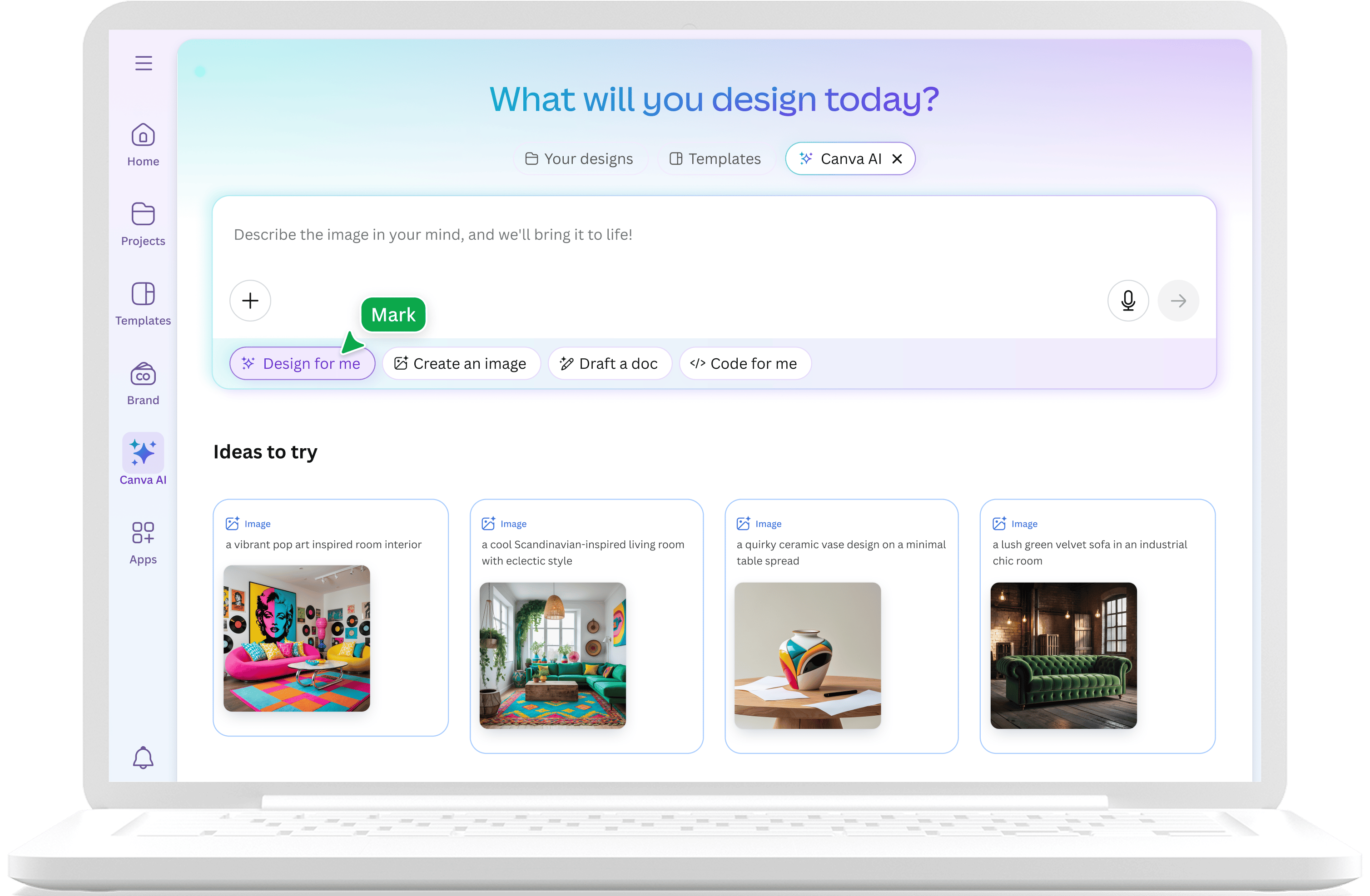
Lĩnh vực thiết kế trình bày đã thay đổi mãi mãi khi AI gia nhập cuộc chơi. Canva Magic Design là một trong những nền tảng đầu tiên mang khả năng tạo sinh vào đối tượng chính, cho phép người dùng biến một yêu cầu đơn giản thành một bộ trình bày trực quan trong vài giây. Tuy nhiên, khi chúng ta tiến tới năm 2026, nhiều chuyên gia nhận thấy rằng "phép thuật" này có giới hạn của nó. Trong khi Canva vẫn là một công cụ mạnh mẽ cho mạng xã hội và đồ họa cơ bản, các tính năng trình bày AI của nó thường gặp khó khăn với độ chính xác cần thiết cho các cuộc họp kinh doanh quan trọng, thuyết trình nhà đầu tư và các báo cáo dữ liệu nặng.
Trong hướng dẫn này, chúng tôi đánh giá toàn cảnh phần mềm trình bày chuyên nghiệp để xác định các lựa chọn thay thế tốt nhất cho người dùng cần nhiều hơn những gì Canva hiện cung cấp. Dù bạn là một tư vấn viên tìm kiếm khả năng nghiên cứu sâu hơn, một nhà sáng lập muốn có các thiết kế sẵn sàng cho nhà đầu tư, hay một nhóm doanh nghiệp cần tích hợp trực tiếp với PowerPoint, đều có các công cụ chuyên biệt phù hợp với nhu cầu cụ thể của bạn. Để xem các công cụ này phù hợp như thế nào trong thị trường rộng lớn hơn, bạn có thể khám phá danh sách toàn diện của chúng tôi về những trình tạo trình bày AI tốt nhất năm 2026.
Tại sao các chuyên gia tìm kiếm các lựa chọn thay thế Canva Magic Design
Canva là một công cụ xuất sắc để tạo hình ảnh, nhưng tính năng Magic Design của nó thường không đủ trong môi trường chuyên nghiệp. Một trong những thất vọng chính là chất lượng AI không đồng nhất. Công cụ thường tạo ra nội dung chung chung, cần chỉnh sửa nhiều để phù hợp trong bối cảnh kinh doanh. Thêm vào đó, các slide của Canva thường có vẻ "quá thiết kế" khiến cảm giác thiếu chuyên nghiệp trong phòng họp hoặc cuộc họp nhà đầu tư.
Các hạn chế kỹ thuật cũng đóng vai trò quan trọng. Trong khi Canva cung cấp xuất khẩu PowerPoint, các tệp kết quả thường gặp vấn đề về định dạng, bố cục bị lỗi và các yếu tố không thể chỉnh sửa. Điều này gây khó khăn cho các nhóm cần hoàn thiện công việc trong Microsoft 365. Hơn nữa, Canva thiếu khả năng nghiên cứu sâu. Nó tạo ra văn bản hợp lý nhưng không thể truy xuất dữ liệu thị trường theo thời gian thực hoặc cung cấp trích dẫn xác thực. Đối với người dùng cần các tính năng nâng cao này, so sánh Canva vs NextDocs cho thấy các công cụ chuyên biệt có thể cung cấp nhiều hơn.
Các lựa chọn hàng đầu nhìn qua
| Công cụ | Phù hợp nhất | Thể loại | Định dạng xuất khẩu |
|---|---|---|---|
| NextDocs | Nghiên cứu và Tạo nhiều biến thể | Độc lập | PDF, PPTX, Google Slides, Docs |
| Plus AI | Người dùng PowerPoint và Google Slides | Tiện ích bổ sung | PPTX, Google Slides |
| Copilot | Nhóm doanh nghiệp Microsoft 365 | Tiện ích bổ sung | PPTX |
| Gamma | Trình bày web hiện đại | Độc lập | PDF, PPTX |
| Beautiful.ai | Thiết kế chuyên nghiệp tự động | Độc lập | PDF, PPTX |
| Pitch.com | Hợp tác nhóm theo thời gian thực | Độc lập | PDF, PPTX |
| Gemini | Tích hợp Google Workspace | Tiện ích bổ sung | Google Slides, PDF, PPTX |
| MagicSlides | Tái sử dụng nội dung video | Tiện ích bổ sung | Google Slides |
| SlidesAI | Phác thảo nội bộ nhanh chóng | Tiện ích bổ sung | Google Slides, PPTX |
1. NextDocs: Lựa chọn hàng đầu cho bộ trình bày chuyên nghiệp
NextDocs đại diện cho thế hệ tiếp theo của tạo tài liệu dựa trên AI. Khác với Canva, xem AI như một tiện ích bổ sung cho khung thiết kế đồ họa, NextDocs xây dựng dựa trên nội dung trước tiên. Tính năng nổi bật của nó là tạo nhiều biến thể. Khi bạn cung cấp một yêu cầu, hệ thống không chỉ đưa ra một bộ trình bày duy nhất, mà tạo ra nhiều phiên bản khác nhau, cho phép bạn chọn cấu trúc, phong cách và hướng hình ảnh phù hợp nhất với mục tiêu.
Đối với các chuyên gia xử lý dữ liệu phức tạp, NextDocs cung cấp tích hợp nghiên cứu sâu. Nó có thể tìm kiếm dữ liệu thực trên web và cung cấp trích dẫn, loại bỏ nhu cầu kiểm tra thực tế các "ảo tưởng" của AI. Hơn nữa, nó cung cấp các xuất khẩu đa dạng. Bạn có thể tạo một bộ trình bày một lần và xuất ra hoàn hảo sang PowerPoint, Google Slides hoặc thậm chí Google Doc mà không mất định dạng. Tính linh hoạt này khiến nó trở thành lựa chọn hàng đầu cho các tư vấn viên và nhà sáng lập cần trình bày theo định dạng yêu cầu của khách hàng.

2. Plus AI: Tiện ích bổ sung hàng đầu cho quy trình làm việc gốc
Nếu bạn thích giữ trong môi trường quen thuộc của PowerPoint hoặc Google Slides, Plus AI là lựa chọn thay thế mạnh nhất. Nó hoạt động như một tiện ích bổ sung gốc, nghĩa là bạn không cần rời khỏi phần mềm hiện tại để sử dụng AI. Plus AI giữ nguyên các mẫu thương hiệu và slide chính của bạn, đảm bảo nội dung do AI tạo ra trông như do đội thiết kế nội bộ của bạn làm.
Công cụ này đặc biệt hữu ích để nâng cao các trình bày hiện có. Bạn có thể dùng tính năng "Remix" để biến một slide nhàm chán thành bố cục chuyên nghiệp hoặc dùng AI để viết lại nội dung rõ ràng hơn. Đối với các tổ chức có quy định thương hiệu nghiêm ngặt, Plus AI cung cấp mức độ nhất quán mà Canva không thể sánh bằng. Nó là lựa chọn hàng đầu trong tiện ích bổ sung AI PowerPoint doanh nghiệp cho những ai coi trọng tích hợp quy trình làm việc.

3. Microsoft Copilot cho PowerPoint
Đối với các tổ chức hoàn toàn cam kết với hệ sinh thái Microsoft 365, Copilot là lựa chọn tích hợp nhất. Điểm mạnh lớn nhất của nó là khả năng nhận biết ngữ cảnh tổ chức. Copilot có thể lấy thông tin từ các tài liệu Word, bảng tính Excel và trò chuyện Teams của bạn để tạo ra các trình bày dựa sâu vào dữ liệu của công ty.
Trong khi thiết kế của nó mang phong cách bảo thủ hơn Canva, tính hữu ích trong báo cáo nội bộ và cập nhật dự án là không thể sánh kịp. Nó tự động tạo ghi chú diễn giả và tóm tắt các bộ trình bày dài trong vài giây. Tuy nhiên, đây là một lựa chọn đắt đỏ yêu cầu giấy phép doanh nghiệp đầy đủ, khiến nó ít phù hợp cho freelancer hoặc các startup nhỏ.

4. Gemini cho Google Slides
Gemini là câu trả lời của Google cho Copilot, mang AI trực tiếp vào Google Slides. Đây là lựa chọn tốt nhất cho người dùng sống trong Google Workspace muốn có trải nghiệm tích hợp AI nhanh chóng, không tốn phí. Gemini có thể tham chiếu nội dung từ Google Drive của bạn và tạo hình ảnh tùy chỉnh để đi kèm slide.
Trong khi đầu ra thường mang tính chung chung hơn so với NextDocs hoặc Plus AI, sự tiện lợi khi tích hợp trong menu "Create" là lợi thế lớn. Nó phù hợp cho các bản nháp nội bộ nhanh chóng, nơi mục tiêu chính là tốc độ và khả năng truy cập hơn là thiết kế cao cấp.

5. Gamma: Tốt nhất cho chia sẻ hiện đại, dựa trên web
Gamma đã trở nên phổ biến nhờ cách tiếp cận độc đáo đối với trình bày. Thay vì theo định dạng slide 16:9 truyền thống, Gamma tạo "cards" trông đẹp mắt trên cả màn hình máy tính để bàn và điện thoại di động. Đây là công cụ dựa trên web cho phép bạn chia sẻ trình bày qua liên kết đơn giản, kèm các nhúng tương tác và video.
Công cụ này có gói miễn phí rất hào phóng và giao diện trực quan giúp tạo bộ trình bày chuyên nghiệp trong vài phút. Dù không phù hợp cho các cuộc họp nhà đầu tư chính thức yêu cầu tệp PPTX truyền thống, nó rất phù hợp cho các startup và nhóm marketing. Bạn có thể xem so sánh với thị trường trong Canva vs Gamma.

6. Beautiful.ai: Bí quyết của người không phải nhà thiết kế
Beautiful.ai tập trung vào một điều: làm cho việc tạo slide xấu là không thể. Nó sử dụng các mẫu thông minh tự động điều chỉnh khi bạn thêm nội dung. Nếu bạn thêm thành viên mới vào slide, các yếu tố khác tự động thay đổi kích thước và căn chỉnh để duy trì cân bằng thị giác hoàn hảo.
Công cụ này lý tưởng cho các chuyên gia không có nền thiết kế nhưng cần tạo ra sản phẩm sẵn sàng cho khách hàng. Trong khi cung cấp ít linh hoạt thủ công hơn Canva, đổi lại là mức độ chuyên nghiệp đảm bảo. Để xem sâu hơn về sự khác biệt trong thiết kế, hãy đọc phân tích của chúng tôi về Beautiful.ai vs Canva.
7. Pitch.com: Phù hợp cho hợp tác nhóm hiện đại
Pitch được thiết kế cho nhóm làm việc từ xa hiện đại. Dù đã giới thiệu các tính năng tạo sinh AI, điểm mạnh thực sự của nó nằm ở hạ tầng hợp tác. Nó cung cấp chỉnh sửa cùng thời gian thực, lịch sử phiên bản và bình luận tích hợp, cảm giác mạnh hơn nhiều so với công cụ hợp tác của Canva.
Thư viện mẫu của Pitch được tuyển chọn cho vẻ ngoài chuyên nghiệp, tránh vẻ lộn xộn hoặc quá "thủ công" đôi khi thấy trong Canva. Đây là lựa chọn tuyệt vời cho các nhóm cần xây dựng bộ trình bày chất lượng cao cùng nhau trong thời gian hạn chế. Xem đánh giá của chúng tôi tại Canva vs Pitch để biết phù hợp với nhóm của bạn hơn.
8. MagicSlides
MagicSlides là tiện ích mở rộng dành riêng cho Google Slides, xuất sắc trong việc tái sử dụng nội dung. Một trong những tính năng ấn tượng nhất của nó là khả năng biến URL video YouTube thành bộ trình bày có cấu trúc. Điều này làm cho nó trở thành công cụ vô giá cho giáo viên, huấn luyện viên và nhà sáng tạo nội dung cần tóm tắt nội dung video thành dạng trình bày.
Trong khi khả năng thiết kế của nó đơn giản hơn các nền tảng độc lập, chức năng đặc thù trong việc tái sử dụng nội dung khiến nó trở thành bổ sung hữu ích cho bộ công cụ của bạn. Đây là ví dụ điển hình về các tiện ích chuyên biệt trong danh sách các công cụ trình bày AI tốt nhất.
9. SlidesAI
SlidesAI là tiện ích mở rộng Google Slides khác tập trung vào tốc độ thuần túy. Đây là một trong những lựa chọn giá cả phải chăng nhất trên thị trường, dành cho người dùng cần tạo nhanh bản nháp từ một đoạn văn bản. Nó không cung cấp các tính năng thiết kế nâng cao như Beautiful.ai hay khả năng nghiên cứu của NextDocs, nhưng rất hiệu quả cho các cuộc họp nội bộ và dự án sinh viên.
Giao diện đơn giản, dễ sử dụng, gần như không cần học hỏi. Đối với các chuyên gia chỉ cần điểm khởi đầu để vượt qua trang trắng, SlidesAI cung cấp giải pháp dễ dàng.
Tóm tắt: Lựa chọn phù hợp nhất
Khi chọn lựa một thay thế Canva Magic Design, lựa chọn tốt nhất phụ thuộc vào yêu cầu quy trình làm việc của bạn. Nếu bạn cần chất lượng chuyên nghiệp cao nhất và khả năng xuất khẩu sang mọi định dạng, NextDocs là người dẫn đầu rõ ràng. Tính năng tạo nhiều biến thể đảm bảo bạn không bị mắc kẹt với một kết quả trung bình.
Nếu bạn là người dùng doanh nghiệp cần duy trì trong PowerPoint, Plus AI hoặc Microsoft Copilot là các lựa chọn hợp lý nhất. Đối với những ai muốn một phương pháp chia sẻ dựa trên web hiện đại, Gamma mang lại một lựa chọn mới mẻ so với các slide truyền thống. Cuối cùng, nếu mục tiêu của bạn chỉ đơn giản là đảm bảo mọi slide đều được căn chỉnh hoàn hảo mà không cần nỗ lực thủ công, Beautiful.ai vẫn là một ứng cử viên hàng đầu.
Thế giới trình bày AI đang phát triển nhanh chóng. Trong khi Canva đã mang các công cụ này đến đại chúng, các lựa chọn chuyên biệt có trong năm 2026 cung cấp độ chính xác, độ tin cậy dữ liệu và thẩm mỹ chuyên nghiệp mà doanh nghiệp hiện đại yêu cầu.
Sẵn sàng tạo ra các bài trình bày tốt hơn?
Thử NextDocs miễn phí và trải nghiệm tạo nhiều biến thể, xuất khẩu đa dạng và tích hợp nghiên cứu sâu. Không cần thẻ tín dụng.