

ChatGPT, Claude and Copilot all make PowerPoints now. What each is for, and how to get the best of both.
In February we published a focused comparison of ChatGPT and NextDocs. The premise was that a chat assistant describes a presentation and a document tool makes one. That premise aged fast. Here is where the three big assistants stand in September 2026, and the approach we now recommend, which is not "pick one".
What each assistant does now
ChatGPT. In May, OpenAI shipped a PowerPoint add-in in beta, available on every plan including the free one. It builds and edits slides from inside PowerPoint; OpenAI itself described template and font handling as incomplete at launch. In July, ChatGPT Work arrived for companies, drafting documents, spreadsheets and presentations from connected apps. The model underneath moved to GPT-5.6 in July and GPT-6 Astra in September.
Claude. Claude creates real files, .pptx, .docx, .xlsx and .pdf, in the chat, on plans from Free to Enterprise, with a 30 MB cap per file. You download a finished PowerPoint rather than a description of one. With Claude Fable 5.1 and Opus 5, the writing inside those files is as good as any assistant produces.
Microsoft 365 Copilot. Agent Mode reached general availability in Word, Excel and PowerPoint on 22 April. It creates slides, restructures a deck, adds speaker notes, and can translate an entire presentation, all from a chat inside PowerPoint, with access to your emails, Teams chats and documents.
These are good tools. If you are making a quick internal deck and you already live in one of these, use it.
What they still do not do
Three things separate a document tool from an assistant with a file export:
- Several complete versions. All three give you one deck and a conversation to change it. NextDocs gives you two to four complete decks from one brief, optionally each written by a different model, so you choose instead of edit.
- A model choice. ChatGPT runs OpenAI models, Claude runs Anthropic's, Copilot runs whatever Microsoft has licensed. NextDocs runs a ladder across GPT-5.6, Gemini 3.8 Flash and Claude Sonnet 4.6 with a picker that includes GPT-5.5, Claude Opus 4.8, Kimi K2.6, GLM 5.3 and Qwen 3.7 Max, and it tests every model on a 22-page document before it gets a lane.
- Fidelity at the end. Fonts embedded in exports, a brand kit that applies to every document, tables that survive the trip to Word, PPTX and Google Slides from the same source. This is the unglamorous part, and it is most of the difference between a draft and something you send.
The approach we recommend: both, through MCP
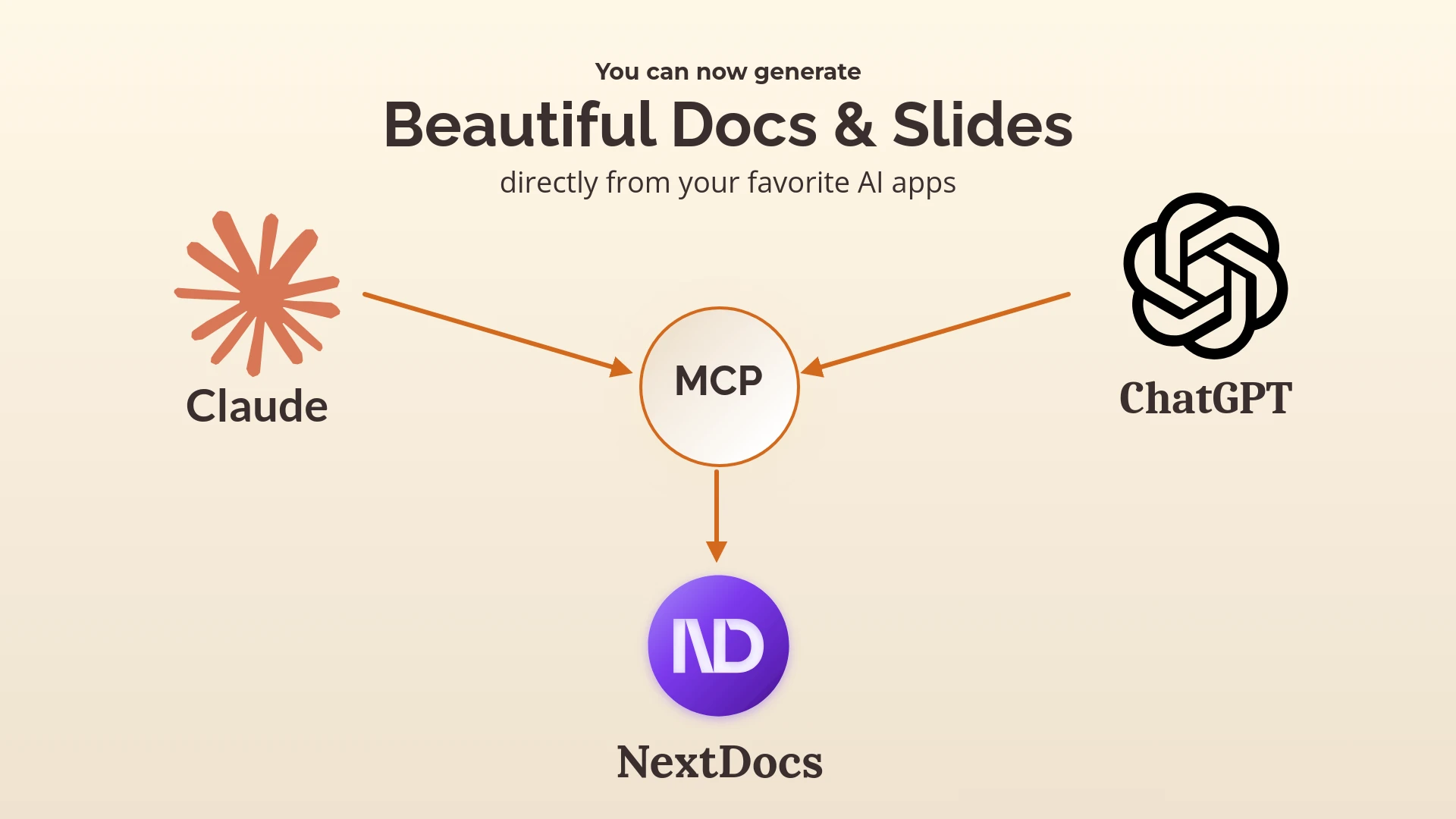
Here is the part most comparisons miss. You do not have to choose between the assistant you like and the document tool that finishes the job. NextDocs has an MCP server: connect it to Claude or ChatGPT and you can say, in the chat you already use, "make me a ten-slide deck on this in NextDocs, three versions, brand kit applied", and the versions appear in your NextDocs workspace with real exports waiting.
You keep the assistant's conversation, memory and connected apps. NextDocs supplies the versions, the model ladder, the brand kit and the export fidelity.
The same idea goes further with Shyne: its hosted MCP server at mcp.shyne.ai connects to Claude, ChatGPT, Cursor and any MCP client, and the desktop app can run the Shyne agent on your own Claude Code or Codex subscription, so Claude Fable 5.1 or GPT-6 Astra work directly on a shared canvas with your team. The MCP in practice post walks through the setup.
A short decision table
| You want | Use |
|---|---|
| A quick internal deck, inside the tool you are already in | ChatGPT's add-in, Claude's file export or Copilot |
| A client-facing deck or document with versions to choose from and clean exports | NextDocs |
| Your favourite assistant driving NextDocs | NextDocs MCP |
| The newest models, on a shared canvas, with video | Shyne, hosted or with your own Claude Code or Codex |
The assistants got good at making files this year. The reason to keep a document tool did not go away; it moved one step later in the process, to the part where the file has to be right.
Connect Claude or ChatGPT to NextDocs · Try Shyne free
The NextDocs Team