

Comparison Article: ChatGPT vs. NextDocs
Table of Contents
- Introduction
- Overview of ChatGPT
- Overview of NextDocs
- Core Differences
- Use Cases
- Strengths and Limitations
- Conclusion
Introduction
The landscape of professional productivity has been fundamentally altered by the advent of Artificial Intelligence. Today, individuals and organizations are no longer asking if they should use AI, but rather which AI tool best fits their specific workflow. Two prominent names in this space are ChatGPT and NextDocs. While both leverage advanced language models to assist users, they serve very different primary functions.
ChatGPT is widely recognized as the pioneer of the conversational AI era, offering a versatile interface that can handle a vast array of general tasks. From writing code to composing poetry, it acts as a Swiss Army knife for information and generation. On the other hand, NextDocs focuses on the structured world of professional documentation and presentations. It is designed to bridge the gap between raw AI generation and the polished, formatted output required in corporate and academic environments.
This article provides a neutral, detailed comparison of these two platforms. We will explore their unique architectures, target audiences, and how they perform in real-world scenarios. By the end of this guide, you will have a clear understanding of which tool aligns with your personal or organizational goals.
Overview of ChatGPT
ChatGPT, developed by OpenAI, is a general-purpose Large Language Model (LLM) designed for conversational interaction. Since its release, it has become the standard for "chat-based" AI. It operates by predicting the next token in a sequence, allowing it to maintain context over long conversations and provide answers to almost any text-based prompt.
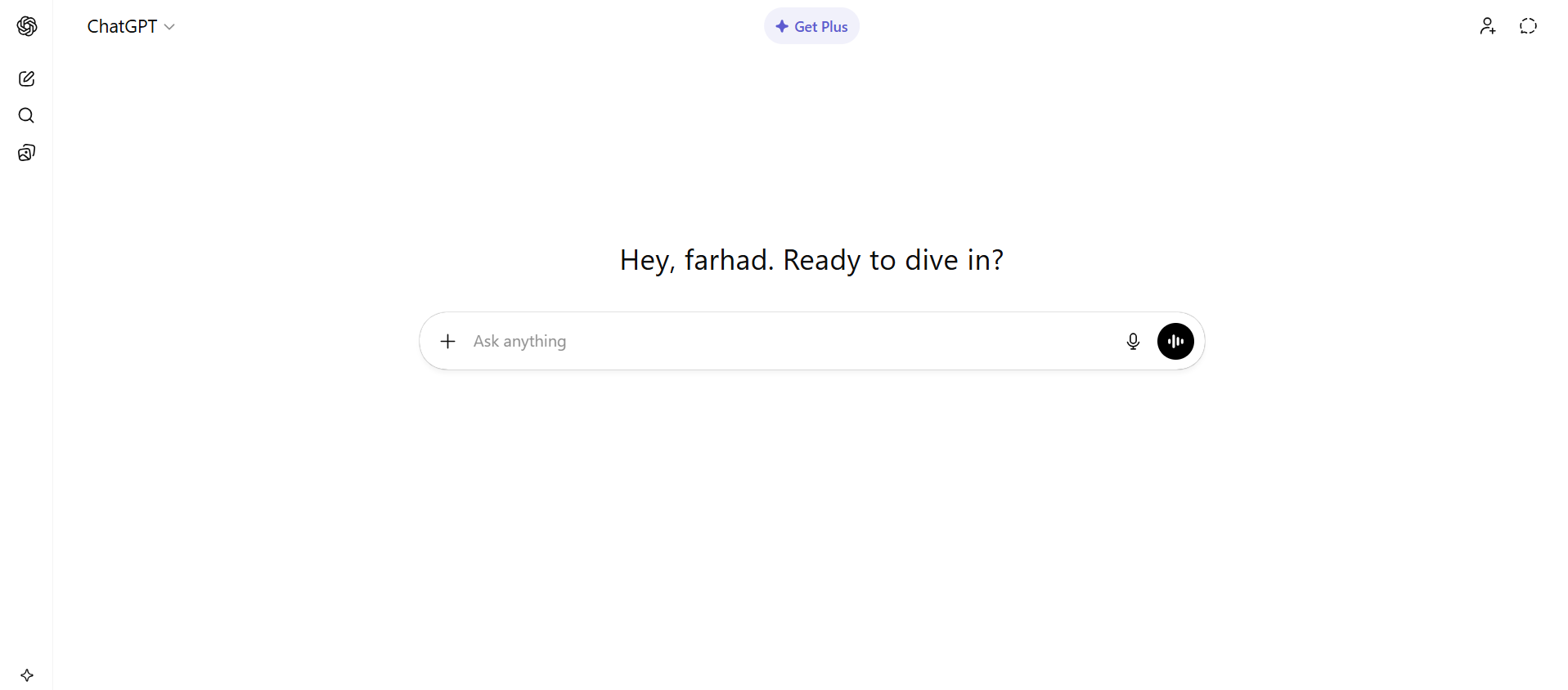
The primary interface of ChatGPT is a simple chat window. Users type a message, and the AI responds in real-time. This simplicity is one of its greatest strengths, as it requires no specialized training to use. Over time, ChatGPT has evolved to include multimodal capabilities, meaning it can now process images, voice, and even browse the internet to provide up-to-date information.
ChatGPT is built on the GPT (Generative Pre-trained Transformer) architecture. It excels at brainstorming, summarizing large blocks of text, and acting as a tutor for complex subjects. Because it is a generalist, it is used by a diverse demographic, including software developers, creative writers, students, and business managers. However, because it is not a dedicated document editor, users often find themselves copying and pasting text from the chat window into other software like Microsoft Word or Google Docs to format their final work.
Overview of NextDocs
NextDocs is an AI-powered platform that moves beyond the chat interface to focus specifically on the creation of high-quality documents and presentations. While it utilizes powerful AI backends, its environment is tailored for the structural and visual needs of professional output. It treats the document as a cohesive unit rather than just a series of chat messages.
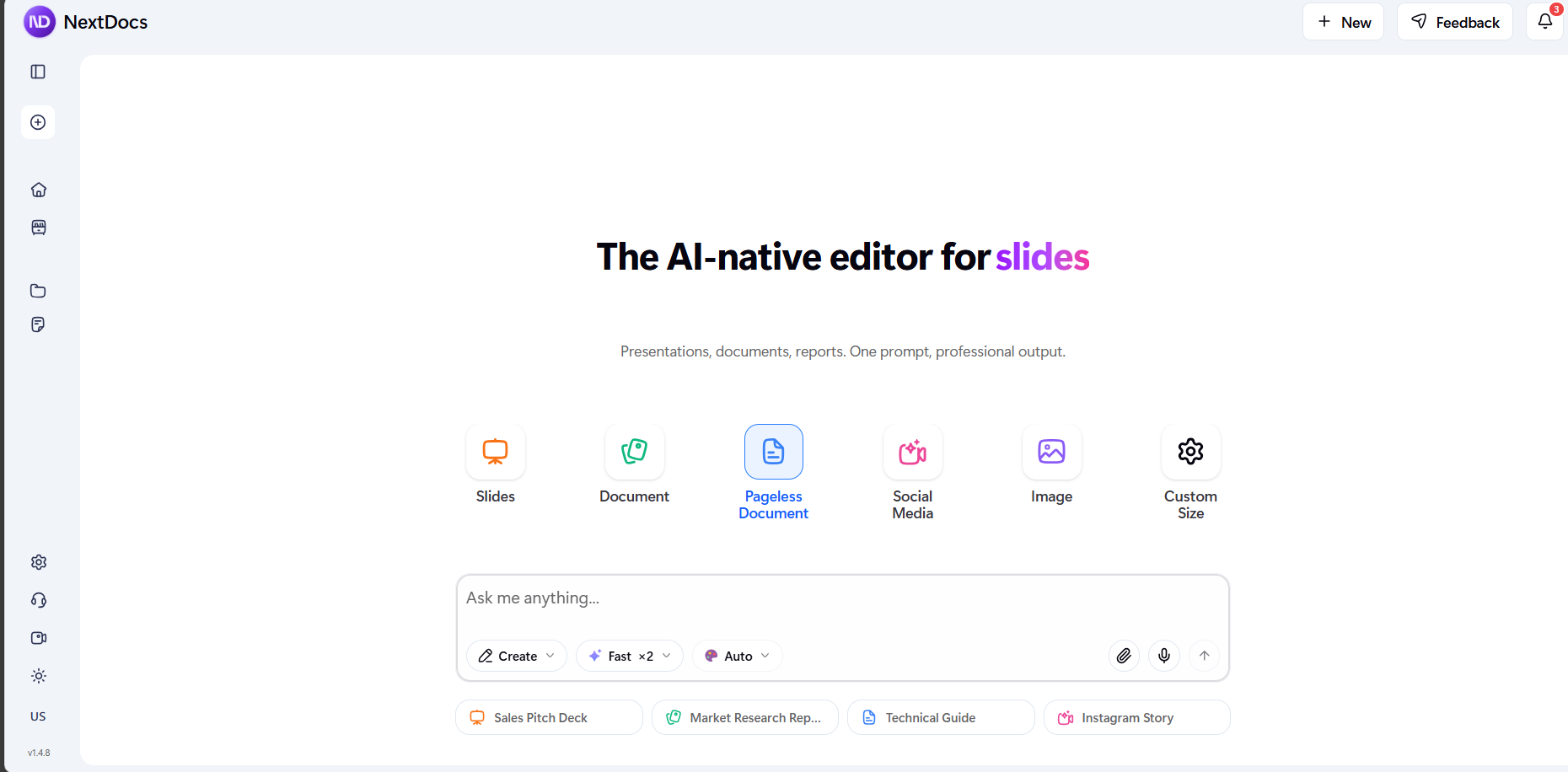
NextDocs works in a much more specialized way when it comes to creating documents and presentations. It offers a wide range of powerful features specifically designed for editing and refining this type of content. In addition, NextDocs provides a simple and user-friendly experience, making it easy for users to focus on their work without unnecessary complexity.
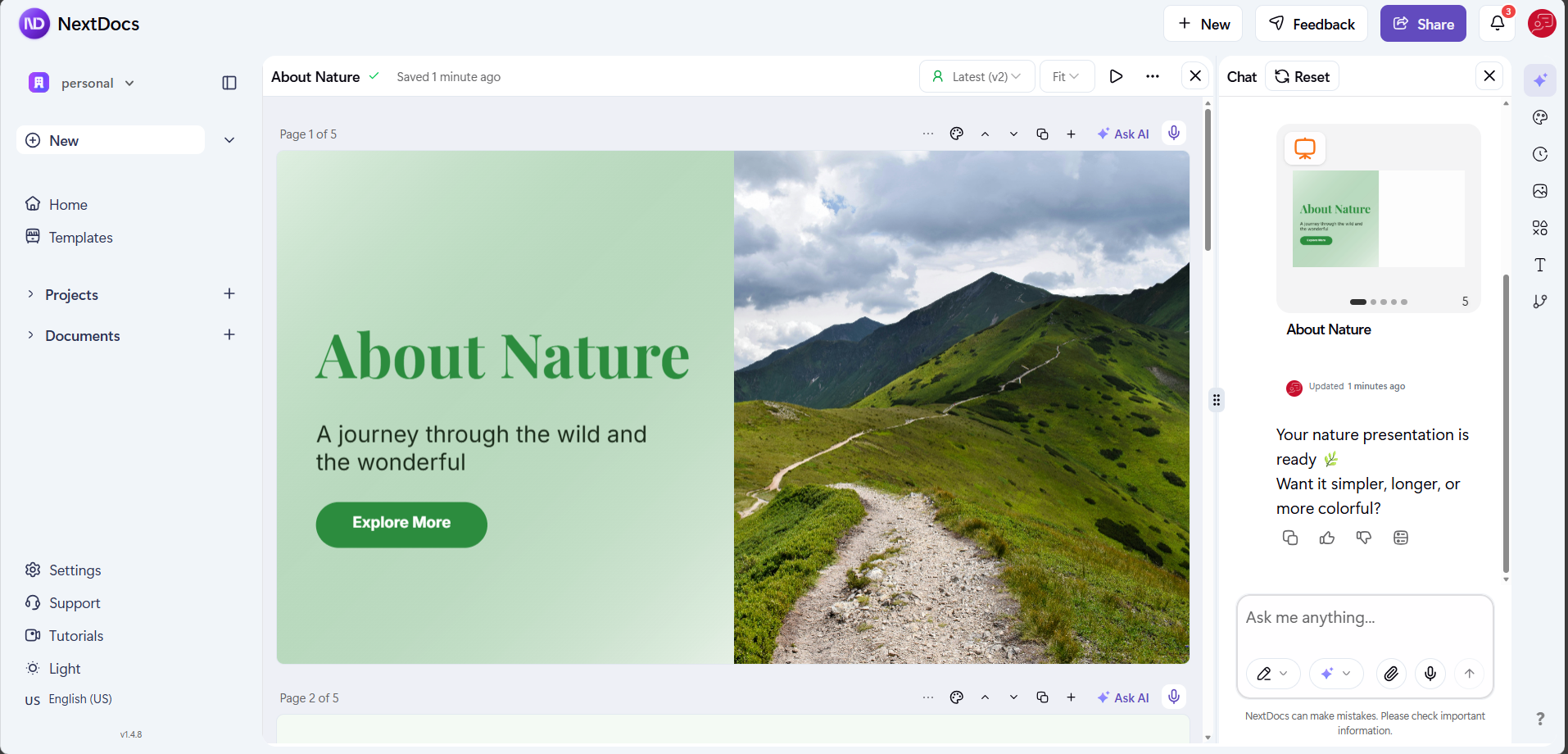
The platform is built for users who need to go from an idea to a finished, formatted document in a single workflow. Instead of getting a wall of text that requires manual reformatting, NextDocs users get structured content with appropriate headings, lists, and visual elements. It is particularly effective for creating business proposals, technical manuals, and educational slide decks where the layout is just as important as the text itself.
Caption: Specialized tools like NextDocs focus on the final presentation and structure of content.
Core Differences
The fundamental difference between ChatGPT and NextDocs lies in their "Product DNA." ChatGPT is a conversation partner, while NextDocs is a document architect. This leads to several practical differences in how a user interacts with each platform.
| Feature | ChatGPT | NextDocs |
|---|---|---|
| Primary Interface | Chat-based thread | Document/Canvas editor |
| Formatting | Plain text / Markdown | MDX / Professional Layouts |
| Focus | General inquiries & logic | Document & Presentation creation |
| Workflow | Iterative conversation | Structured generation & refinement |
| Visual Elements | Basic images (DALL-E) | Integrated diagrams, tables, & blocks |
| Output Goal | Information/Answer | Finished Professional Asset |
Structure and Layout
ChatGPT provides information in a linear fashion. If you ask for a report, it gives you the text of a report. You must then handle the margins, the font styles, and the placement of tables in a separate application. NextDocs, however, understands the hierarchy of a document. It handles the "scannability" of the content automatically, ensuring that headings are logical and that the visual flow of the document remains professional.
Customization and Refinement
In ChatGPT, if you want to change a specific paragraph, you usually have to ask the AI to "rewrite the third paragraph." In NextDocs, the interface allows for more direct interaction with the document structure. The specialized features mentioned earlier allow users to refine specific sections without losing the context of the entire project. This makes the editing process feel more like using a smart word processor rather than a messaging app.
Use Cases
Understanding when to use each tool can significantly improve efficiency. Both have their place in a modern digital toolkit, but they shine in different scenarios.
When to use ChatGPT
- Brainstorming: If you have a "blank page" problem and need twenty ideas for a marketing campaign.
- Coding Help: When you need to debug a specific function or understand a new programming language.
- Quick Facts: When you need a summary of a historical event or a scientific concept explained simply.
- Translation: ChatGPT is excellent at translating text while maintaining the nuances of different languages.
When to use NextDocs
- Business Reports: When you need a 10-page analysis that includes tables, clear sections, and a professional tone.
- Presentations: When you need to turn a concept into a series of slides or a structured pitch deck.
- Standard Operating Procedures (SOPs): Creating technical guides that require consistent formatting and clear, step-by-step instructions.
- Project Proposals: When the visual layout and professional "look and feel" of the document are critical to winning a client.
Strengths and Limitations
Every tool has its trade-offs. A balanced view helps in managing expectations and achieving the best results.
ChatGPT Strengths
- Versatility: There is almost no text-based task it cannot attempt.
- Speed: It generates responses very quickly for short-to-medium length queries.
- Accessibility: It is available on almost every device via web and mobile apps.
ChatGPT Limitations
- Lack of Structure: It often produces long walls of text that are difficult to read without manual editing.
- Context Drift: In very long conversations, it can sometimes lose track of earlier instructions.
- Manual Formatting: Users must spend significant time moving content into other editors to make it "client-ready."
NextDocs Strengths
- Specialization: Every feature is built to make documents look better and be more useful.
- User Experience: The interface is designed to reduce the cognitive load of document creation.
- Visual Integrity: It handles complex elements like MDX blocks and professional tables natively.
NextDocs Limitations
- Niche Focus: It is not intended for general "chatting" or miscellaneous queries unrelated to content creation.
- Structured Input: To get the best results, users need to think in terms of document sections rather than just random questions.
Conclusion
In the debate of ChatGPT vs. NextDocs, the answer is not which one is "better," but which one is right for the task at hand. ChatGPT remains an unparalleled tool for general intelligence, research, and quick creative bursts. Its ability to act as a conversational partner makes it an essential tool for the modern knowledge worker.
However, for those whose work revolves around the production of high-quality, structured, and professional content, NextDocs offers a significant advantage. By providing a specialized environment for documents and presentations, it removes the friction between "generating text" and "completing a project."
Ultimately, many professionals find that using both tools in tandem provides the best results: using ChatGPT for the initial research and brainstorming phase, and then moving to NextDocs to build, refine, and finalize the actual professional assets. By choosing the right tool for each stage of the creative process, you can maximize both your creativity and your productivity.