

Introduction to the AI Presentation Landscape
The way professionals create presentations has shifted fundamentally over the last few years. We have moved from the era of manual pixel pushing to an era where artificial intelligence handles the heavy lifting of layout, content drafting, and design. Two of the most prominent names in the Google Slides and PowerPoint ecosystem are Plus AI and SlidesAI. Both tools operate primarily as add-ins, meaning they live inside the presentation software you already use rather than forcing you to move to a new platform.
While both tools aim to solve the same problem, they cater to different types of users. Plus AI positions itself as a premium, enterprise ready solution that focuses on maintaining brand consistency and high quality output. SlidesAI, on the other hand, focuses on speed and accessibility, offering a lower barrier to entry for students or individuals who need a quick draft without much fuss.
In this guide, we will break down the strengths and weaknesses of each tool. We will also look at how they compare to newer, more flexible alternatives like NextDocs, which offers features like multi-variant generation and universal exports. For a broader look at the market, you can explore our list of the best AI presentation builders 2026.
Overview of Plus AI
Plus AI is designed specifically for professionals who live in Google Slides and PowerPoint. It is not just a one-off slide generator. It is a comprehensive suite of tools meant to help teams create, edit, and maintain their presentation decks. One of its standout features is the ability to work within your existing templates. Most AI tools generate slides that look generic, but Plus AI can learn your company's specific formatting and apply it to new content.
The tool includes a Remix feature that allows you to take an existing slide and transform it into a different layout while keeping the content intact. This is particularly useful for consultants and managers who need to refine decks over multiple iterations. Because it is a native add-in, it feels like a part of the software rather than an external app. This makes it a strong contender for those looking for the best AI pitch deck builders that fit into a standard corporate workflow.

Overview of SlidesAI
SlidesAI takes a more streamlined approach. Its primary goal is to turn text into slides as quickly as possible. You provide a prompt or a long block of text, and the AI parses that information to create a structured presentation. It is highly popular among users who need to summarize long documents or articles into a visual format quickly.
Unlike Plus AI, SlidesAI offers a free tier, which makes it an attractive option for students or casual users. It is deeply integrated with Google Slides, providing a simple sidebar where you can input your text and choose a basic theme. While it may lack some of the advanced brand controls found in premium tools, it excels at getting you from a blank page to a finished draft in under two minutes. For those seeking affordable AI presentation builders 2026, SlidesAI is often at the top of the list.
Key Differences Between Plus AI and SlidesAI
The fundamental difference between these two tools lies in their target audience and the depth of their features.
Workflow and Integration
Plus AI is built for the entire lifecycle of a presentation. It helps with the initial generation, but it also provides tools for rewriting, remixing, and updating slides as data changes. It is a tool for teams that collaborate on decks over weeks or months. SlidesAI is more of a "one and done" tool. It is excellent for generating a first draft from a text source, but it offers fewer features for ongoing editing and refinement.
Design and Brand Control
Plus AI wins significantly when it comes to brand consistency. It allows you to use your own themes and master slides, ensuring that the AI generated content matches your corporate identity. SlidesAI relies more on its own internal themes, which can sometimes feel a bit generic. If you are preparing a high stakes presentation for investors, the design flexibility of Plus AI is a major advantage.
Content Generation
SlidesAI is particularly strong at "text to slide" conversions. If you have a five page report and need a ten slide summary, SlidesAI handles that transition very well. Plus AI is better at "prompt to slide" generation, where you give it a high level idea and it builds out the narrative for you.
If you find that neither of these add-ins provides enough flexibility, you might consider looking into plus ai alternatives 2026 or slidesai alternatives that offer standalone platforms.
Feature Comparison Table
| Feature | Plus AI | SlidesAI |
|---|---|---|
| Primary Platform | Google Slides & PowerPoint | Google Slides (PPTX via export) |
| Free Tier | No (Trial only) | Yes (Limited) |
| Template Preservation | Yes | Limited |
| Remix/Edit Features | Advanced | Basic |
| Text-to-Presentation | Yes | Yes (Optimized) |
| Brand Kit Support | Strong | Basic |
| Multi-variant Generation | No | No |
| Pricing Starting At | $10 per month | $10 per month |
Pricing Comparison
Both tools are priced competitively, but their structures reflect their different audiences.
Plus AI Pricing
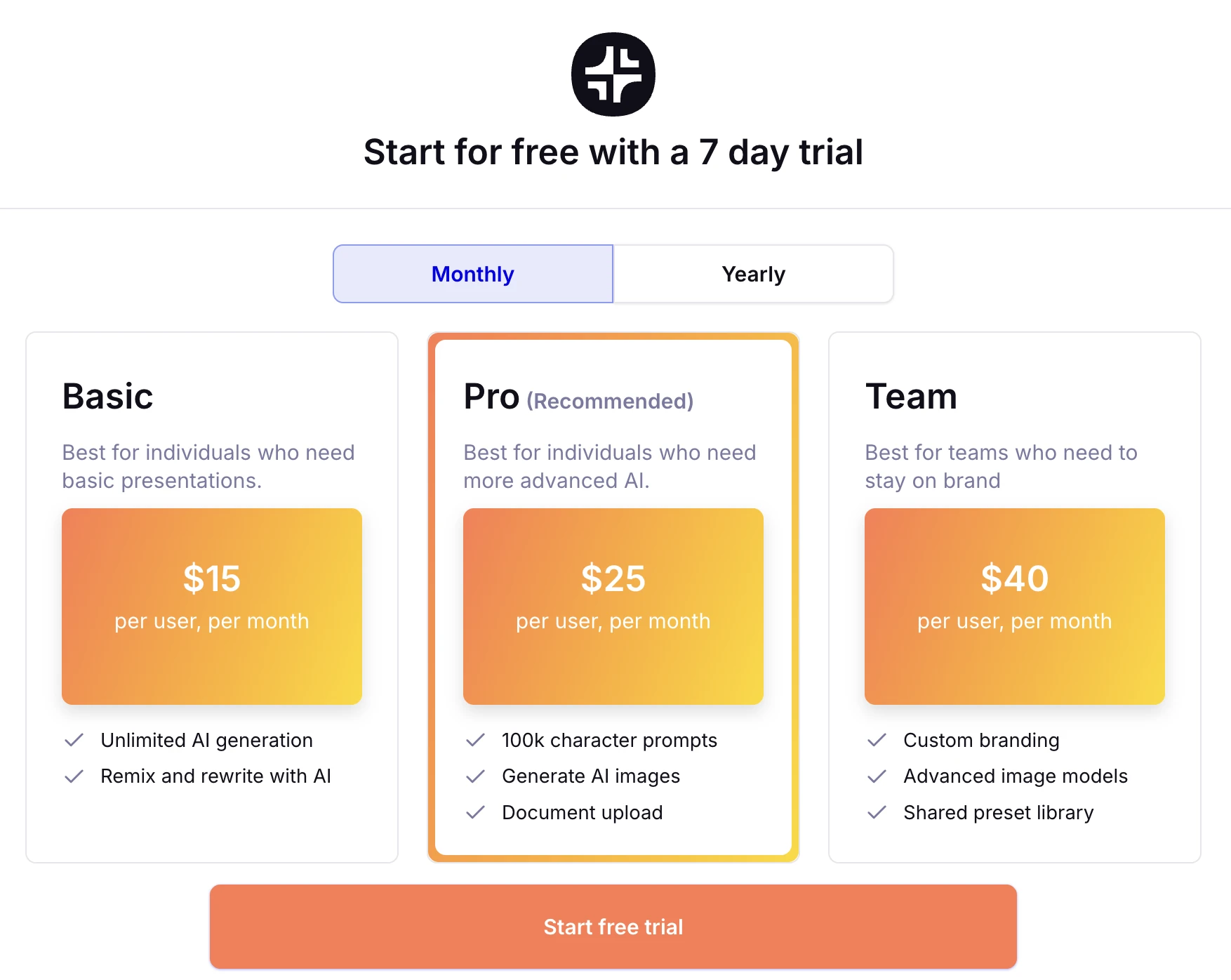
Plus AI does not offer a permanent free tier. It is a premium product from the start. Their basic plans start at $10 per month, which gives you access to the core generation and editing features. For teams, the price increases as you add more users and require more advanced brand controls. This investment is usually justified for businesses that save hours of manual design time every week.
SlidesAI Pricing
SlidesAI offers a free plan that allows you to create a limited number of presentations per month with a character limit on the input text. This makes it a great choice for those who only need occasional help. Their Pro and Premium plans start at around $10 per month and increase based on the number of presentations and the character limit allowed for text input.
For founders on a tight budget, exploring 2026 free ai pitch deck builders can provide a good starting point before moving to a paid subscription.
Pros and Cons
Plus AI
Pros:
- Seamless integration with both Google Slides and PowerPoint.
- Excellent at maintaining existing brand styles and templates.
- The Remix feature makes it easy to experiment with different slide layouts.
- High quality content generation that sounds professional.
Cons:
- No free tier makes it hard to test without commitment.
- Can be more expensive for large teams.
- The quality of the output depends heavily on the quality of the prompt.
SlidesAI
Pros:
- Very fast generation from long text documents.
- Generous free tier for casual users.
- Extremely easy to use with a very low learning curve.
- Affordable paid plans for individuals.
Cons:
- Design variety is limited compared to more specialized tools.
- Output often requires significant manual cleanup for professional use.
- Limited features for editing or updating existing slides.
The NextDocs Alternative: Why a Native Platform Often Wins
While Plus AI and SlidesAI are powerful because they live inside your existing tools, they are also limited by the constraints of those tools. Add-ins often struggle with complex layouts or deep research because they are "bolted on" to Google Slides or PowerPoint.
This is where a platform like NextDocs takes a different approach. Instead of trying to force AI into an old interface, NextDocs is an AI native platform. This allows for features that Plus AI and SlidesAI simply cannot offer:
- Multi-variant Generation: Instead of giving you one result and hoping you like it, NextDocs generates several versions of your presentation. You can pick the one that fits your vision best or combine elements from different variants.
- Universal Exports: You are not locked into one ecosystem. You can create a presentation and export it to PDF, PowerPoint, Google Slides, or even a Google Doc with a single click.
- Deep Research Integration: While other tools might hallucinate facts or give you generic filler text, NextDocs can perform deep research to pull real data and citations into your slides.
If you find the add-in experience of Plus AI or SlidesAI to be too restrictive, a dedicated AI presentation platform may be the better choice for your professional needs.
Verdict and Recommendation
Choosing between Plus AI and SlidesAI comes down to your specific goals and your budget.
Choose Plus AI if: You are a professional, a consultant, or part of a corporate team. You need your slides to look like they were made by a human designer using your company's specific templates. You value the ability to edit and remix slides just as much as you value the initial generation.
Choose SlidesAI if: You are a student, a teacher, or an individual who needs to turn a block of text into a presentation as quickly as possible. You want a free option to get started and do not mind doing some manual design work to polish the final product.
Choose NextDocs if: You want the highest possible quality and more control over the creative process. If you need multi-variant options to choose from and the ability to export your work to any format without losing your formatting, NextDocs provides a more robust, professional solution than a standard add-in.
Regardless of which tool you choose, the era of spending hours on a single slide deck is over. These AI tools allow you to focus on the strategy and the message while the technology handles the visual execution.
Ready to Create Better Presentations?
Try NextDocs Free and experience multi-variant generation, universal exports, and deep research integration. No credit card required.