
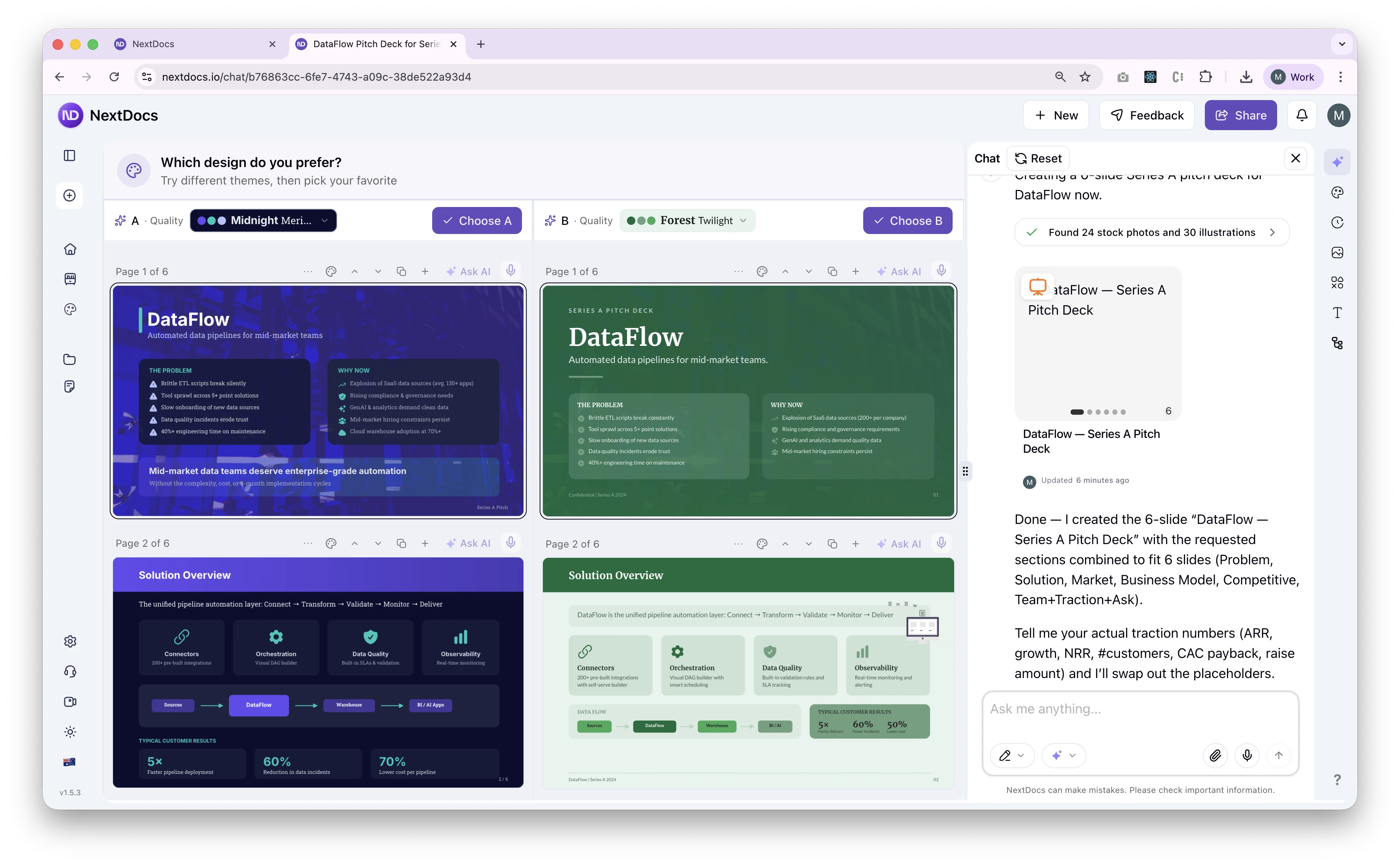
Claude can create and edit decks in Claude Slides, generate downloadable files and work through a PowerPoint add-in. Choosing between Claude and NextDocs means comparing the complete working process: how you supply evidence, revise the result, apply your brand and hand the file to someone else.
Start with the application in which the presentation must be finished. If your team needs to edit individual text boxes and shapes in PowerPoint, test that requirement first. A file ending in .pptx does not, by itself, establish what is editable inside it.
This is a NextDocs-authored comparison, reviewed on November 7, 2026. It draws on the official Claude documentation linked below and the current NextDocs export implementation. We have not run a controlled output-quality or speed benchmark for this article.
The short comparison
| Requirement | Claude | NextDocs |
|---|---|---|
| Work from an existing analysis | Supply your source material in the conversation and request the deliverable. | Supply a brief and source material, then develop the presentation in the NextDocs workspace. |
| Create and edit a deck beside the conversation | Claude Slides provides direct editing; check plan and organization controls. | Create and revise a presentation in the NextDocs task workspace. |
| Create a PowerPoint file | File creation and Claude Slides offer PowerPoint delivery, with different object behavior. | Tasks presentations export to PPTX with a rendered image on each slide. |
| Continue working inside PowerPoint | Claude also offers a PowerPoint add-in; check current availability and your organization's settings. | Tasks slide images retain their appearance, but their text and shapes are not individually editable in PowerPoint. |
| Apply a visual identity | Use a design system or supplied template where supported, then inspect the result. | Use the brand kit and inspect the resulting colors, fonts, logo, and layout. |
| Revise facts or wording | Ask for a revision and check the resulting file. | Revise the artifact in NextDocs and export the updated version. |
| Decide on quality | Compare actual outputs using your own acceptance criteria. | Use the same brief and criteria; being a dedicated document product does not establish a benchmark win. |
What Claude can do today
Anthropic's file-creation documentation lists PowerPoint, Word, Excel, and PDF creation. The capability is available across Claude's plans, although organization settings and usage limits can affect access. You can request a presentation from supplied material and download the resulting file.
There is also an in-application workflow. Anthropic documents a Claude PowerPoint add-in with shared Excel context and reusable skills. That matters when the work starts in a workbook or an existing company deck. Check the current installation requirements and availability before planning a team rollout.
Anthropic also documents Claude Slides beside the conversation, with direct editing and design-system support. Slides creation is offered across plans, subject to capability and organization controls; sharing access has separate plan rules. This is a distinct route from downloadable file creation or the PowerPoint add-in.
The Claude Slides tutorial describes an important export boundary: text boxes, tables, pictures, backgrounds and notes remain editable in PowerPoint, while charts, icons and shapes become pictures. Transitions and skipped slides are omitted. Test the actual destination rather than transferring a native-chart claim from the PowerPoint add-in to a Claude Slides export.
An outline-only description is outdated. A fair evaluation should include the specific current Claude surface that fits the job.
Where NextDocs may fit your workflow
NextDocs is useful to evaluate when you want the document and its revisions in a dedicated workspace, with reusable brand settings and a process for developing the finished artifact.
For example, a consultant might start with approved discovery notes, generate a first presentation, apply the client's brand kit, and revise a recommendation after review. The useful question is whether that process reduces the work required for this particular deliverable.
If you use deep research, inspect the cited sources and check that each one supports the associated claim. Research assistance does not remove the need to verify dates, numbers, quotations, or recommendations.
You can also prepare an approved narrative in Claude and bring that material to NextDocs. Use a clear handoff brief: identify the audience, required sections, facts that must remain unchanged, and the output format. Avoid repeatedly moving a partially approved draft between tools without recording what changed.
Understand export before committing to a workflow
The current NextDocs Tasks presentation export uses one rendered image per slide for both PPTX and Google Slides. This preserves the slide as an image. It does not provide individual editable text boxes, shapes, or chart series in the destination application.
For a presentation that will be delivered as a final visual, that may fit the job. For a client who expects to rewrite paragraphs, recolor individual elements, or update chart data directly in PowerPoint, it is a material limitation. Make those revisions in NextDocs before exporting, or evaluate a workflow that supplies the native objects your recipient needs.
NextDocs also has Classic canvas and public API export paths with different capabilities. Do not assume that an API or Classic export description applies to a new Tasks artifact. Check the export options for the actual artifact you will use. The export feature overview and API export reference describe their respective contexts.
The same rule applies to Claude: open the particular file you generate and inspect its contents. A vendor's supported-format list is useful evidence of capability, but it is not a guarantee that every chart, font, or layout in your brief will survive your intended handoff.
A practical comparison you can run
Use a small, non-confidential source pack with known answers. For example, prepare a fictional business review with three monthly revenue figures, two project risks, and one decision for management.
Give both tools the same instructions:
Create a six-slide management review from the supplied source pack.
Include an executive summary, the revenue trend, project status,
the two risks, the proposed decision, and next steps.
Preserve every supplied figure and label any missing information.
Do not invent customers, quotations, market statistics, or outcomes.
Use the supplied brand colors. Prepare the agreed output format.
Then inspect five things:
- Facts: reconcile every figure and date against the source pack.
- Meaning: check that the conclusion follows from the evidence.
- Layout: inspect dense slides and long headings at presentation size.
- Revision: change one approved figure and check for unintended changes elsewhere.
- Handoff: open the exported file in the recipient's actual application and attempt the edits they will need.
Record generation time, correction time, and export repair separately. This procedure is an evaluation method, not a claim about results we have measured.
Which should you choose?
Start with Claude if your existing conversation already contains the analysis, its Slides editor fits your review process, or its PowerPoint add-in suits the way your team works. Evaluate the generated file against the same standards you would apply to any other tool.
Try NextDocs if you want to develop and revise the presentation in its workspace and its brand and document workflow fit your task. Confirm the current export behavior before promising an editable Office handoff.
If your deciding requirement is native editable PowerPoint content, make that an acceptance check before comparing appearance or generation speed. For a broader selection process, see our AI presentation builder guide.
Pricing and plan entitlements change. Check the current NextDocs plans and Claude plans for your region, usage, and team requirements rather than relying on an old monthly-price comparison.
Try the workflow with your own brief
Create a presentation in NextDocs, use a small source pack, and inspect the export before using it for a client deliverable.