

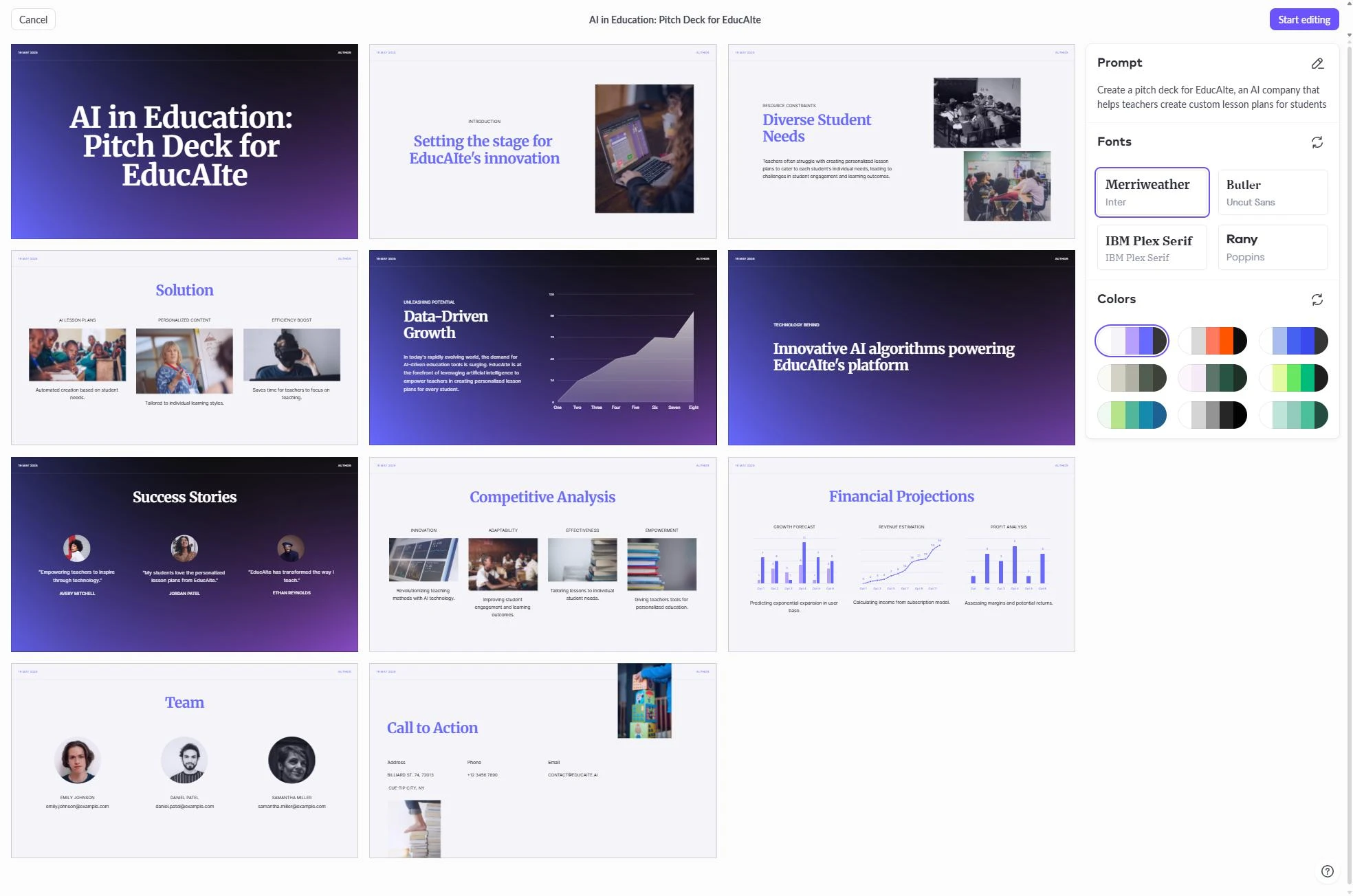
Il panorama del software per presentazioni è cambiato drasticamente dai primi giorni delle slide statiche. Pitch.com è emerso come leader concentrandosi sulla collaborazione e sul design moderno, ma man mano che ci avviciniamo al 2026, le esigenze dei professionisti si sono evolute. Sebbene Pitch rimanga uno strumento potente per i team che privilegiano la modifica condivisa e il controllo delle versioni, molti utenti ora cercano alternative che offrano un'integrazione più profonda dell'intelligenza artificiale e opzioni di esportazione più flessibili.
Il principale motore di questo cambiamento è l'ascesa delle piattaforme native AI. I professionisti moderni, tra cui consulenti, fondatori e responsabili delle vendite, non vogliono più trascorrere ore a modificare manualmente i layout. Hanno bisogno di strumenti in grado di eseguire ricerche approfondite, generare istantaneamente più direzioni creative e esportare in modo pulito in qualsiasi formato richiesto dagli stakeholder. Questo articolo esplora le migliori alternative a Pitch.com disponibili oggi, concentrandosi su come questi strumenti risolvono le limitazioni comuni e migliorano la produttività.
Perché gli utenti cercano alternative a Pitch.com
Pitch.com ha fissato un alto standard per il design collaborativo, ma diverse limitazioni ricorrenti spingono i team a esplorare altre opzioni. Una delle lamentele più comuni riguarda le funzionalità di intelligenza artificiale. Sebbene Pitch abbia aggiunto capacità AI, spesso sembrano aggiunte secondarie piuttosto che il nucleo del prodotto. Gli utenti spesso scoprono che i contenuti generati dall'AI richiedono una significativa ristrutturazione manuale per soddisfare gli standard professionali.
Un'altra sfida è il modello di prezzo. Man mano che i team crescono, il costo per utente può diventare una voce di spesa significativa, soprattutto per le organizzazioni che hanno bisogno di alta collaborazione solo per pochi progetti chiave. Inoltre, sebbene Pitch offra esportazioni in PDF e PowerPoint, i risultati a volte possono essere difficili. Gli elementi possono spostarsi o perdere la formattazione durante il processo di conversione, il che rappresenta un ostacolo importante per i consulenti che devono consegnare file modificabili ai clienti.
Infine, la mancanza di strumenti di ricerca integrati è una lacuna notevole. In un ambiente aziendale frenetico, creare un pitch deck spesso richiede ore di ricerca esterna. La maggior parte degli strumenti tradizionali, incluso Pitch, richiede di svolgere questo lavoro in una scheda del browser separata e poi incollare manualmente i dati. Gli utenti si stanno orientando sempre più verso piattaforme che combinano le fasi di ricerca e creazione in un unico flusso di lavoro.
Confronto rapido delle migliori alternative
| Strumento | Ideale per | Punto di forza | Prezzo di partenza |
|---|---|---|---|
| NextDocs | Uso professionale generale | Generazione multi-variante e ricerca | $15/mo |
| Plus AI | Integrazione PowerPoint | Add-in nativo per flussi di lavoro esistenti | $10/mo |
| Copilot | Utenti Microsoft 365 | Integrazione profonda con le app Office | $30/mo |
| Gamma | Deck web rapidi | Layout web-nativi moderni | $8/mo |
| Beautiful.ai | Non designer | Layout intelligenti automatizzati | $12/mo |
| Canva | Visual marketing | Enorme libreria di risorse e modelli | $13/mo |
| Gemini | Google Workspace | Integrazione nativa con Google Slides | Livello gratuito |
| SlidesAI | Bozze rapide | Conversione semplice da testo a slide | $10/mo |
| MagicSlides | Riutilizzo dei contenuti | Conversione da YouTube e documenti | $8/mo |
1. NextDocs: La migliore alternativa complessiva
NextDocs si distingue come la principale alternativa a Pitch.com nel 2026 perché è stato costruito da zero come piattaforma nativa AI. A differenza degli strumenti che aggiungono semplicemente una chat a un editor tradizionale, NextDocs utilizza l'AI per gestire l'intera area di lavoro. Questo porta a un processo di creazione molto più intuitivo, in cui il software comprende la relazione tra i tuoi contenuti e la gerarchia visiva.
La caratteristica distintiva di NextDocs è la generazione multi-variante. Quando fornisci un prompt, il sistema non ti restituisce un unico risultato. Invece, genera diverse versioni distinte della presentazione. Questo ti permette di confrontare diversi flussi narrativi e stili visivi, scegliendo quello che meglio si adatta al tuo obiettivo specifico. È un miglioramento significativo rispetto all'approccio di tentativi ed errori richiesto dalla maggior parte degli altri builder.
Per chi dà priorità all'accuratezza dei dati, NextDocs include un'integrazione di ricerca approfondita. L'AI può navigare sul web per trovare statistiche reali, tendenze di mercato e dati sui concorrenti, fornendo citazioni per ogni fatto. Questo lo rende una scelta ideale per chi cerca migliori strumenti di presentazione AI che gestiscano più che l'estetica. Offre inoltre esportazioni universali, consentendo di spostare il lavoro senza problemi tra PDF, PowerPoint, Google Slides e Google Docs senza perdere la formattazione. Puoi leggere di più su come si confronta nella nostra dettagliata comparazione nextdocs-vs-pitch.

2. Plus AI: L'add-in per utenti avanzati
Plus AI è la scelta ideale per i team che non sono pronti a lasciare i loro ecosistemi esistenti. Piuttosto che funzionare come una piattaforma autonoma, Plus AI agisce come un add-in nativo sia per Microsoft PowerPoint sia per Google Slides. Questo è un grande vantaggio per le organizzazioni che hanno investito anni nella creazione di template personalizzati e slide master.
Lo strumento eccelle nel migliorare presentazioni esistenti. Puoi usarlo per riscrivere slide, aggiungere nuove sezioni basate su un brief o riorganizzare il layout di una pagina disordinata. Poiché funziona all'interno degli strumenti che già conosci, la curva di apprendimento è praticamente inesistente. È un concorrente di primo piano tra i migliori costruttori di presentazioni AI 2026 per chi valorizza la continuità del flusso di lavoro.
Tuttavia, essendo un add-in, è limitato dalle capacità sottostanti di PowerPoint o Google Slides. Non può offrire lo stesso livello di gestione innovativa del canvas degli strumenti AI autonomi. Vale anche la pena notare che Plus AI non offre un livello gratuito, il che può rappresentare una barriera per utenti individuali o piccole startup.

3. Microsoft Copilot per PowerPoint
Per le grandi imprese che pagano già per Microsoft 365, Copilot è un'alternativa naturale. Il suo punto di forza più grande risiede nel contesto organizzativo. Copilot può estrarre informazioni direttamente dalle tue email, dalle chat di Teams e dai documenti Word per creare una presentazione altamente pertinente ai tuoi progetti interni.
Questo livello di integrazione è qualcosa che gli strumenti di terze parti faticano a eguagliare. Se devi trasformare un lungo report interno in un deck riassuntivo, Copilot può farlo in pochi secondi. Genera anche note per il relatore sorprendentemente ponderate e personalizzate per il contenuto di ogni slide.
I lati negativi sono principalmente il costo e il design. A trenta dollari per utente al mese, è una delle opzioni più costose sul mercato. Inoltre, l'output di design tende a essere molto conservatore. È perfetto per riunioni aziendali interne, ma può mancare della scintilla creativa necessaria per un pitch di startup ad alto rischio o una proposta di marketing.
4. Gemini per Google Slides
Gemini è la risposta di Google a Copilot. Per i team che vivono in Google Workspace, fornisce un modo fluido per introdurre l'AI nel processo di presentazione. È particolarmente bravo a generare immagini da abbinare alle slide e a fare riferimento ai contenuti archiviati su Google Drive.
Gemini è spesso incluso negli abbonamenti esistenti a Workspace, il che lo rende un punto di partenza conveniente per molte aziende. L'interfaccia è familiare e, essendo una parte nativa di Google Slides, la collaborazione funziona esattamente come ti aspetti.
La principale limitazione è la sofisticazione dell'output. Gemini produce spesso slide piuttosto generiche che richiedono un notevole lavoro di design manuale per apparire professionali. Manca della logica avanzata di layout presente negli strumenti specializzati. Se il tuo brand richiede un aspetto specifico, potresti voler consultare la nostra lista di costruttori di presentazioni AI con kit di brand per trovare opzioni più robuste.
5. Gamma: Lo specialista web-native
Gamma ha guadagnato un seguito enorme spostandosi dal tradizionale formato slide. Crea presentazioni web-native che assomigliano a un incrocio tra un sito web e un documento. Questo lo rende incredibilmente efficace per la condivisione tramite link, poiché il contenuto si adatta splendidamente sia su desktop che su dispositivi mobili.
Lo strumento offre un livello gratuito molto generoso, rendendolo una delle alternative più accessibili per studenti e fondatori in fase iniziale. La sua generazione AI è veloce e i temi predefiniti sono moderni e visivamente accattivanti. Se vuoi vedere un confronto diretto, il nostro articolo gamma-vs-pitch analizza le sfumature delle loro filosofie differenti.
Il compromesso con Gamma è la flessibilità. Sebbene tu possa esportare in PDF o PowerPoint, i layout web-native non sempre si traducono perfettamente nelle dimensioni fisse di una slide tradizionale. Se il tuo obiettivo principale è inviare un file che qualcun altro possa modificare in PowerPoint, Gamma potrebbe non essere la scelta migliore.

6. Beautiful.ai: Design in modalità automatica
Beautiful.ai è famosa per i suoi template intelligenti. Il software utilizza un insieme di regole di design per garantire che le tue slide siano sempre equilibrate. Quando aggiungi più testo o un'altra immagine, gli altri elementi sulla slide si ridimensionano e si spostano automaticamente per mantenere un aspetto professionale.
Questo lo rende una scelta eccellente per i non designer stanchi di lottare con le caselle di testo in Pitch. Il risultato è costantemente curato e di alto livello. Per i consulenti che devono produrre deck pronti per i clienti rapidamente, Beautiful.ai è un affidabile cavallo di battaglia.
Tuttavia, questa automazione ha un costo in termini di controllo creativo totale. Sei spesso limitato ai layout consentiti dai template intelligenti. Se hai una visione molto specifica che esce dalle loro regole predefinite, lo strumento può risultare frustrantemente rigido. Puoi esplorare come si confronta con il leader di settore nella nostra guida beautiful-ai-vs-pitch.
7. Canva Magic Design: La potenza visiva
Canva si è espansa ben oltre le semplici grafiche per i social media. Il suo Magic Design AI consente agli utenti di generare intere presentazioni da un unico prompt. Il più grande vantaggio di usare Canva è il volume enorme di risorse disponibili. Hai accesso a milioni di foto stock, icone e illustrazioni direttamente nell'editor.
Canva è perfetta per i team di marketing che devono creare presentazioni visive ad alta energia. Offre anche un ottimo supporto multi-formato, permettendo di trasformare una presentazione in un video o in un post per i social media con pochi click. Per un'analisi più approfondita di questo specifico confronto, vedi canva-vs-pitch-2026.
La debolezza di Canva in un contesto professionale è spesso l'estetica. Molti dei template sono molto colorati e affollati, il che potrebbe non adattarsi a una presentazione formale finanziaria o legale. Inoltre, mentre l'AI è buona nel generare layout, la sua capacità di scrivere contenuti aziendali complessi è generalmente considerata inferiore rispetto a costruttori AI più specializzati.
8. MagicSlides: Conversione semplice dei contenuti
MagicSlides è uno strumento specializzato progettato per la velocità. Il suo caso d'uso principale è prendere contenuti già esistenti in un altro formato e trasformarli in un deck di slide. Può ingerire URL di YouTube, documenti lunghi o semplici prompt di testo per generare una bozza in pochi secondi.
Questo lo rende un favorito per educatori e creatori di contenuti che devono riutilizzare il loro lavoro su piattaforme diverse. È uno strumento accessibile e diretto che fa una cosa molto bene.
La limitazione è la qualità del design. MagicSlides produce deck molto basilari che quasi sempre richiedono una notevole pulizia visiva. È uno strumento per la stesura e la strutturazione, non per creare un prodotto finale e rifinito.
9. SlidesAI: La scelta entry level
SlidesAI è un altro add-on per Google Slides che si concentra sulla facilità d'uso. È una delle opzioni a pagamento più convenienti sul mercato, rendendola popolare tra studenti e piccoli imprenditori. Il processo è semplice: incolli il tuo testo, scegli uno stile e lo strumento costruisce le slide per te.
Come MagicSlides, è migliore da usare per superare la sindrome della pagina bianca. Fornisce una solida base su cui puoi poi costruire usando gli strumenti standard di Google Slides.
La varietà di design è piuttosto limitata e l'AI non ha lo stesso livello di comprensione narrativa di piattaforme più avanzate come NextDocs. Tuttavia, per chi ha bisogno di una soluzione rapida e a basso costo per riunioni interne, è un'alternativa perfettamente valida.
Selezionare lo strumento giusto per il tuo flusso di lavoro
Scegliere un'alternativa a Pitch.com richiede una valutazione onesta delle tue attività quotidiane. Se il tuo lavoro comporta ricerche intensive e devi spesso consegnare file in formati diversi, una piattaforma AI nativa autonoma è solitamente la scelta migliore. Strumenti come NextDocs offrono la flessibilità e l'intelligenza necessarie per gestire requisiti aziendali complessi senza il lavoro manuale associato ai software più vecchi.
D'altro canto, se sei un utente esperto degli ecosistemi Microsoft o Google, un add-in come Plus AI o uno strumento nativo come Copilot potrebbe essere più appropriato. Questi strumenti ti permettono di rimanere dove ti senti più a tuo agio, beneficiando al contempo della velocità dell'AI generativa.
Per chi dà priorità all'impatto visivo e a metodi di condivisione moderni, gli strumenti web-native come Gamma offrono una prospettiva fresca. Sono particolarmente efficaci per startup che vogliono distinguersi con contenuti interattivi e scorrevoli.
Conclusione: Il futuro delle presentazioni
Il passaggio da Pitch.com nel 2026 non è un riflesso di uno strumento scadente, ma un segnale che l'industria sta evolvendo verso un'integrazione AI più profonda. Le migliori alternative oggi sono quelle che non solo ti aiutano a progettare slide, ma ti aiutano a pensare, ricercare e strutturare le tue idee.
NextDocs rappresenta il livello più alto di questa nuova generazione, offrendo generazione multi-variante e capacità di ricerca approfondita. Risolve i principali punti dolenti degli editor tradizionali garantendo dati accurati e numerose opzioni visive. Che tu sia un fondatore alla ricerca del prossimo round di finanziamento o un consulente che gestisce più clienti, lo strumento AI giusto può farti risparmiare decine di ore al mese.
Man mano che valuti queste opzioni, considera di iniziare con una prova gratuita per vedere come l'AI gestisce il tuo gergo di settore e le preferenze di design. L'obiettivo è trovare un partner nel processo creativo, non solo un altro pezzo di software.
Pronto a creare presentazioni migliori?
Prova NextDocs gratis e sperimenta la generazione multi-variante, le esportazioni universali e l'integrazione di ricerca approfondita. Nessuna carta di credito richiesta.