Introducing NextDocs v1.2 — Smarter Assets, Better AI Editing
Watch the complete NextDocs walkthrough above — see how a simple prompt becomes a professional presentation in seconds, plus all the key features that make NextDocs the fastest way to create.
Today we're launching NextDocs v1.2 — a complete creative overhaul. We've unified media management, simplified AI selection, fixed precision editing, redesigned the context menu, and supercharged exports.
Create faster, with more control, and fewer frustrations.
🖼️ Unified Media Management — Your Creative Command Center
No more bouncing between tabs for images, vectors, illustrations, and AI generation. Everything lives in one unified assets panel.
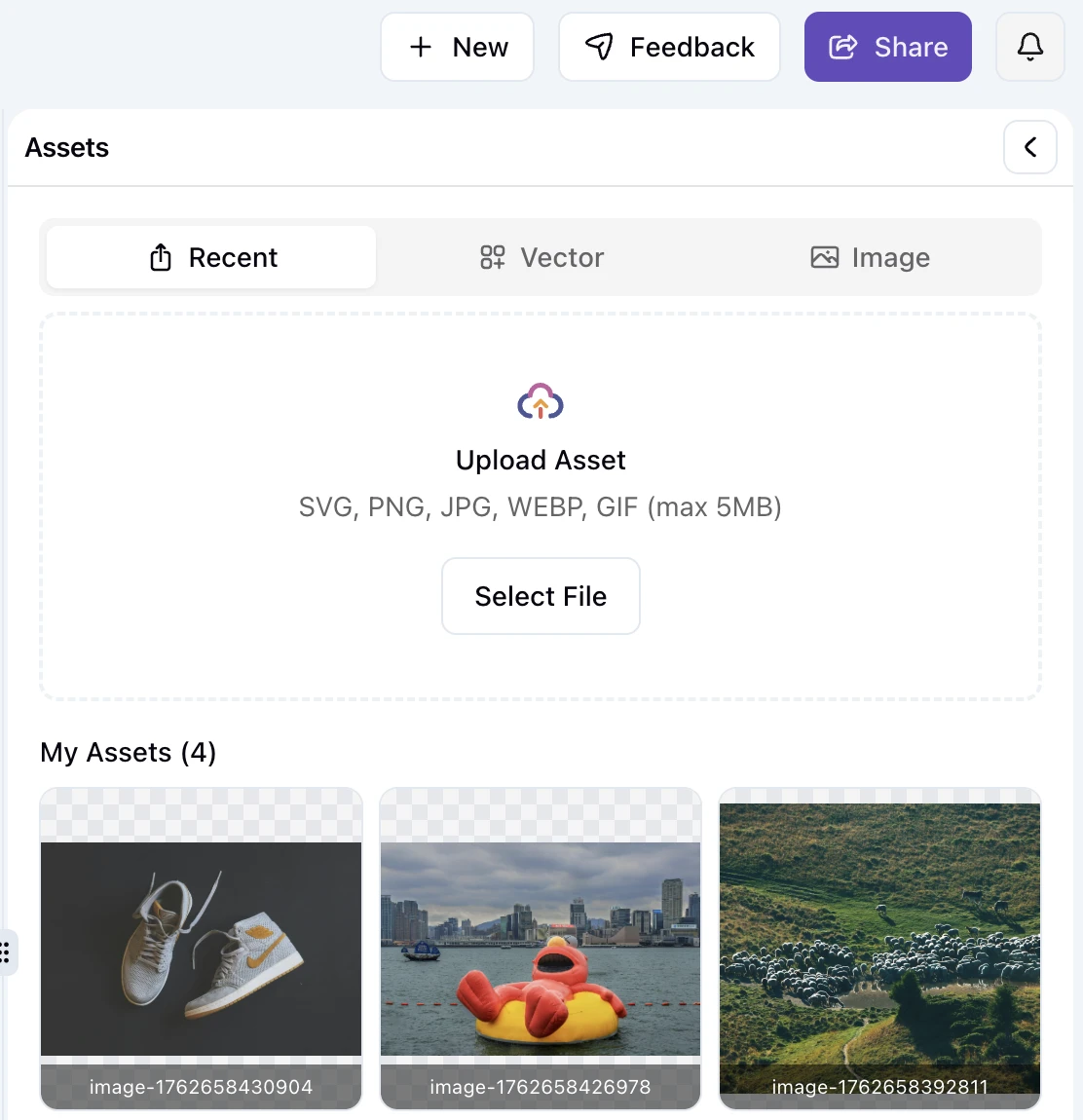
What's in your assets panel:
- Your Library – All your uploaded files, AI-generated images, and previously used graphics
- Vectors & Illustrations – Thousands of professional vector graphics and illustrations
- Stock Photos – Free, commercial-use stock images integrated directly
- AI Generation Studio – Generate images with Imagen 4 (Fast/Preview/Ultra) or Nano Banana
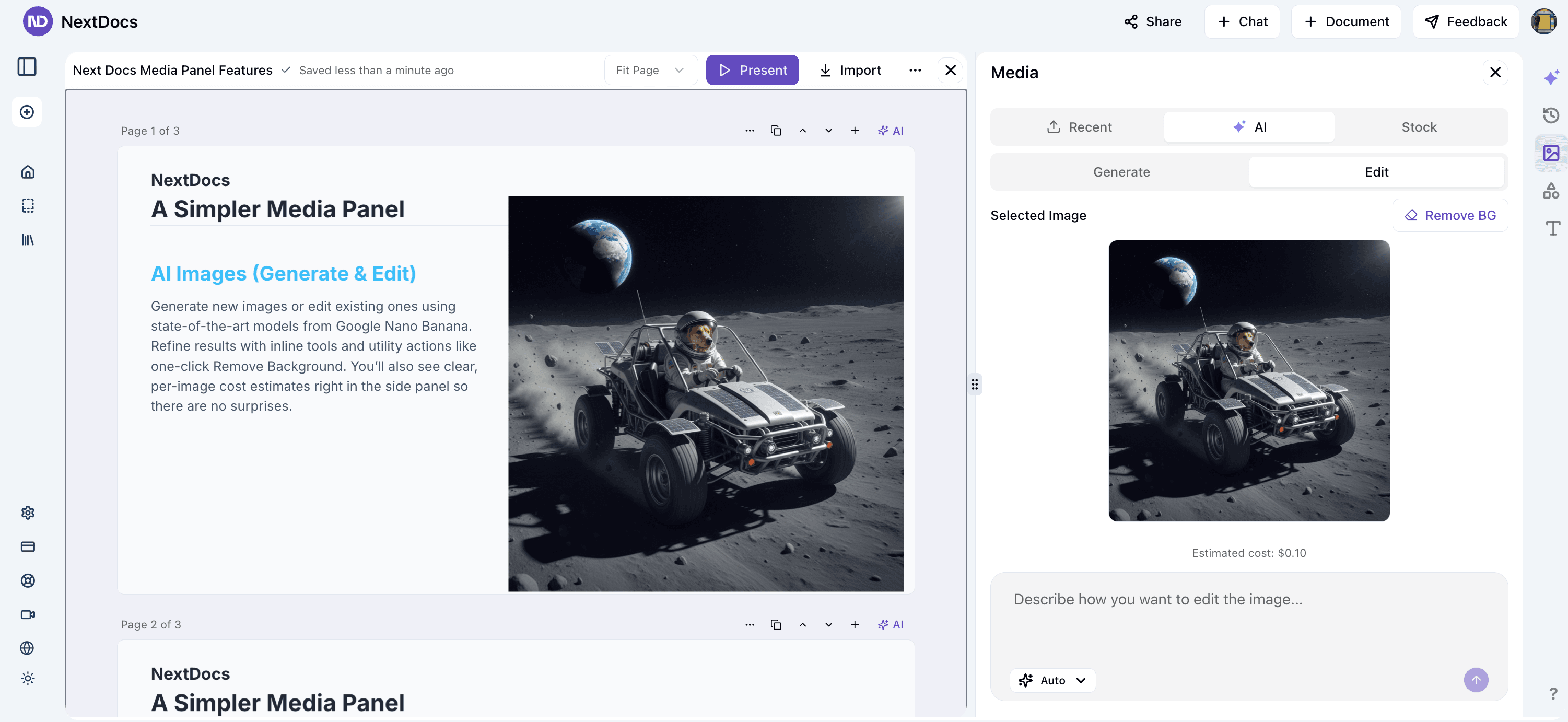
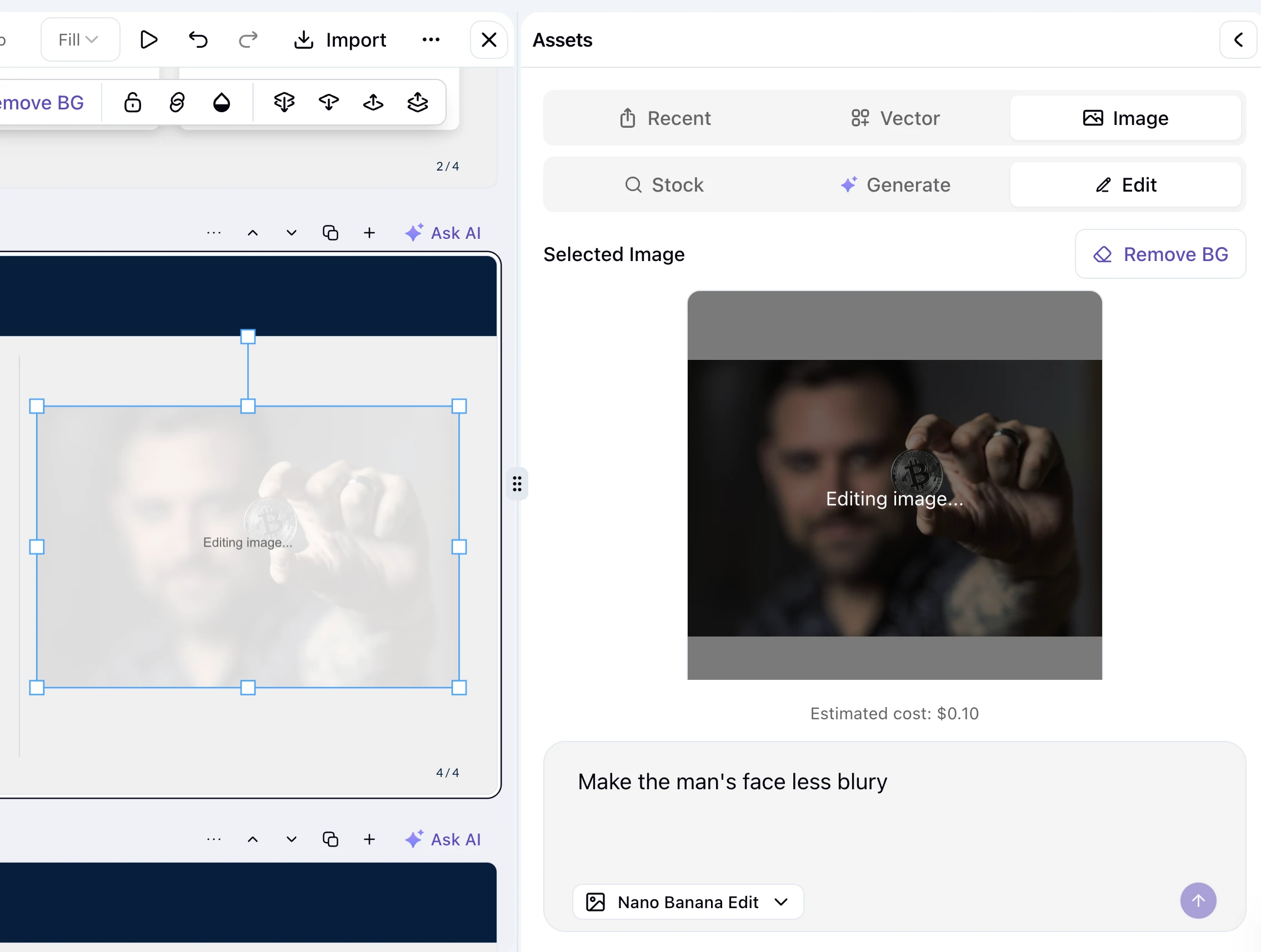
- AI Editing – Edit images with natural language ("Make it warmer", "Remove that object", "Add motion blur")
One click to insert. Search to find instantly.
🎨 Complete Asset Ecosystem
Your Library
Every asset you've ever created or uploaded:
- Your photos and graphics
- AI-generated images from previous sessions
- Illustrations you've fetched
- Vector shapes you've used
Reuse them anytime. One click to insert.
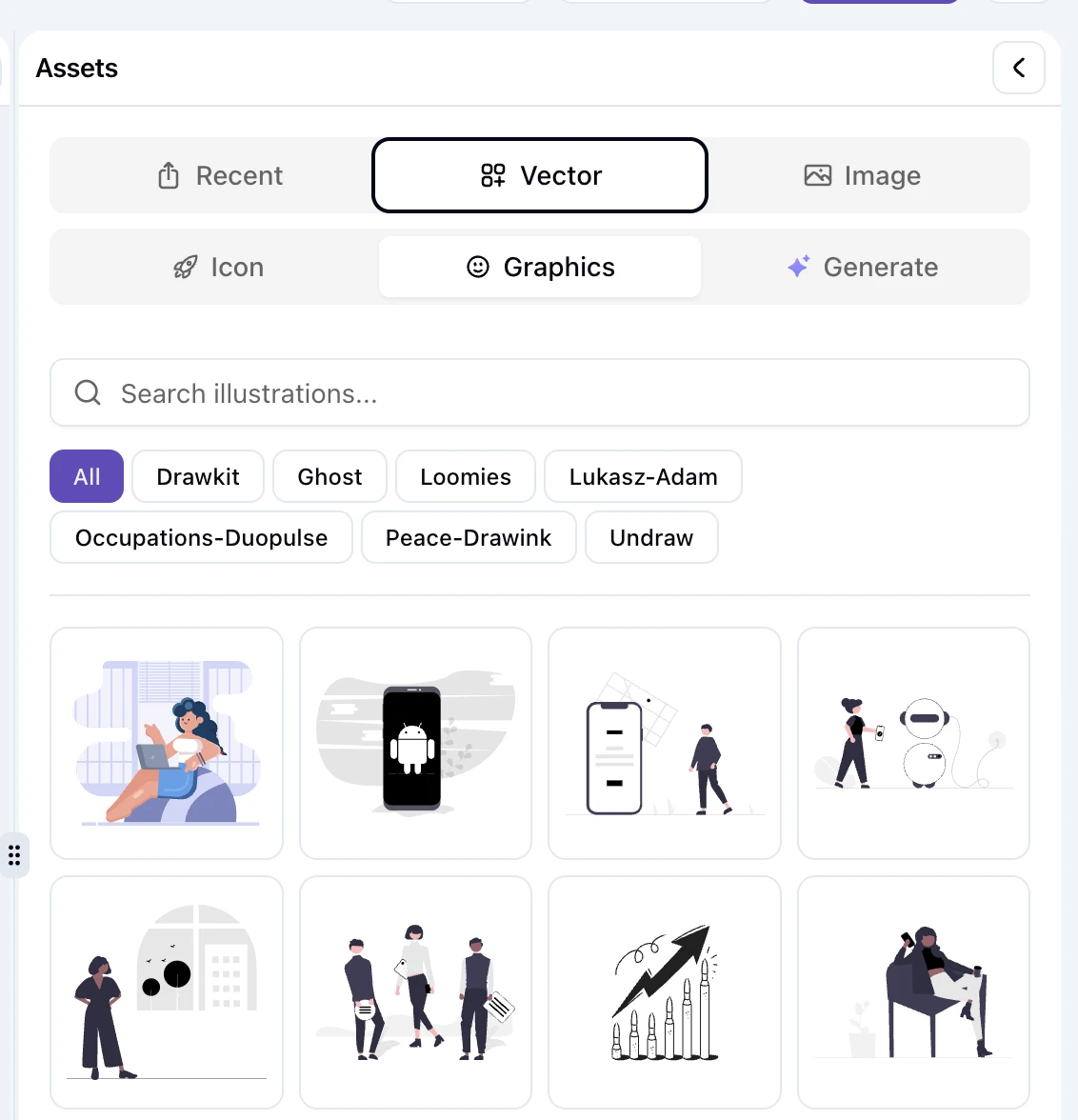
Vectors & Illustrations
Professional, searchable library:
- Thousands of vector designs
- Multiple art styles (minimalist to detailed)
- Perfect for tech docs, presentations, creative projects
- Lightning-fast rendering (we optimized this extensively for export speed)
Stock Photos
High-quality, free images you can use commercially:
- Integrated stock search
- Diverse categories and subjects
- One-click insert
AI Generation Studio
Create images from scratch with cutting-edge AI:
Generation Models:
- Imagen 4 – Google's latest (Fast/Preview/Ultra tiers)
- Nano Banana – Fast, creative, stylized images
What you can create:
- Product mockups
- Custom illustrations
- Section headers
- Whatever you can describe
AI Image Editing
Refine images with natural language instructions:
What you can do:
- "Make the sky more dramatic"
- "Remove the person from the background"
- "Add a sunset glow"
- "Increase contrast and vibrancy"
- "Make it professional-looking"
Available edit models:
- Nano Banana Edit – Fast, creative edits
- Flux Pro Kontext – Detailed, context-aware editing
- Gemini 2.5 Flash Edit – Intelligent adjustments
- One-Click Background Removal – Perfect for product photography
Smart Integration
- Live Preview with Costs – See your selection before inserting. Know exact generation costs upfront.
- Auto-Library Saving – Every AI image you generate automatically saves to your library
- Vector Performance Boost – Optimized rendering = 3-5x faster exports with vectors
- Instant Asset Fetching – Search and fetch illustrations during editing without breaking flow
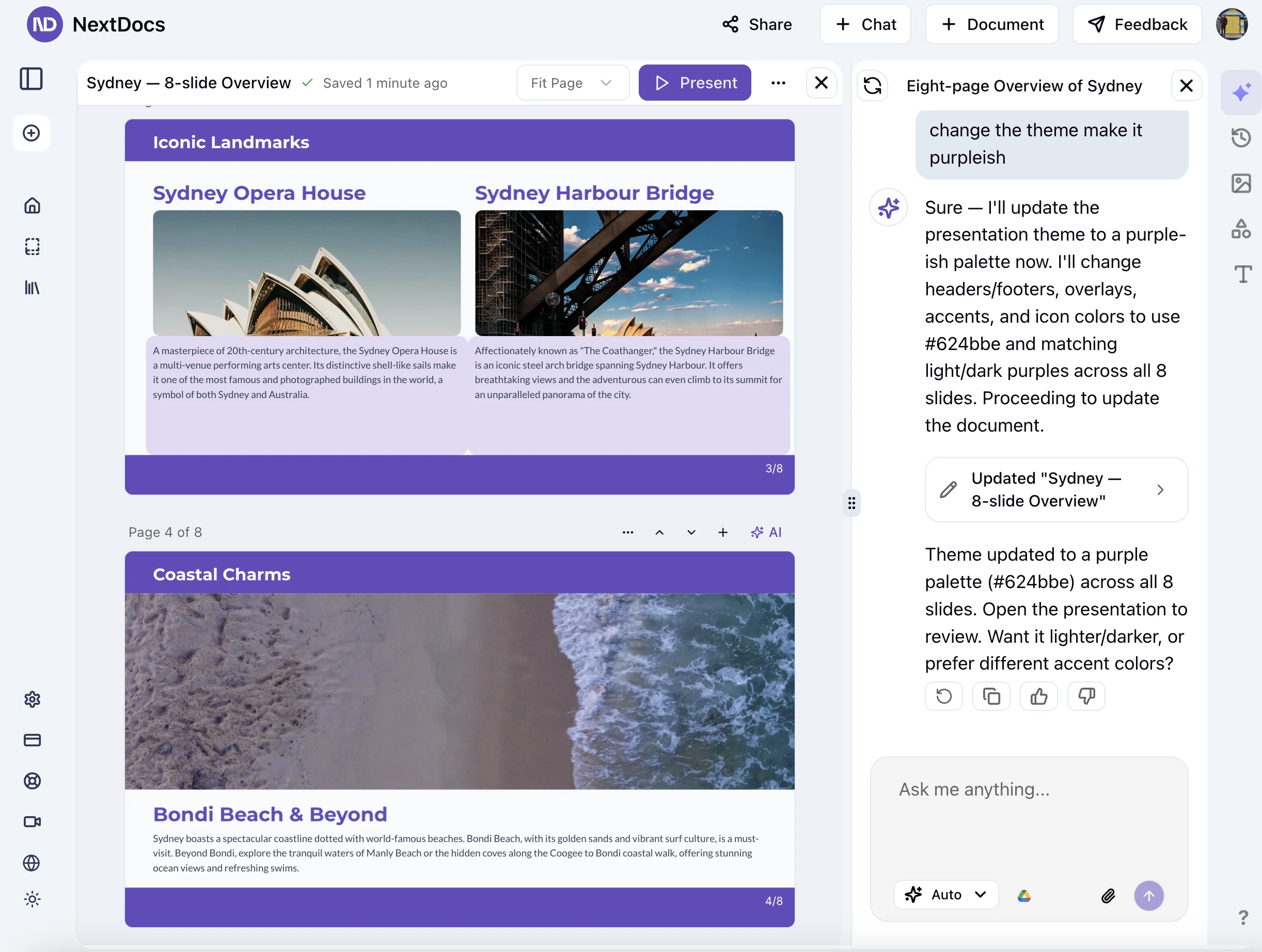
🧠 Simplified AI Model Selection
Four modes. That's it. No more analysis paralysis.
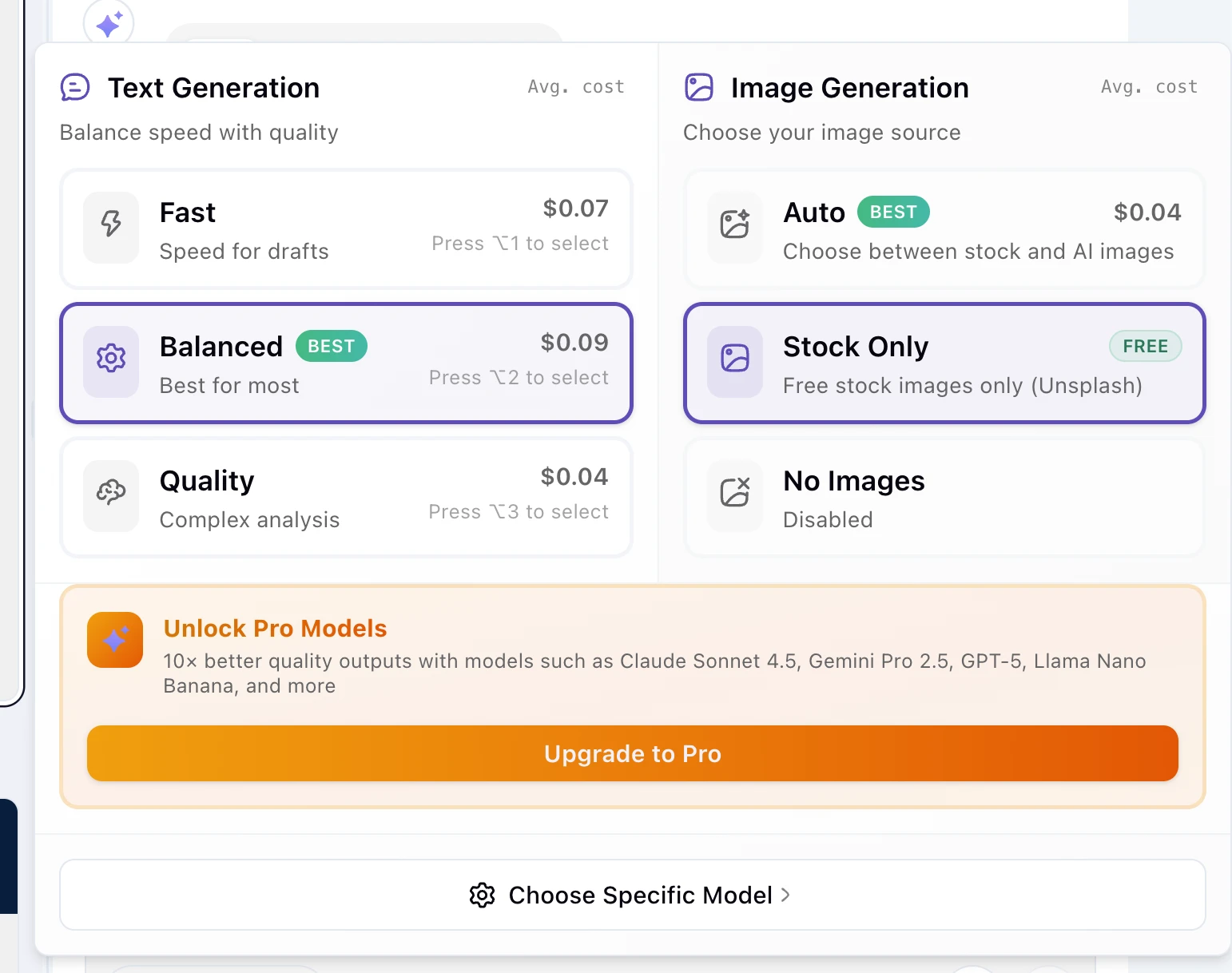
Pick your mode:
- Fast – Speed over polish. Quick drafts, brainstorming, iteration
- Balanced – The sweet spot. Most real-world tasks (recommended)
- Quality – Perfectionista mode. Complex docs, research papers, client work
- Custom – Power users who know exactly which model they want
Each mode automatically selects the best combination of models for your tier. Pro users see streamlined options. Free users see the full range.
Transparent pricing included. See exact costs before you generate anything.
✏️ Precision Editing — AI Edits the Right Page
The Problem We Solved
Users complained: "I asked AI to edit page 3. Why did page 5 change?"
This was frustrating, unreliable, and made multi-page editing impossible.
How We Fixed It
We rebuilt the single-page targeting system from the ground up:
Better Context Understanding
- AI now knows exactly which page you're targeting
- It reads and respects page boundaries
- Changes stay exactly where you want them
Precision Instruction Following
- "Make this section more engaging" → Edits just that section
- "Simplify the language on this page" → Only that page changes
- "Add more examples here" → Right where you pointed
No More Cross-Page Mistakes
- Fixed multiple edge cases that caused spillover edits
- Better page break handling
- Consistent behavior across all document types
Real-World Impact
Multi-page workflows are now truly reliable. Refine page by page with confidence.
📋 Enhanced Context Menu
Right-click like never before.
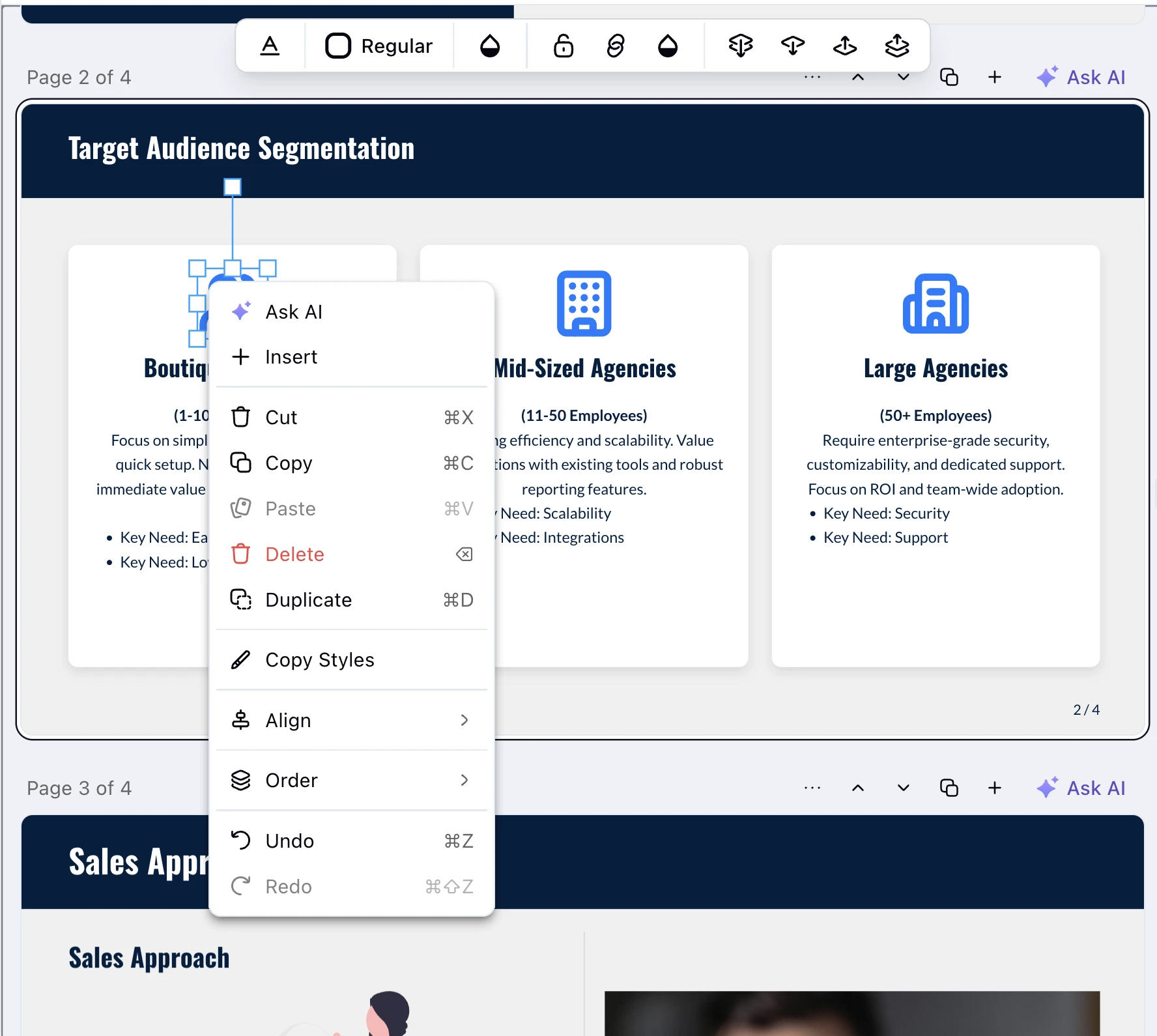
Key Improvements:
Editor-Aware Menus
- Editing text? Get text-specific options
- Working with shapes? Shape actions appear
- Placing images? Image-relevant choices show up
Reduced Clutter
- Only show options relevant to what you're doing
- Less scrolling, faster access
- Keyboard shortcut hints for power users
Faster Workflows
- One right-click often replaces three menu clicks
- Streamlined actions for common tasks
- Perfect for both touchpad and mouse
🧠 Smarter AI & Better Output
Beyond model selection and precision editing:
Consistent Structure
- Headings, lists, and sections stay properly formatted
- No more structural weirdness
- Clean, publication-ready output
Better Tone & Voice Control
- Instruction following improved dramatically
- "Write like a technical tutorial" → You get a tutorial
- "Make it conversational" → Conversational tone applied
- "Formal business format" → Professional structure
Reduced Factual Drift
- Multi-page documents maintain consistency
- Facts don't contradict themselves halfway through
- Better internal coherence
Faster Processing
- Image-heavy documents process more reliably
- Timeout issues dramatically reduced
- Faster responses thanks to improved prompt caching
📤 Supercharged Exports
Parallel Google Slides Export
Multi-page exports are dramatically faster:
- Pages render in parallel (not one-by-one)
- Dramatic speed improvement on 20+ page presentations
- No more coffee-break exports
Vector Graphics in Exports
Your vectors, illustrations, and AI-generated graphics now export perfectly:
- Crisp, sharp quality in all formats
- Fast rendering thanks to optimized asset caching
- Perfect sizing and positioning
Email Notifications
Don't watch the export dialog:
- Get an email when your PDF is ready
- Email for Google Slides exports too
- Click the link and download instantly
Better Compatibility
- Improved shape and arrow rendering
- Better table formatting in Google Docs
- Fixed edge cases that broke complex documents
- PDF rendering fixes
🔍 Research Tools You Actually Want to Use
Web Search 2.0
Better than before:
- Smarter ranking (most relevant results first)
- Deduplication (no repeat sources)
- Structured citations you can trust
- Perfect for research-based documents
Web Crawler
Dive deep into topics:
- Set crawl depth (how many links to follow)
- Readable extraction (no garbage)
- Chunked summaries (digestible information)
- Perfect for comprehensive reports and articles
🚀 Performance & Reliability Improvements
What We Fixed
- Tool rendering crashes – Fixed syntax error that broke tool displays
- Image flicker – Eliminated flickering during generation and updates
- Duplicate images – Fixed accidental double-insertion bug
- Database performance – Added compound indexes for 2-3x faster queries
- Fallback reliability – Auto-switches to backup AI models if needed
What We Optimized
- Prompt caching for faster responses
- Vector asset prefetching for export speed
- Asset storage and retrieval
- Cache warmup process for instant exports
🎯 Getting Started with v1.2
New to NextDocs?
- Log in to your account
- Choose your mode – Go with Balanced if unsure
- Open the Assets Panel – Click the media icon on the right
- Start creating – Upload, generate, or fetch what you need
Experienced User?
- Your preferences are preserved
- Your model selection auto-migrated to modes
- All your previous assets are still there
- Everything works like before, just faster and more reliable
What's Coming Next?
We're not stopping here:
- Collaborative editing – Real-time teamwork on documents
- Advanced templates – Pre-designed layouts for specific industries
- Voice-to-document – Dictate your documents
- Enhanced analytics – Track document metrics and engagement
Release Highlights
✅ Unified Media Management – Vectors, illustrations, stock, AI, and your library in one place
✅ Simplified AI Modes – Fast, Balanced, Quality, Custom. That's it.
✅ Precision Single-Page Editing – AI edits the page you want, not random ones
✅ Enhanced Context Menu – Smarter, faster, cleaner right-click experience
✅ Supercharged Exports – Parallel rendering, vector support, email notifications
✅ Smarter AI Output – Better structure, consistency, and instruction following
✅ Performance Optimizations – 200+ commits of improvements
All backward-compatible. Zero data loss. Seamless upgrade.
Ready to upgrade your workflow?
Questions? We're here: hello@nextdocs.io
Thanks for using NextDocs. Happy creating! 🚀
—The NextDocs Team