NextDocs now makes working with images faster and far more intuitive. We redesigned the Media panel around three focused tabs so you can move from idea to image with less friction and more control.
The Three Tabs
1 Upload Your Own Images
Quickly bring your existing assets into NextDocs and keep them organized for reuse across documents and presentations.

What you can do:
- Drag & drop or select files to add images instantly
- See your recent assets and reuse them anywhere
- Keep your project’s visuals consistent across pages
2 Stock Images
Search high‑quality stock images without leaving the editor and drop them into your work in seconds.

What you can do:
- Search a broad library of stock photos
- Insert images directly into your page with one click
- Stay in flow — no browser tab hopping
3 AI Images (Generate & Edit)
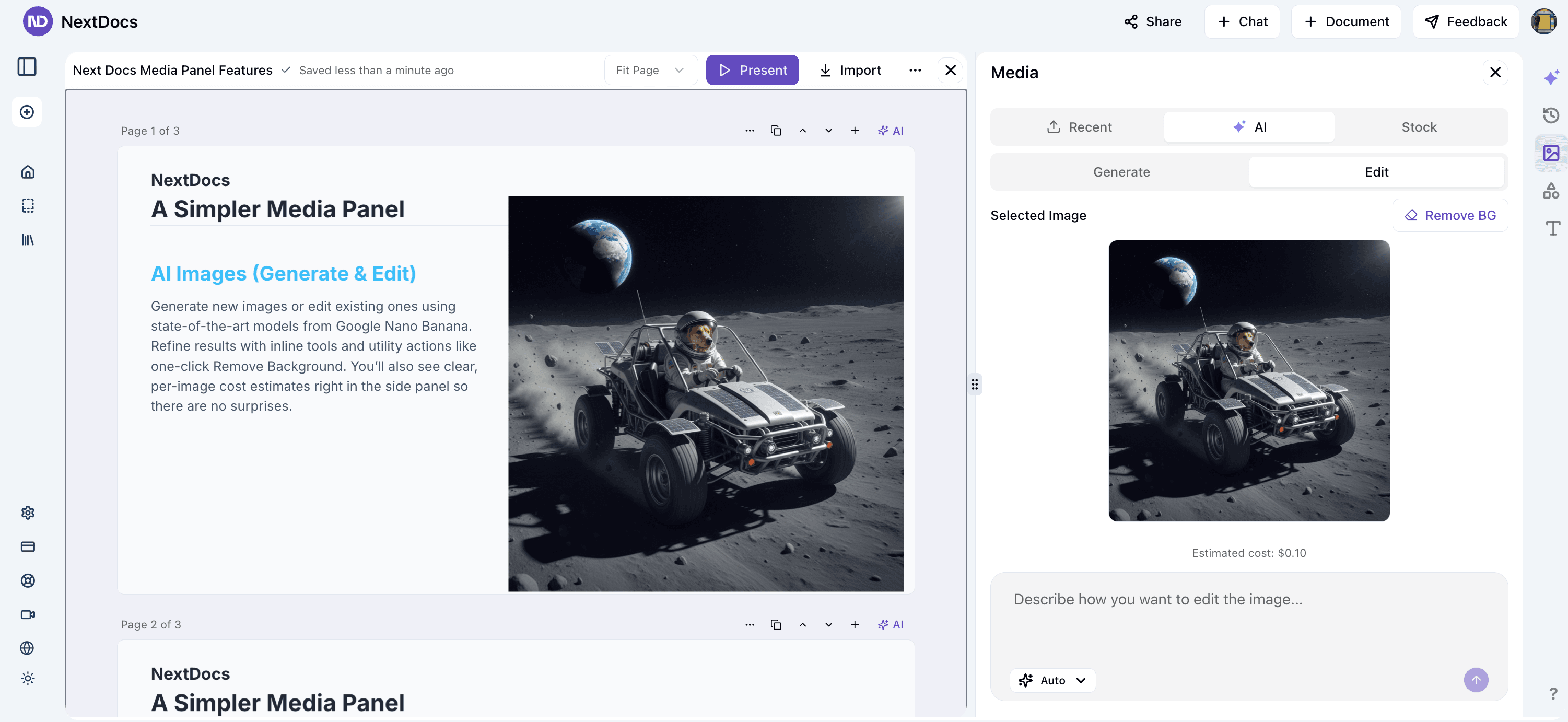
Generate fresh visuals or edit existing ones with state‑of‑the‑art models. The AI tab includes both Generate and Edit modes, a live preview of your selected image, and clear per‑image cost estimates right in the side panel.
Highlights:
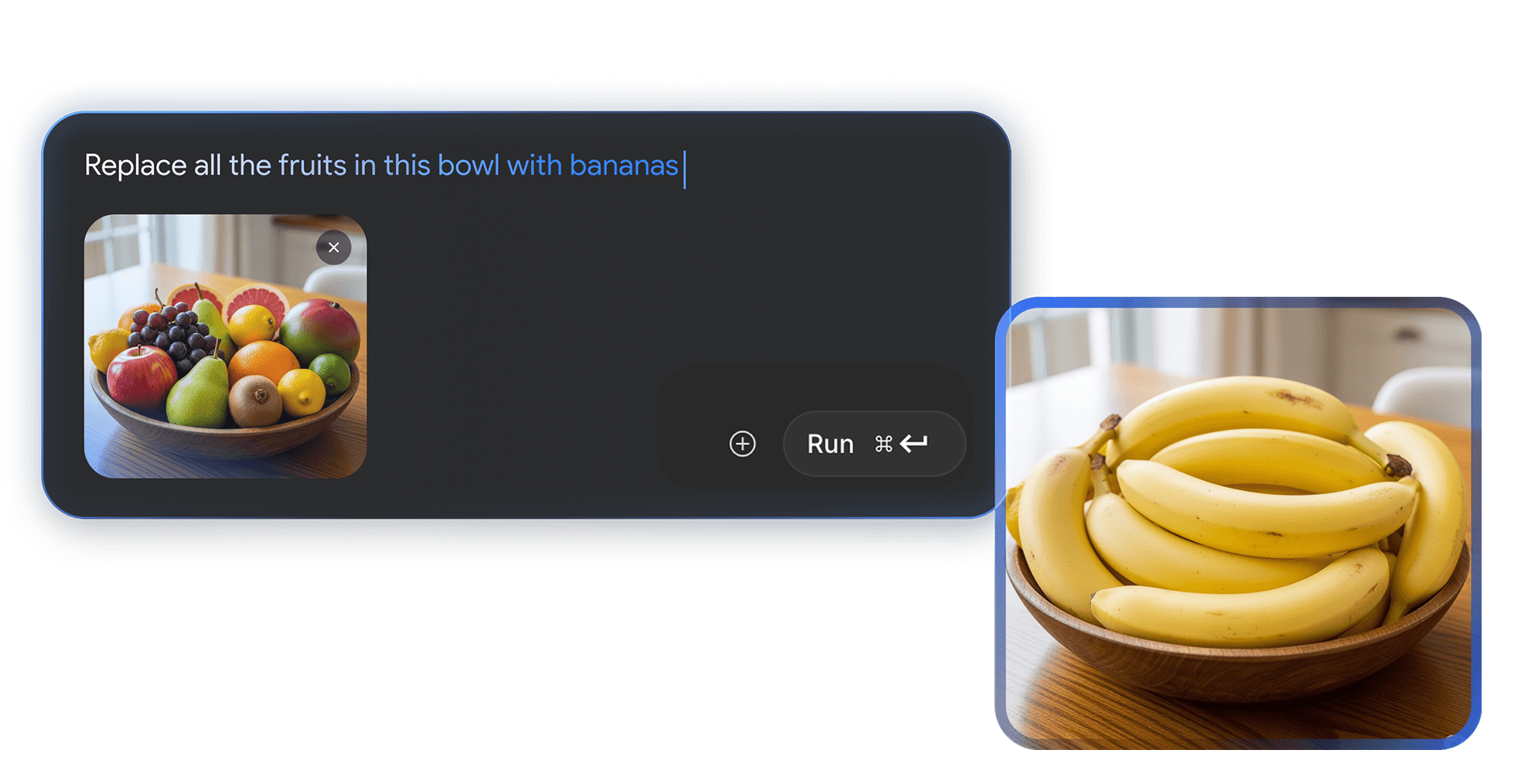
- Instruction‑based editing ("make the sky sunset", "remove the background", etc.)
- Utility actions like one‑click Remove Background
- Inline previews and recent image history
- Transparent pricing for each model and size before you run it
Image Models Available in NextDocs
Below is the current list of image generation and editing models available through our integration. Pricing is surfaced contextually in the side panel and may change; refer to the UI for the latest estimates.
Generation Models
- Auto — Lets NextDocs pick the most cost‑effective model
- Nano Banana — Fast image generation via fal.ai Nano Banana
- Imagen 4 Preview Fast — Google Imagen 4 (Preview) Fast via fal.ai
- Imagen 4 Preview — Google Imagen 4 (Preview) via fal.ai
- Imagen 4 Preview Ultra — Google Imagen 4 (Preview) Ultra via fal.ai
Edit Models
- Auto — Lets NextDocs pick the most cost‑effective edit model
- Nano Banana Edit — Instruction‑based edits via fal.ai Nano Banana
- Flux Pro Kontext — Context‑aware edits via Flux Pro Kontext
- Flux Pro Kontext Max — Maximum‑context edits via Flux Pro Kontext
- Gemini 2.5 Flash Edit — Instruction‑based image edits via Google Gemini
- Background Remove — One‑click background removal (utility)
Notes:
- Generation defaults to 1024×1024, with size‑based pricing shown before you run the job
- Edit models currently operate on 1024×1024 for predictable, fast results
- We automatically cap images per request to maintain performance and cost‑controls
What’s New in the Experience
- A single, consistent place to generate, edit, and manage images
- Clear separation between Upload, Stock, and AI so you always know where to go
- Live preview of the selected image, including Estimated Cost before you apply an edit
- Smarter prompts, better defaults, and cleaner previews
Example Workflows
- Start with a stock photo, then use AI Edit → "remove background" to isolate your subject.
- Upload a product shot → AI Edit → "make background white" → drag into your slide.
- Generate an illustration with Nano Banana → refine with small edit prompts → insert.