

Introducing Multivariant Generation — NextDocs v1.4
Watch the complete walkthrough above — see how a single prompt becomes multiple professional documents, each with different structures, visual directions, and stories.
Today we're launching NextDocs v1.4 — and it's my favorite feature we've ever built.
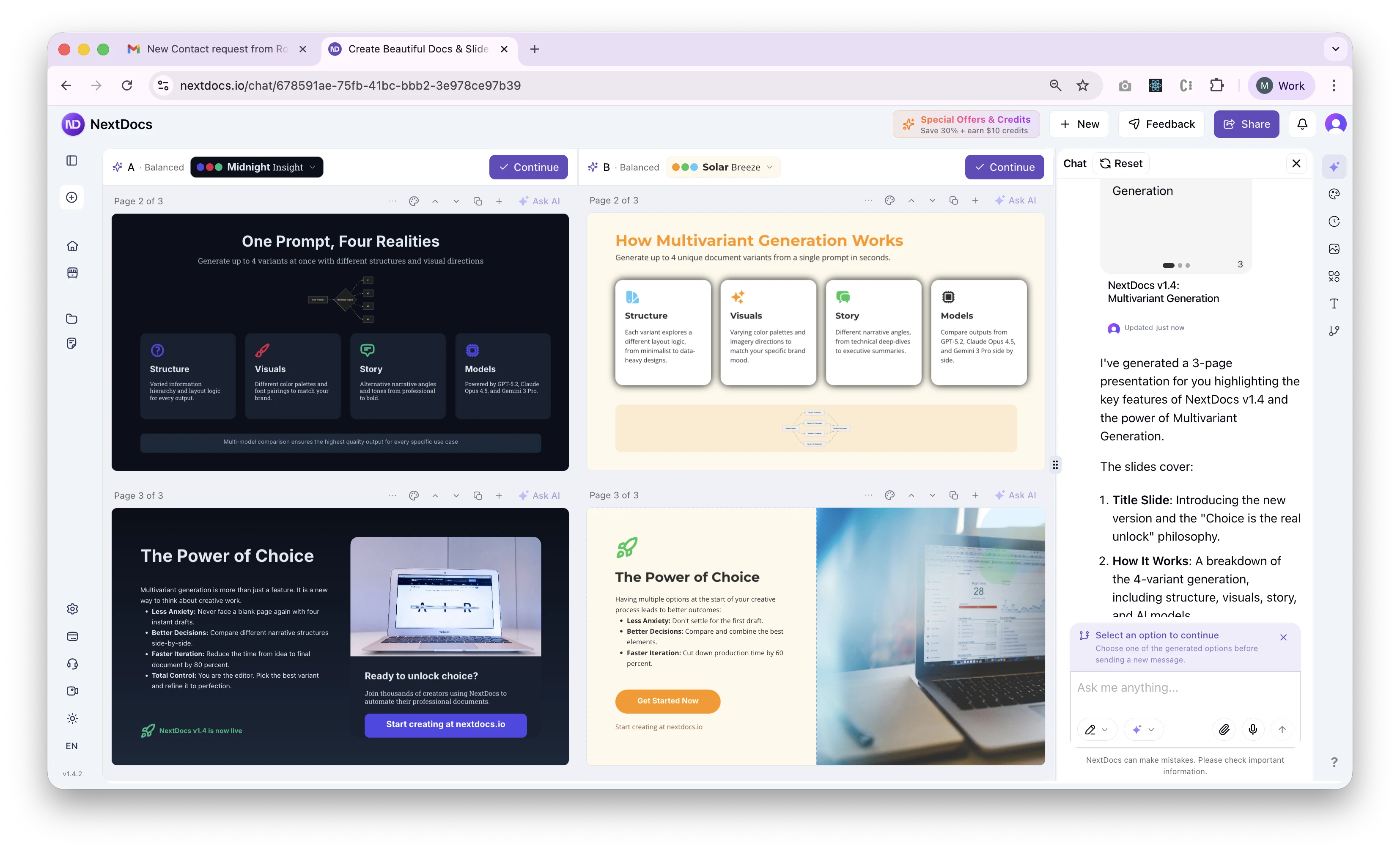
You can now generate not just 1, but up to 4 variants of the same document with a single prompt. Each version comes back different — different structure, different visual direction, different story.
Then you layer themes on top. Suddenly, you're looking at dozens of possible variations in seconds.
Why This Matters to Me
This feature is personal.
I don't have strong design skills — never have. As a consultant, I spent years working on presentations I honestly didn't enjoy making.
I'd know what I wanted to say, but translating that into something clean and well-designed was always frustrating and time-consuming.
What I've learned building this is that speed isn't the real unlock. Choice is.
Most people don't want to design from scratch. They want good options and the ability to choose what feels right.
Design is a real skill. A rare one. Probably less than 1% of people can consistently create polished presentations.
So instead of forcing everyone to become a designer, we give them strong starting points — and let them decide.
Less pressure. Less second-guessing. More momentum.
That's why this feature means so much to me.
How Multivariant Generation Works
Generate Up to 4 Variants at Once
With a single prompt, NextDocs now creates multiple complete documents simultaneously:
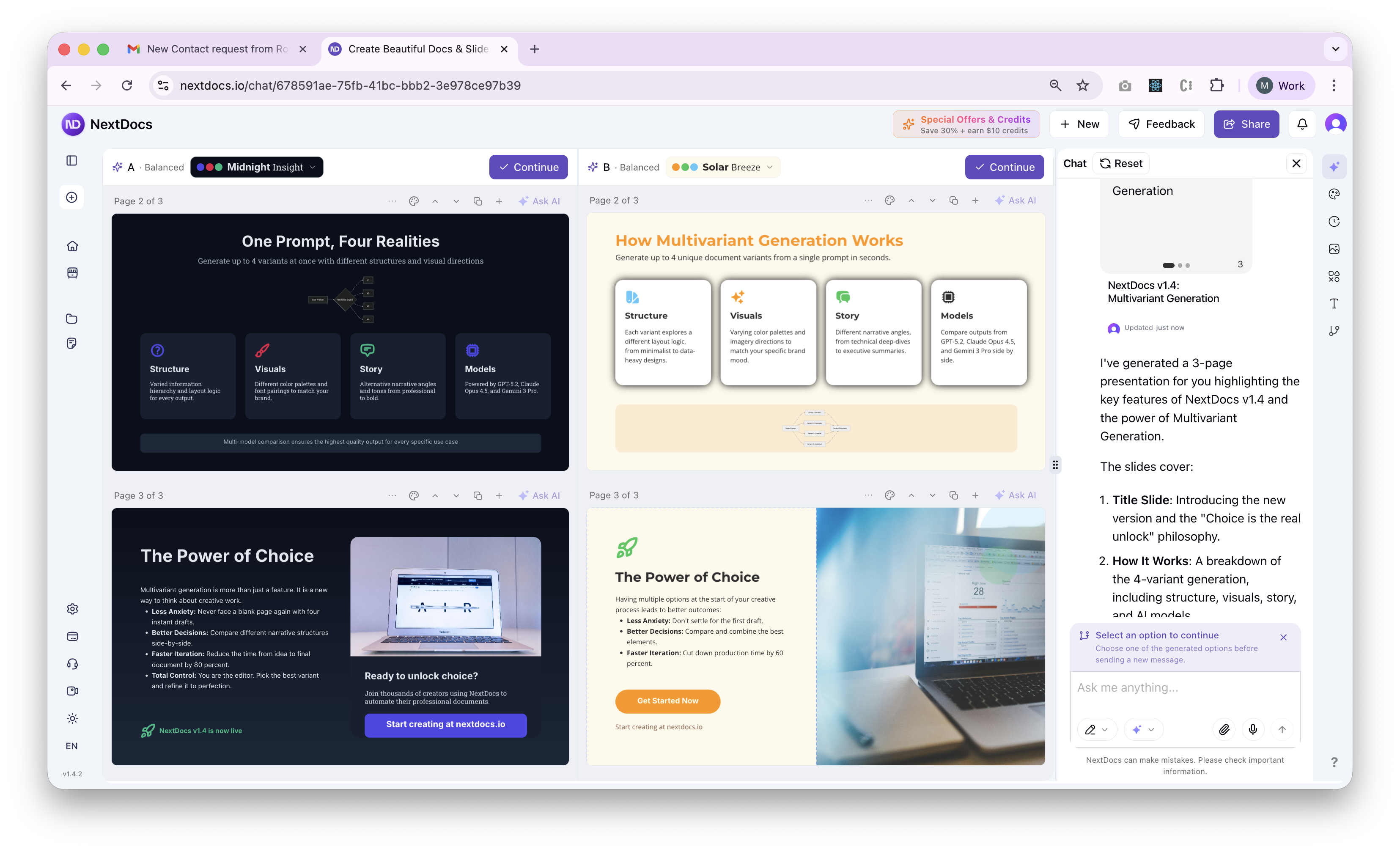
What makes each variant unique:
- Different Structure — One variant might use a timeline approach, another might use comparison tables, a third might lead with statistics
- Different Visual Direction — Each variant can take a different design approach based on the same content
- Different Story — The narrative flow changes across variants while keeping your core message intact
Side-by-Side Comparison View
Watch all variants generate next to each other in real time:
- Compare layouts as they appear
- See how different approaches handle the same content
- Spot the version that resonates immediately
Mix and Match AI Models
Here's where it gets interesting. You can use the same model for all variants, or compare outputs from different AI models:
- GPT-5.2 — Strong analytical structure
- Claude Opus 4.5 — Natural, conversational tone
- Gemini 3 Pro — Creative visual suggestions
Running the same prompt through different models gives you genuinely different perspectives on your content.
Live Theme Switching During Generation
Don't wait until generation finishes to experiment with themes:
- Change themes on any variant while it's still generating
- See how a dark theme transforms your content in real time
- Apply different themes to different variants for maximum comparison
One-Click Selection
Found your favorite? One click continues from that variant:
- All content preserved
- Ready for immediate editing
- No re-generation needed
Works Across All Document Types
Multivariant generation works everywhere in NextDocs:
Canvas Presentations
Perfect for pitch decks, sales presentations, and visual storytelling:
- Each variant explores different slide layouts
- Visual elements positioned differently
- Consistent branding across all versions
Pageless Documents
Ideal for reports, proposals, and long-form content:
- Different section organizations
- Varied heading structures
- Alternative content flows
Paginated Documents
Great for formal documents with specific page requirements:
- Different page break strategies
- Alternative content distribution
- Varied visual emphasis
Real-World Example
Let me show you a typical workflow:
Prompt: "Create a 10-slide pitch deck for a B2B SaaS startup raising Series A"
What you get:
- Variant 1 — Problem-first narrative, builds tension before revealing solution
- Variant 2 — Traction-focused, leads with growth metrics and customer logos
- Variant 3 — Vision-driven, paints the future state before diving into details
- Variant 4 — Competitive positioning, establishes market context early
Each variant is complete and presentation-ready. Pick the narrative that matches your investor meeting style.
Now apply a dark theme to Variant 2, a minimal theme to Variant 3, and compare them again. You've just explored 12+ directions in the time it used to take to create one.
The Power of Choice
Traditional tools give you one output. If you don't like it, you start over.
NextDocs v1.4 gives you options from the start. You're not editing the document — you're choosing your document from a set of strong candidates.
This fundamentally changes how creation feels:
- Less anxiety — You're not betting everything on one approach
- Better decisions — Seeing alternatives helps you understand what you actually want
- Faster iteration — Compare directions without regenerating from scratch
- More confidence — You chose this version for a reason
What's New in v1.4
Core Features:
- Multivariant generation (up to 4 versions simultaneously)
- Side-by-side comparison view
- Multi-model comparison (GPT-5.2, Claude Opus 4.5, Gemini 3 Pro)
- Live theme switching during generation
- One-click variant selection
Additional Improvements:
- Improved canvas and pageless document editors
- Enhanced export quality for all formats
- Performance improvements across the platform
- Bug fixes and stability improvements
Export Anywhere
Take your chosen variant anywhere with one click:
- PDF Export — High-quality output with all styling preserved
- Google Slides — Seamless export for presentations
- Google Docs — Continue editing pageless documents in Google's ecosystem
All themes and formatting maintained across export formats.
Getting Started
New to NextDocs?
- Create an account at nextdocs.io
- Start a new document — presentations, documents, or canvas
- Enable multivariant — Select how many variants you want (2-4)
- Enter your prompt — Describe what you want to create
- Compare and choose — Pick your favorite and continue editing
Existing User?
Multivariant generation is available now in all document types. Look for the variant selector before you start generating.
This Is Just the Beginning
Multivariant generation opens up new possibilities we're excited to explore:
- A/B testing built into the creation process
- Style transfer between variants
- Collaborative variant voting for teams
- Historical variant tracking to revisit past directions
We're building the future of document creation — one where AI doesn't just execute your ideas, it expands them.
Try It Now
Ready to create multiple versions and pick your favorite?
👉 Start Creating with NextDocs
Questions or feedback? We're here to help: hello@nextdocs.io
Your ideas. Multiple versions. One perfect result.
— The NextDocs Team
Related posts
Introducing NextDocs v1.2 — Smarter Assets, Better AI Editing
Unified media management with vectors, illustrations, and AI generation. Simplified AI modes. Precision single-page editing that actually works. Context menu redesign. Everything you need to create faster.
Read more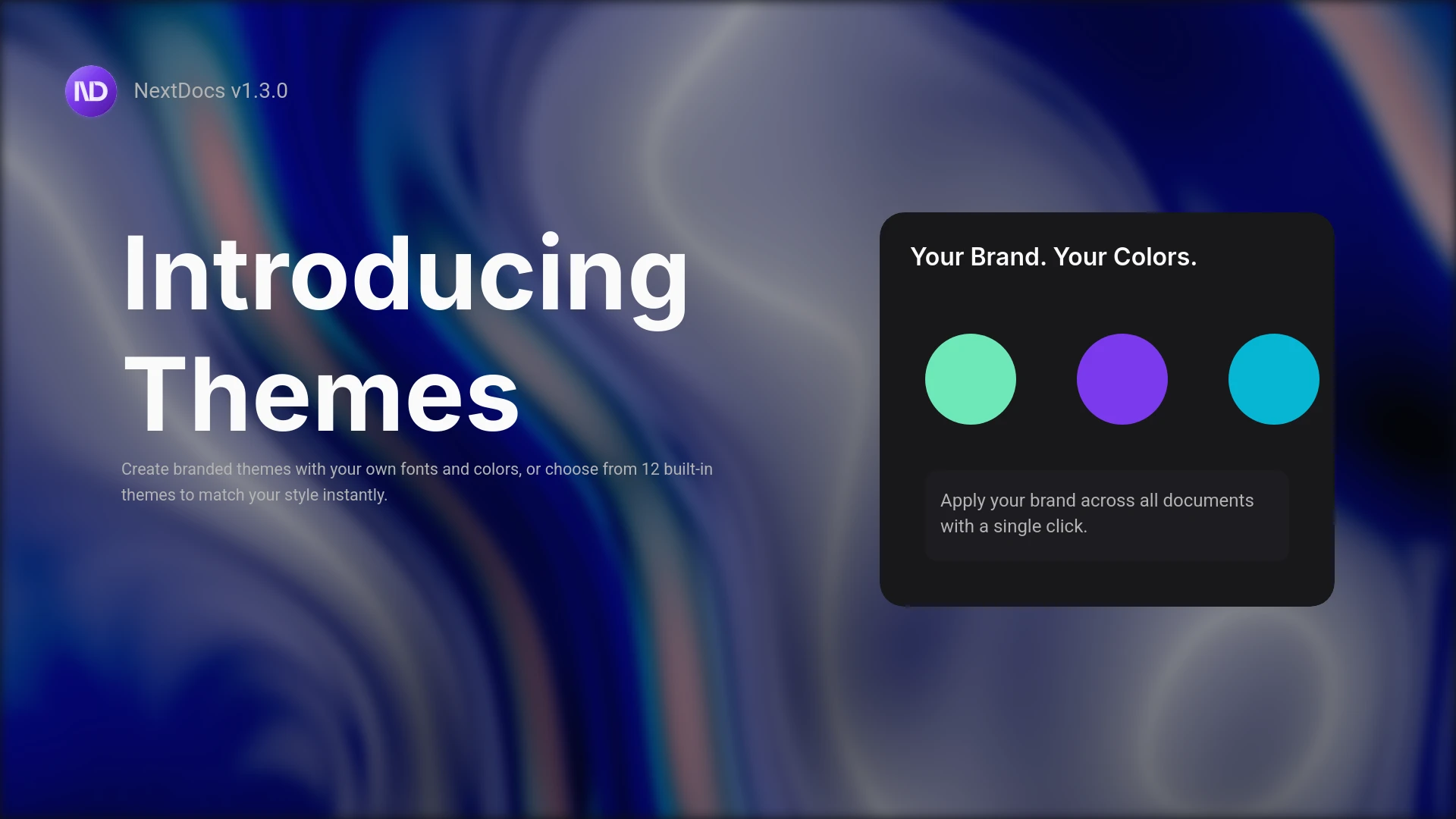
Introducing Themes and the Pageless Document Editor
Create branded documents with custom themes. Define your fonts, colors, and style. Plus a new pageless editor for flowing documents like reports and proposals. Professional results, your brand identity.
Read more