
Best Ai Slide Makers for professors in 2026
A comprehensive roundup of the best AI slide makers for professors, ranking the top 10 tools based on research capabilities, technical features like LaTeX support, and overall classroom utility.
The Evolution of Academic Presentations
The traditional workflow for academic presentations has remained largely unchanged for decades. Professors spend countless hours manually distilling complex research papers into bullet points, hunting for high resolution diagrams, and wrestling with formatting in legacy software. For many educators, the actual creation of the slides takes longer than the research itself. This is particularly true in STEM fields where formatting mathematical equations or code snippets adds layers of technical friction.
In 2026, artificial intelligence has fundamentally shifted this dynamic. The best AI slide makers for professors are no longer just simple prompt to deck generators. They are sophisticated research assistants capable of reading academic PDFs, generating accurate citations, and formatting complex technical data into pedagogical visual aids. These tools allow faculty to focus on teaching and discovery rather than slide alignment and layout.
This guide ranks the leading platforms based on their utility in a higher education environment. We evaluated these tools on their ability to handle rigorous data, provide technical formatting, and offer export flexibility for various university management systems.
Summary Comparison of the Best AI Slide Makers
| Rank | Tool | Best For | Starting Price |
|---|---|---|---|
| 1 | NextDocs | Research, STEM, and Technical Lectures | Free / $15/mo |
| 2 | Plus AI | Native PowerPoint and Google Slides Users | $10/mo |
| 3 | Copilot for PowerPoint | Enterprise University Environments | $30/mo |
| 4 | Gemini for Google Slides | Collaborative Google Workspace Users | Free / $20/mo |
| 5 | Gamma | Interactive Web Native Presentations | Free / $8/mo |
| 6 | Beautiful.ai | High End Visual Design and Aesthetics | $12/mo |
| 7 | Pitch.com | Collaborative Departmental Work | Free / $8/mo |
| 8 | Canva Magic Design | Visual Arts and Multimedia Lectures | Free / $13/mo |
| 9 | MagicSlides | Converting YouTube and Video to Slides | Free / $8/mo |
| 10 | SlidesAI | Rapid Basic Outlining and Drafting | Free / $10/mo |
Top 10 AI Slide Makers for Professors
1. NextDocs (Best Overall for Academic Use)
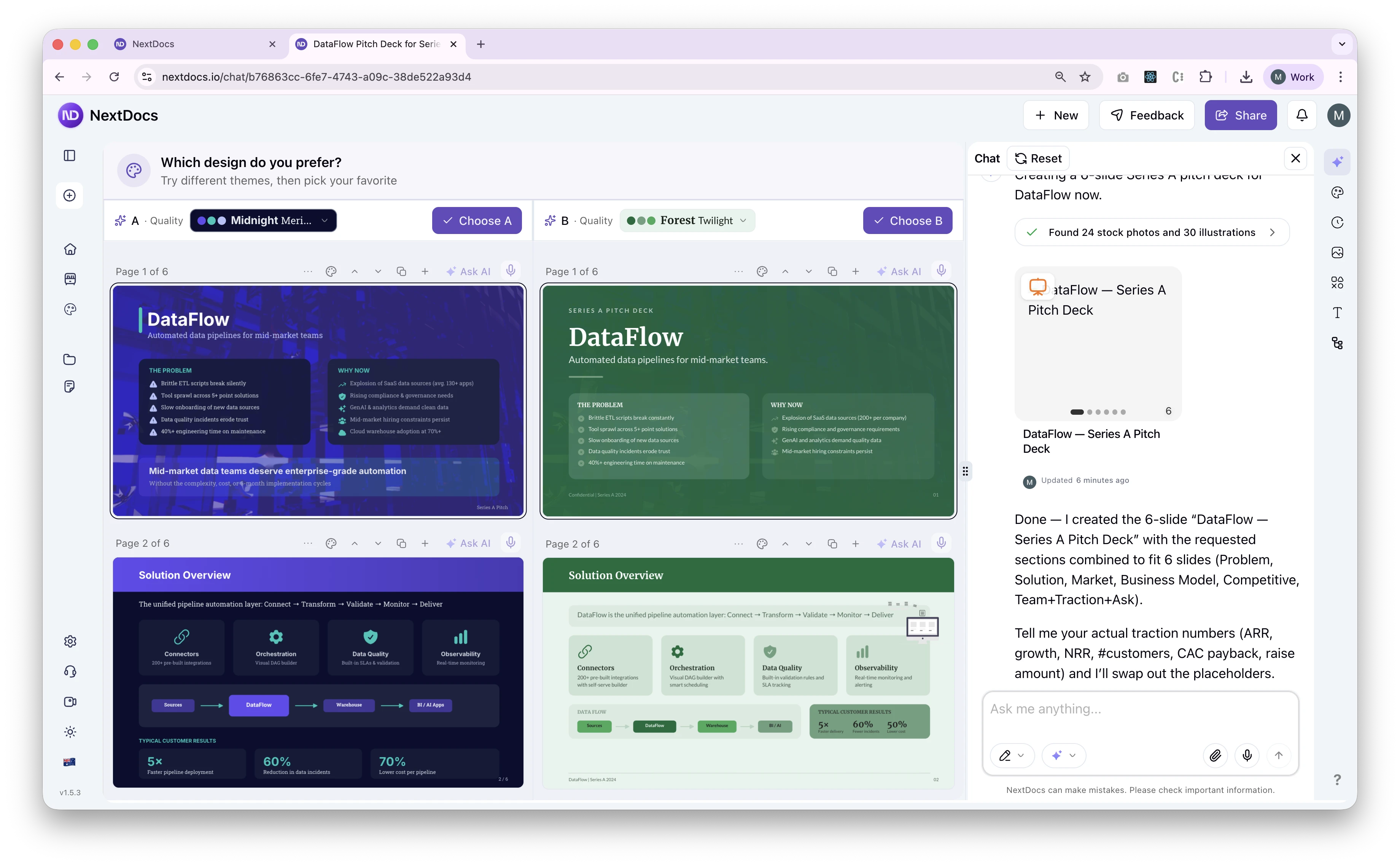
NextDocs is the premier choice for professors who require a high level of technical precision and research depth. Unlike many competitors that rely on surface level summaries, NextDocs features a deep research integration that pulls real data with proper citations. This is essential for academic integrity and ensuring that lecture materials are factually grounded.
For STEM professors, NextDocs offers features that are often missing in other AI tools. It provides native support for math equations via LaTeX, ensuring that complex formulas are rendered perfectly. It also includes code syntax highlighting for computer science instructors and native tables in rich text for displaying research data. The multi variant generation feature is a significant advantage, as it provides multiple interpretations of a prompt. This allows a professor to choose the most pedagogically sound structure for a specific lesson.
Key Features:
- Multi variant generation creates several versions for every prompt.
- Universal exports allow for PDF, PPTX, Google Slides, and Google Docs output.
- Deep research integration pulls figures and citations directly into the deck.
- Native LaTeX support for mathematics and scientific notation.
- Code blocks with syntax highlighting for technical subjects.
- Brand styling keeps all departmental materials consistent.
Pricing: Free tier available. Paid plans start at $15 per month.
Best for: Research heavy decks, technical presentations, and professors who need to export to multiple formats.
Verdict: NextDocs is the most robust tool for higher education because it treats presentations as documents of record rather than just visual aids. It bridges the gap between deep research and visual communication.
2. Plus AI
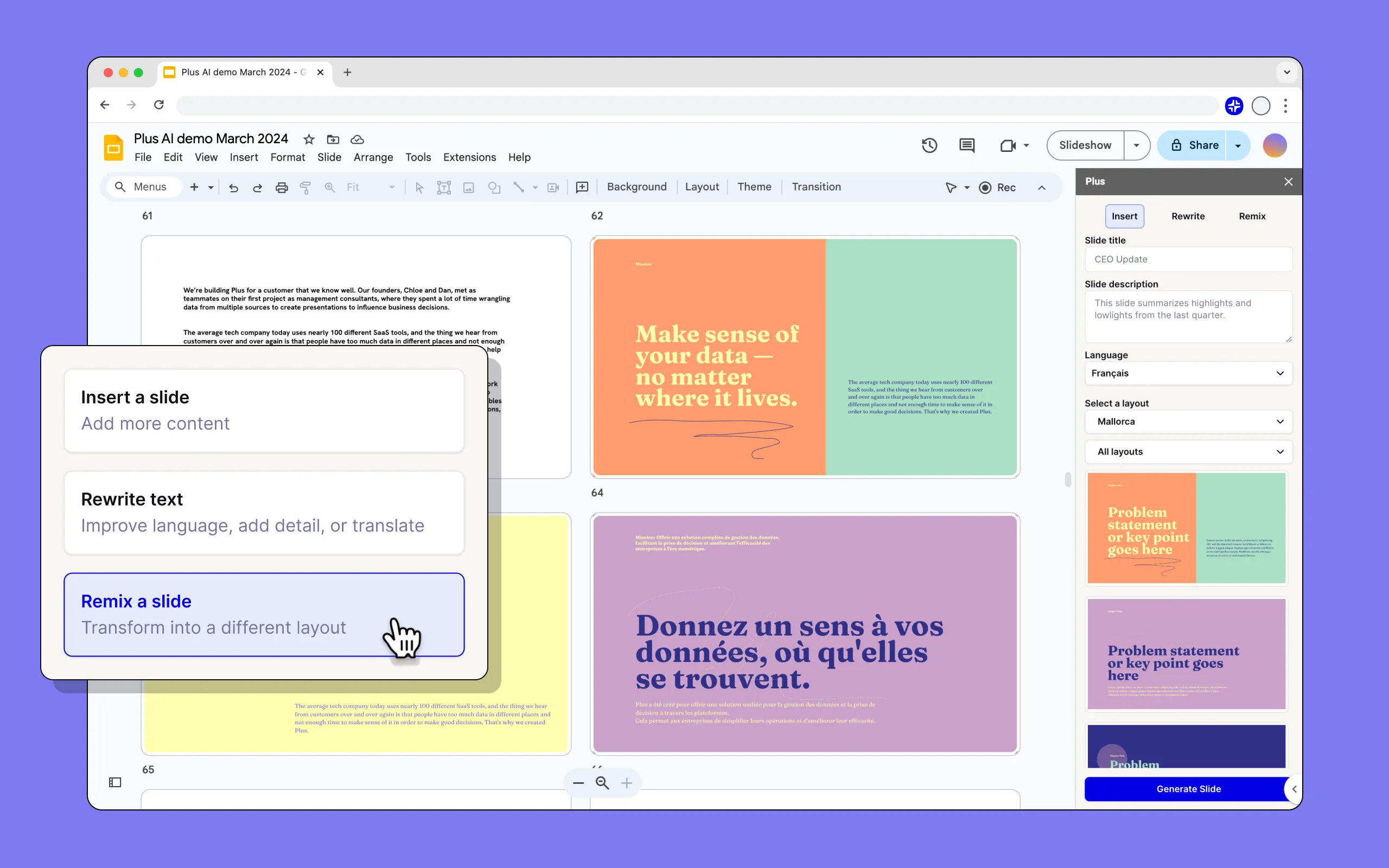
Plus AI operates as an add in for both PowerPoint and Google Slides. This makes it an excellent choice for professors who are required to use specific university templates or who have a massive library of existing slides. It does not try to replace your current software. Instead, it lives inside it to help you remix content or generate new slides on the fly.
The tool is particularly useful for enhancing existing presentations. If a professor has a lecture from five years ago that needs updating, Plus AI can ingest the text and suggest modern layouts or additional content. While it lacks some of the deep technical features of NextDocs, its ability to preserve existing templates is a massive time saver for faculty members with established workflows. For a more detailed look at similar tools, see our alternatives to Plus AI in 2026 guide.
Key Features:
- Native integration with PowerPoint and Google Slides.
- Template preservation keeps university branding intact.
- Remix feature allows for restructuring existing slides quickly.
- AI powered suggestions for content improvement.
Pricing: No free tier. Starting at $10 per month.
Best for: Professors who want to stick with their current presentation software but need an AI assistant.
Verdict: A solid choice for those who value workflow continuity above all else. It is a reliable companion for standardizing existing course materials.
3. Copilot for PowerPoint
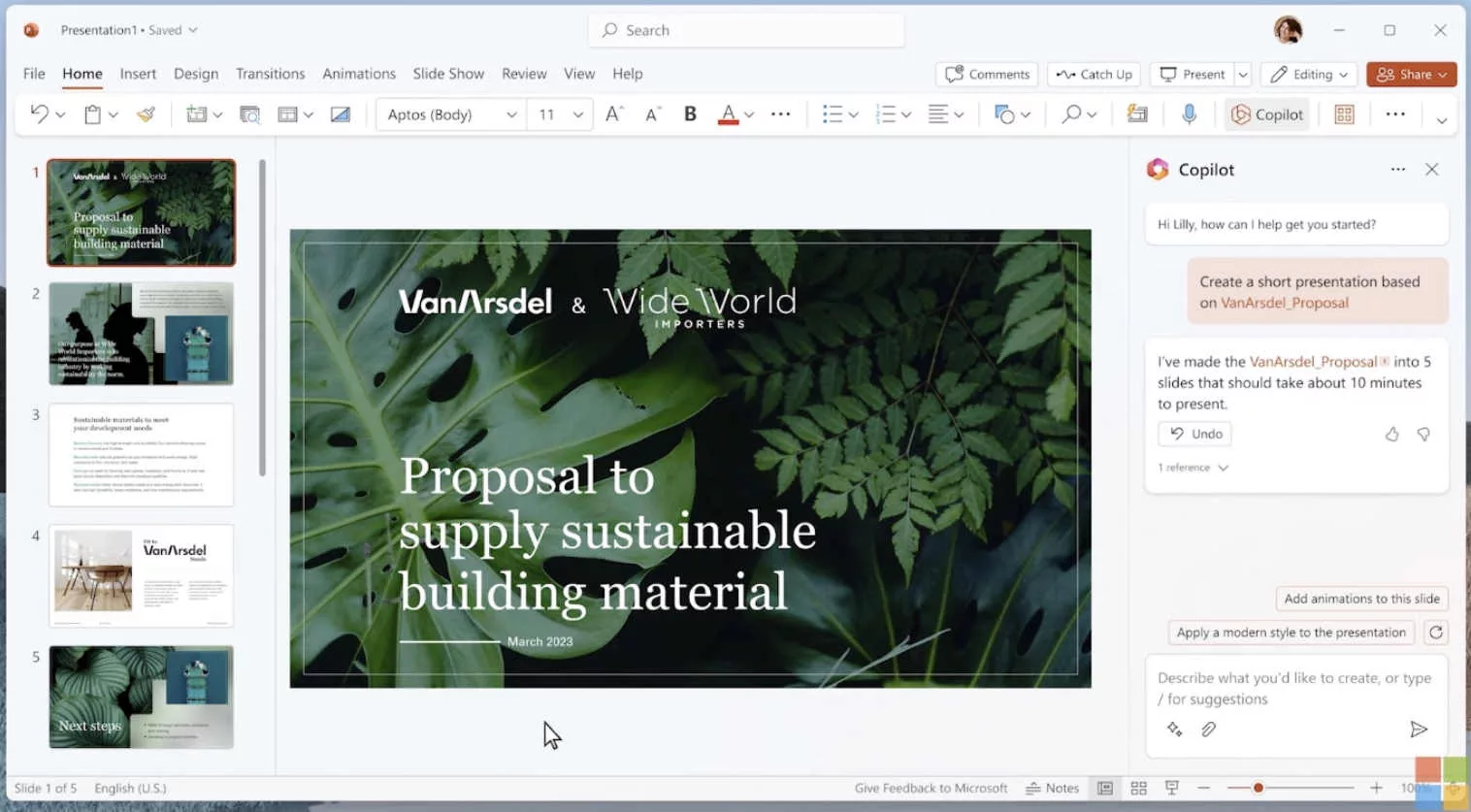
Microsoft Copilot is the enterprise solution for universities that are fully invested in the Microsoft 365 ecosystem. Its greatest strength is its organizational context awareness. It can reference your Word documents, Outlook emails, and Excel spreadsheets to build a presentation. For a professor, this means Copilot can take a 40 page research paper in Word and transform it into a 20 slide lecture deck almost instantly.
The output is professional and conservative, which fits well within a formal academic environment. However, the tool is expensive and requires an enterprise license. It also offers less creative control over visual layouts compared to standalone tools. For those comparing different AI approaches, you might find our analysis of Claude vs NextDocs useful for understanding how general AI compares to specialized presentation builders.
Key Features:
- Deep integration with Microsoft 365 apps and data.
- Automatically generates speaker notes based on slide content.
- Enterprise grade security and data privacy.
- Pulls content directly from university SharePoint folders.
Pricing: Requires a Microsoft 365 license plus $30 per month.
Best for: Professors at large institutions with enterprise Microsoft access.
Verdict: The best tool for turning internal documents into slides, provided you have the budget for the high subscription cost.
4. Gemini for Google Slides
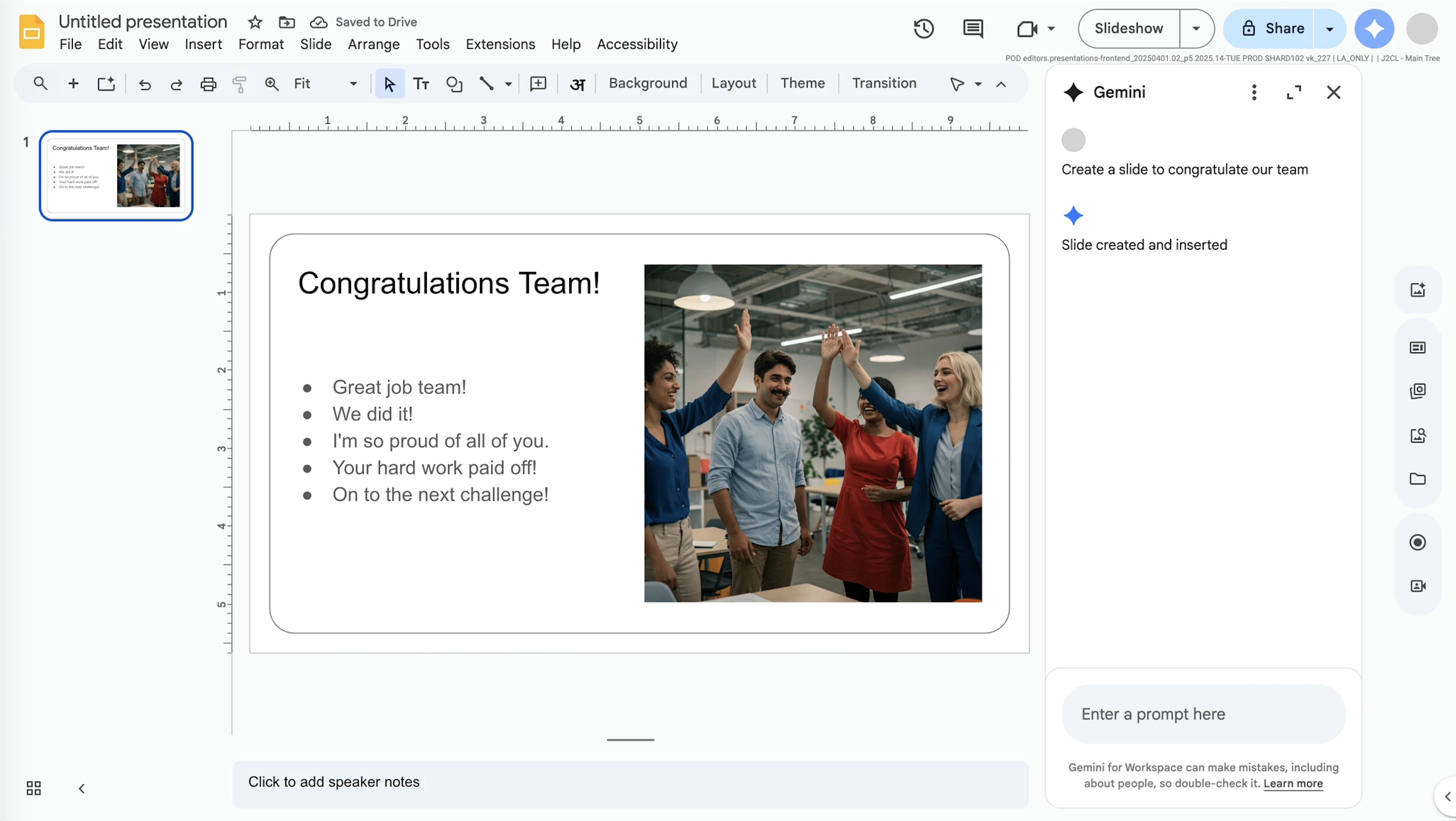
Gemini is Google's answer to Copilot. It is built directly into Google Slides and is highly effective for professors who rely on Google Drive for collaboration. It can pull information from Google Docs and even generate custom images to illustrate concepts. Because many universities provide Google Workspace to students and faculty, this is often the most accessible tool.
While Gemini is convenient, the output can sometimes feel generic. It lacks the sophisticated research citations found in NextDocs or the granular design control of Beautiful.ai. For a deeper dive into how it stacks up against other add ons, check out our Gemini vs SlidesAI comparison.
Key Features:
- Native Google Workspace integration.
- Image generation for custom visual aids.
- Access to content across Google Drive.
- Collaborative AI features for team teaching.
Pricing: Basic features are free. Advanced features start at $20 per month.
Best for: Google Workspace users who need quick drafts without extra costs.
Verdict: A convenient, integrated solution for quick drafts, though it lacks the depth required for high stakes research presentations.
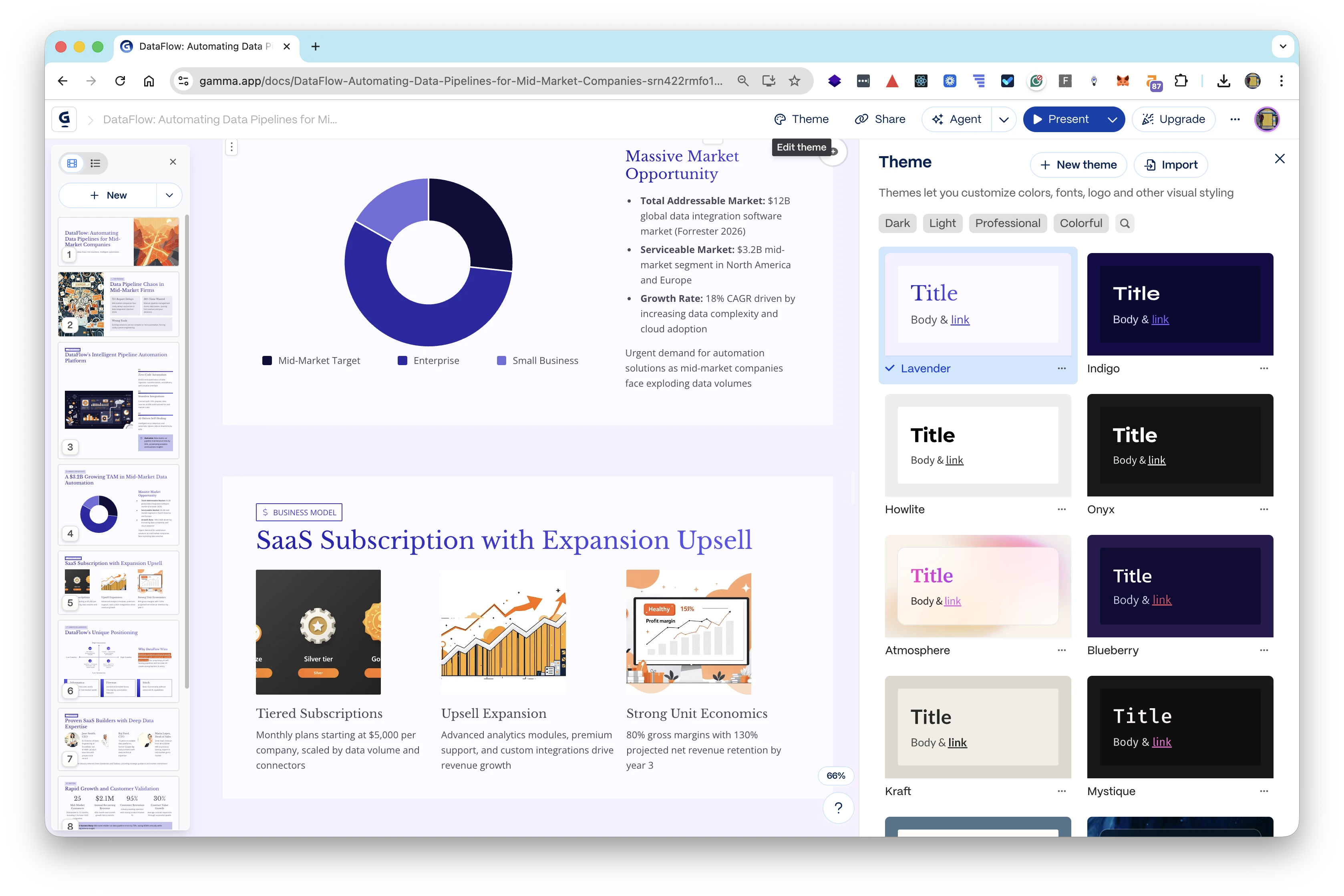
5. Gamma
Gamma represents a departure from the traditional slide deck. It creates web native presentations that look more like interactive documents or websites. This is incredibly useful for professors who want to share their lectures as links that students can browse on mobile devices or tablets. Gamma’s AI is very fast, and its modern designs are visually refreshing.
However, the web native format can be a limitation. If you need to present in a lecture hall with a weak internet connection, you will need to export to PDF or PPTX, which can sometimes break the interactive elements. For a look at how this modern approach compares to NextDocs, see our Gamma vs NextDocs 2026 review.
Key Features:
- Web native format optimized for screen sharing.
- Fast generation from simple prompts.
- Interactive cards that support embedded videos and apps.
- Generous free tier for new users.
Pricing: Free tier available. Pro plans start at $8 per month.
Best for: Professors who want to provide students with interactive, link based study materials.
Verdict: Gamma is the best choice for modern, digital first classrooms, though it may struggle with traditional offline presentation requirements.
6. Beautiful.ai
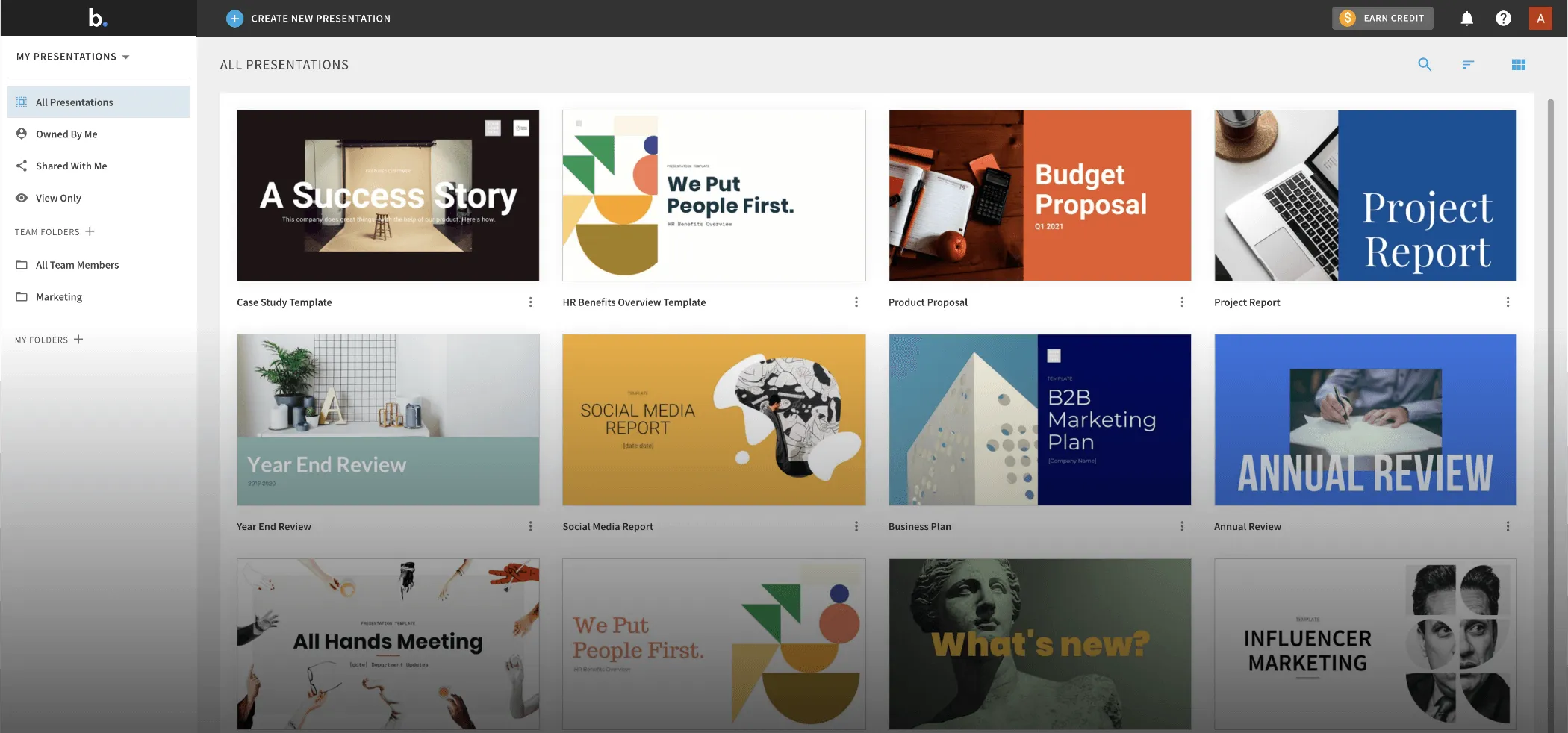
Beautiful.ai focuses on the "smart template" concept. It uses AI to ensure that your slides never look cluttered or poorly aligned. As you add more text or images, the layout automatically adjusts to maintain professional design standards. This is perfect for professors in the humanities or social sciences who want their slides to have a high end, polished feel without spending hours on graphic design.
The limitation of Beautiful.ai is its lack of flexibility. If the AI doesn't have a template for exactly what you want to do, it can be difficult to force the tool to cooperate. For more options in this category, you can explore Beautiful.ai alternatives.
Key Features:
- Smart templates that auto adjust as content is added.
- High quality animation and transition library.
- Consistent branding across all slides.
- Large library of icons and stock photos.
Pricing: No free tier. Starting at $12 per month.
Best for: Non designers who need their lectures to look like professional keynote presentations.
Verdict: It is the gold standard for visual polish, though it lacks some of the technical research features found in more academic focused tools.
7. Pitch.com
Pitch is designed for collaborative environments. If you are part of a large teaching team or a research lab where multiple people contribute to a single deck, Pitch is an excellent choice. It offers robust version history, commenting, and real time collaboration. Its AI helps generate the initial structure, but the focus is on the human collaborative workflow that follows.
While Pitch is powerful, its AI features are not as research focused as NextDocs. It is more about the process of building a deck together than the AI doing the heavy lifting of research. You can see how these two compare in our NextDocs vs Pitch analysis.
Key Features:
- Real time collaboration with team members.
- Version history and integrated commenting.
- Professional template library.
- Strong brand control for departments.
Pricing: Free tier available. Pro plans start at $8 per month.
Best for: Departmental presentations and collaborative research teams.
Verdict: An excellent choice for groups, though individual professors might find the team features unnecessary.
8. Canva Magic Design
Canva is a household name in design, and its Magic Design AI brings that power to presentations. For professors who want to incorporate social media elements, custom illustrations, or diverse multimedia into their lectures, Canva is unbeatable. It has the largest asset library of any tool on this list.
The downside is that Canva can often feel too "marketing focused" for a serious academic lecture. The templates are often bright and busy, which might distract from complex subject matter. It also lacks technical features like LaTeX or advanced data visualization.
Key Features:
- Massive library of templates, photos, and videos.
- Multi format export including video and social posts.
- AI powered text to image generation.
- Strong free tier with many assets.
Pricing: Free tier available. Pro plans start at $13 per month.
Best for: Creative fields, marketing professors, and multimedia heavy lectures.
Verdict: Great for visual impact, but often lacks the academic rigor needed for technical subjects.
9. MagicSlides
MagicSlides is a niche but powerful tool that excels at content repurposing. Its standout feature is the ability to turn a YouTube video URL into a set of slides. For a professor who wants to use a public lecture or a documentary as the basis for a classroom discussion, MagicSlides can save hours of manual transcription and outlining.
The design output is quite basic, and you will almost certainly need to do some manual cleanup. However, as a starting point for repurposing existing media, it is very effective. You can find more similar tools in our MagicSlides alternatives list.
Key Features:
- Convert YouTube videos directly into slides.
- Simple Google Slides integration.
- Fast text to slide generation.
- Easy to use interface.
Pricing: Free tier available. Pro plans start at $8 per month.
Best for: Professors who frequently use video content as a teaching base.
Verdict: A specialized tool that is excellent for its specific niche but lacks the all around power of a primary slide maker.
10. SlidesAI
SlidesAI is a straightforward Google Slides add on that focuses on speed. You paste in your text, and it creates a deck. It is one of the most affordable options on the market and is very easy to use. It doesn't have the bells and whistles of the higher ranked tools, but it gets the job done for basic internal presentations.
The design quality is often inconsistent, and the AI doesn't have a deep understanding of academic context. It is best used for creating a rough draft that you plan to edit heavily. For more context on where this fits in the broader market, see our best AI presentation builders 2026 roundup.
Key Features:
- Fast generation from text input.
- Simple, no frills interface.
- Affordable pricing for students and faculty.
- Works within Google Slides.
Pricing: Free tier available. Pro plans start at $10 per month.
Best for: Quick internal drafts and students on a budget.
Verdict: A budget friendly option for those who just need a basic starting point and don't mind doing the design work themselves.
How Professors Can Evaluate AI Slide Makers
When selecting a tool, professors should consider three main pillars: academic integrity, technical capability, and workflow integration.
Academic Integrity and Research
Most AI tools are prone to "hallucinations," where they invent facts that sound plausible. For a professor, this is a major risk. Tools like NextDocs mitigate this by using deep research integrations that prioritize real data and citations. If you are teaching a subject where accuracy is non negotiable, you must choose a tool that allows you to verify its sources.
Technical Capability
If you teach in STEM, you cannot use a tool that doesn't support LaTeX or code blocks. Manually inserting screenshots of equations is a tedious process that AI should be solving. Similarly, if your lectures require complex data tables, ensure the tool handles "native" tables rather than just creating an uneditable image of a table.
Workflow and Exporting
University systems are often rigid. You might need to upload a PPTX to Canvas, share a PDF on a personal website, and present from Google Slides in a specific classroom. A tool with universal export capabilities ensures that you aren't locked into a single platform. NextDocs and Plus AI are particularly strong in this regard, whereas tools like Gamma are more restricted to their own web formats.
Conclusion
The landscape of AI slide makers for professors has matured significantly. While many general purpose tools exist, the needs of the classroom require a specific set of features: accuracy, technical support, and flexibility.
NextDocs stands at the top of our list because it understands these academic requirements. Its multi variant generation and deep research capabilities provide the level of control and precision that professors need. For those who prefer to stay within the Microsoft or Google ecosystems, Copilot and Gemini offer seamless but more expensive or less specialized alternatives.
Ultimately, the best tool is the one that reduces your administrative burden so you can spend more time engaging with your students and your research.
Ready to Create Better Presentations?
Try NextDocs Free and experience multi-variant generation, universal exports, and deep research integration. No credit card required.