
NextDocs vs Gamma: AI Presentation Builder Comparison (2026)
A detailed comparison of NextDocs and Gamma to help you choose the right AI presentation tool. We analyze research capabilities, export flexibility, design quality, and pricing.

The Evolution of AI Presentations in 2026
The landscape of professional presentations has shifted dramatically over the last few years. We have moved past the era of simple text-to-slide generators that produced generic, often inaccurate content. Today, professionals require tools that understand business context, provide verifiable data, and fit into complex workflows. While many users still search for powerpoint ai add-ins to stay within their familiar software, standalone AI presentation builders have emerged as the superior choice for those who want to leverage the full power of artificial intelligence.
Two names frequently dominate the conversation: NextDocs and Gamma. Both tools represent the cutting edge of AI-driven design, but they cater to different philosophies of work. Gamma has built a massive following by making presentations feel like modern web pages. NextDocs, on the other hand, has focused on the needs of high-stakes professionals, consultants, and founders who cannot afford to sacrifice data accuracy or format flexibility.
In this detailed comparison, we will break down the core features, pricing structures, and practical use cases for both NextDocs and Gamma to help you determine which platform deserves a place in your professional toolkit.
Overview of NextDocs
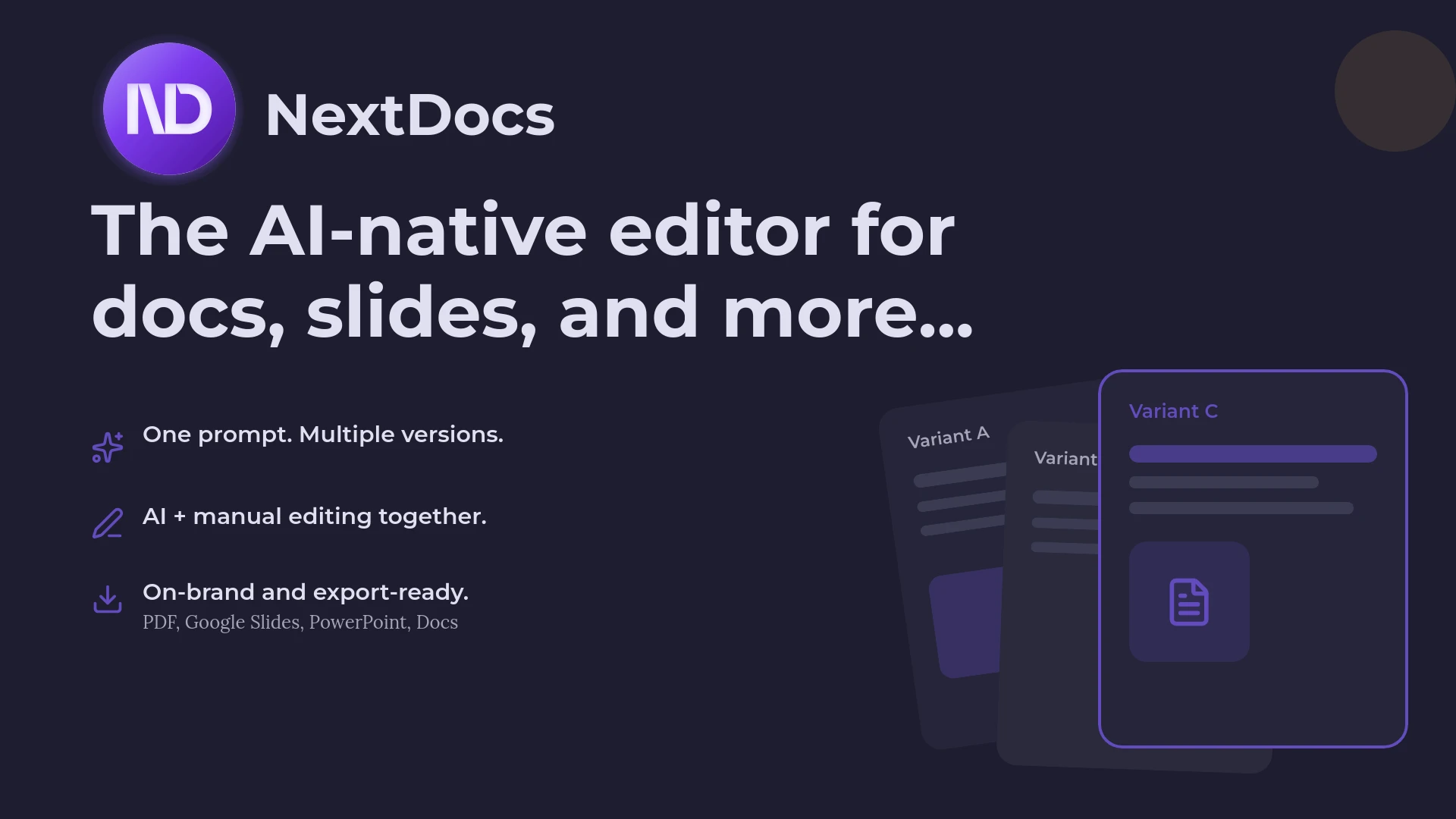
NextDocs is an AI-native document and presentation platform designed for professionals who need more than just a pretty layout. It was built with the understanding that the first draft an AI produces is rarely the final version. To solve this, NextDocs introduced a multi-variant generation system. Instead of giving you one take-it-or-leave-it deck, it generates three to four distinct versions of your presentation based on a single prompt. This allows you to choose the narrative arc, visual style, and content depth that best fits your specific goal.
Beyond design, NextDocs focuses heavily on the "intelligence" part of AI. It features deep research integration, which means the tool does not just guess at facts or provide plausible-sounding statistics. It searches the web, pulls real-time data, and provides citations for the information it includes in your slides. This makes it a preferred choice for research-heavy decks and investor pitches.
Another standout feature is universal export. While many AI tools try to lock you into their proprietary ecosystem, NextDocs allows you to export your work to PDF, PowerPoint, Google Slides, and even Google Docs. This ensures that you can collaborate with clients or teammates regardless of which software they use. NextDocs is positioned as a leader in our blogs/best-ai-presentation-builders-2026 roundup for its versatility and professional-grade output.
Overview of Gamma
Gamma has gained significant popularity as one of the top gamma alternatives 2026 for those seeking modern designs and a frictionless user experience. It pioneered the "web-native" presentation format, where slides are replaced by flexible "cards" that can expand to fit content. This approach makes Gamma presentations feel more like interactive websites than traditional slide decks.
The platform is designed for speed. You can start with a prompt, an outline, or even an existing document, and Gamma will rapidly assemble a visually stunning presentation. It features a modern aesthetic with clean typography and vibrant themes that require almost no manual tweaking. Gamma stands out as a top choice among 2026 free ai pitch deck builders due to its accessible entry point and generous starter credits.

Gamma is particularly effective for internal team updates, quick project proposals, and content that will be shared primarily via a web link. Its editor is intuitive, using a block-based system that allows you to drag and drop elements like images, videos, and interactive charts easily.
Key Differences Between NextDocs and Gamma
While both tools use AI to generate slides, the underlying logic and intended outcomes are quite different. Understanding these nuances is key to choosing the right one for your workflow.
Multi-Variant vs. Single-Output Generation
The most significant difference lies in how the AI interprets your prompt. Gamma follows the traditional AI model: you provide a prompt, and it generates one presentation. If you do not like the result, you must prompt it again or edit it manually.
NextDocs uses a multi-variant approach. It understands that "a pitch deck for a fintech startup" could be interpreted in several ways. One version might focus on the technical infrastructure, while another focuses on market opportunity and traction. By providing multiple versions upfront, NextDocs saves you the time of repetitive prompting and gives you a broader range of creative directions to choose from.
Research Depth and Data Accuracy
In the professional world, a presentation is only as good as the data it contains. Gamma is excellent at generating creative copy and structured outlines, but it often relies on the general knowledge of the underlying AI model.
NextDocs integrates a deep research layer. When you ask it to create a slide on market trends, it performs a real-time search to find current figures and provides citations. This eliminates the need for you to leave the app to verify statistics. For consultants and founders, this feature is a significant time-saver and a safeguard against AI hallucinations.
Export Flexibility and Workflow Integration
Gamma is a web-first tool. Its best features, such as interactive cards and embedded videos, are designed to be viewed in a browser. While it does offer PDF and PowerPoint exports, these can sometimes feel like a downgrade from the web version, as the flexible card layouts must be forced into static slide dimensions.
NextDocs was built for universal compatibility. It treats PDF, PowerPoint, and Google Slides as first-class citizens. If you need to send a deck to a client who only uses Google Workspace, or if you need to present offline using a standard PPTX file, NextDocs ensures the formatting remains perfect. It even allows you to export to Google Docs, which is incredibly useful if you need to turn your presentation into a detailed written report or a script.
Feature Comparison Table
| Feature | NextDocs | Gamma |
|---|---|---|
| Primary Category | Professional / Standalone | Web-native / Standalone |
| Generation Mode | Multi-variant (3 to 4 versions) | Single output |
| Research Capabilities | Deep research with citations | Basic AI generation |
| Export Formats | PDF, PPTX, Google Slides, Google Docs | PDF, PPTX, Web Link |
| Editing Experience | AI-native + Full manual control | Block-based / Web-native |
| Brand Customization | Advanced brand styling and kits | Basic themes and styles |
| Best For | Consultants, Founders, Sales | Startups, Internal teams, Students |
| Free Tier | Available | Available (Credits-based) |
Pricing Comparison
When evaluating cost, it is important to look at the value provided beyond the monthly fee. For those on a strict budget, exploring 2026 affordable ai slide makers is a good first step, and both NextDocs and Gamma offer competitive pricing.
NextDocs Pricing
NextDocs offers a free tier that allows users to experience the multi-variant generation and basic editing features. The Pro tier starts at $15 per month. This plan is designed for power users and includes:
- Unlimited multi-variant generation.
- Full access to deep research tools and citations.
- Priority universal exports (PowerPoint, Google Slides, etc.).
- Advanced brand kits to ensure all decks match company styling.
- Multi-model support, allowing you to choose the AI engine that best fits your content.
Gamma Pricing
Gamma also provides a free tier based on a credit system. Once your initial credits are used, you can earn more through referrals or subscribe to a paid plan. Their "Plus" plan starts at $8 per month, making it one of the more affordable options on the market. Key features of their paid plans include:
- Removal of the "Made with Gamma" watermark.
- Unlimited AI generation.
- Better export options (though still focused on web/PDF).
- Basic customization of themes and styles.
While Gamma is cheaper on a monthly basis, NextDocs Pro is often viewed as a more comprehensive investment for professionals who spend hours each week on research and formatting, as the deep research and export features can save significant labor costs.
Pros and Cons
NextDocs
Pros:
- Multi-variant choice: Getting multiple versions per prompt ensures you find the right narrative quickly.
- Verifiable data: Deep research with citations adds instant credibility to your work.
- No format lock-in: The ability to move between PowerPoint, Google Slides, and Docs is a major advantage.
- Professional styling: The output is designed to look corporate-ready rather than just "modern."
Cons:
- Learning curve: The advanced research and multi-model features take a moment to master.
- Pricing: The starting price is higher than Gamma's entry-level plan.
Gamma
Pros:
- Incredible speed: You can go from an idea to a beautiful web presentation in under a minute.
- Modern aesthetics: The default themes are very stylish and follow current design trends.
- Web sharing: Perfect for sending a link that looks great on both desktop and mobile.
- Affordability: The low entry price is excellent for students and small startups.
Cons:
- Watermarks: The free tier includes prominent Gamma branding on exports.
- Static exports: The PDF and PPTX versions can lose the "magic" of the interactive web cards.
- Lack of research depth: You still need to do your own fact-checking for complex topics.
The Verdict: Which Tool Should You Choose?
Choosing between NextDocs and Gamma comes down to your specific output requirements and the stakes of your presentation.
Choose Gamma if you need to create something visually impressive very quickly and your primary goal is sharing a link. It is the perfect tool for internal company updates, school projects, or casual pitches where a modern, web-like feel is an asset. Its lower price point and fast generation make it highly accessible for general use.
Choose NextDocs if you are a professional whose work requires accuracy, authority, and flexibility. If you are a consultant delivering decks to clients in their preferred format, or a founder pitching for Series A funding, the multi-variant generation and deep research capabilities of NextDocs are indispensable. The ability to verify every statistic and export to any major platform ensures that your workflow remains professional and uninterrupted.
In the fast-moving world of 2026, the best AI tool is the one that removes the most friction from your day. For most business professionals, the robust features of NextDocs provide a more complete solution for the entire presentation lifecycle.
Ready to Create Better Presentations?
Try NextDocs Free and experience multi-variant generation, universal exports, and deep research integration. No credit card required.